9
ELEVATION OF THE BENDMAX
™
Refer to the “Identification” section of this manual.
1. To raise the elevation control for the
BENDMAX
™
Power Bender, remove
the elevation control screw handle (10) from its stored location. Insert socket
end of handle onto the end of the elevation control screw jack (9) and rotate
handle clockwise to raise the unit upwards or counter clockwise to lower
unit as shown in (Fig 5).
2. Once proper height has been found secure elevation control
screw handle (10) back in its stored location.
CAUTION: Ensure you carefully
observe the Elevation Travel Indica-
tor (8) to ensure you stay within the
GREEN area when using an 18V
Drill to raise and lower bender.
Ensure you stay out of the RED
area on the travel indicator as
shown in Fig. 5 by the arrow.
Fail-
ure to stay in the green range
could result in elevation control
jack damage.
Green
Red
Red
Fig. 5
Fig. 5
SETUP cont.
CHANGING THE BENDING PLANE OF THE BENDMAX
™
Refer to the “Identification” section of this manual.
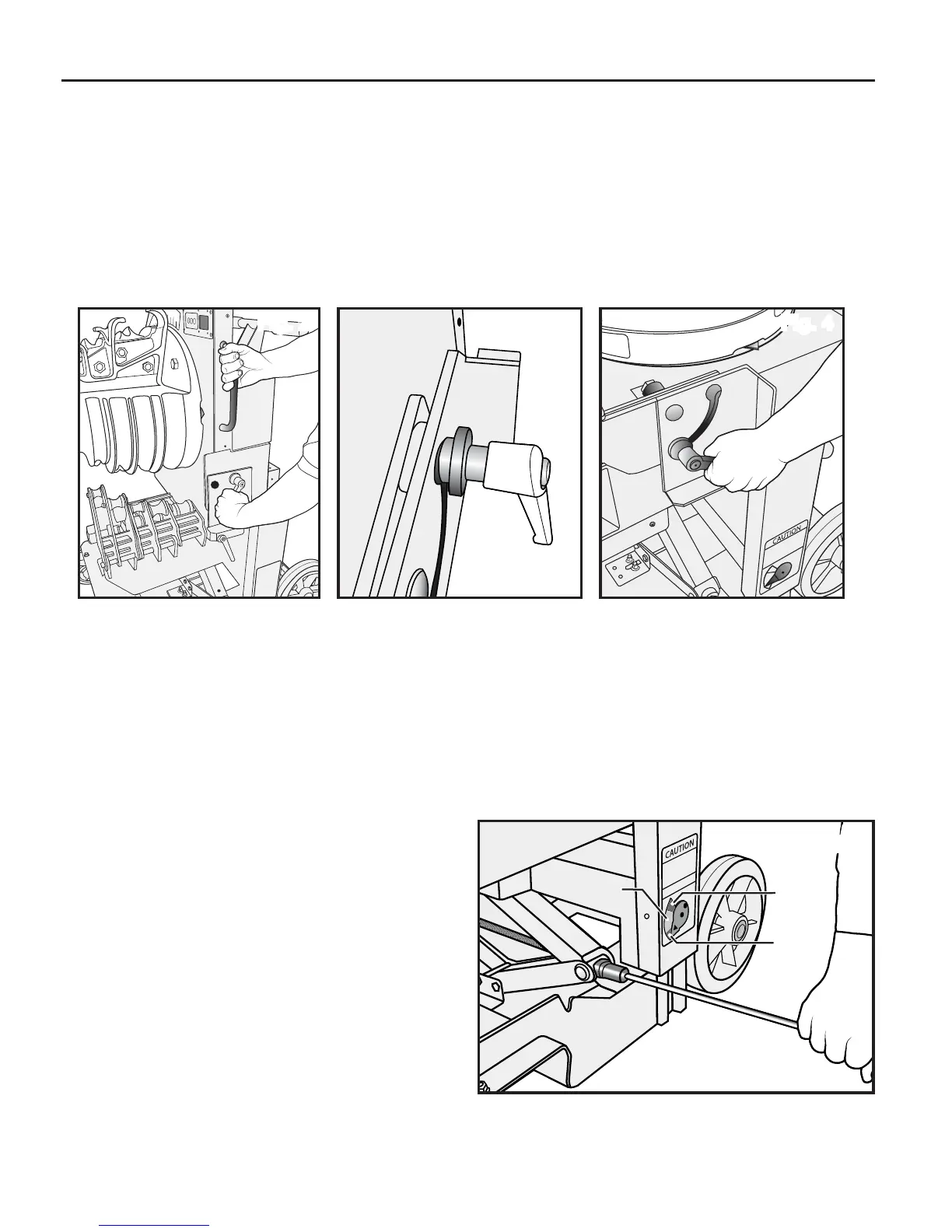
1. Rotate the Locking Tilt Handle (15) counter clockwise to loosen and free up
the bending platform (Fig 2). Place hand on Bender Support Handle (6) and
allow the bender head platform to transition backwards. Once in the
horizontal plane, align the anchor set spacer (Fig 3) into slot and tighten
Locking Tilt Handle (15) by turning clockwise to secure in place as seen in (Fig 4).
Fig. 2 Fig. 3 Fig. 4


 To Next Page