V220922
AR-331-E/EF
SOYAL
ACCESS CONTROL SYSTEM
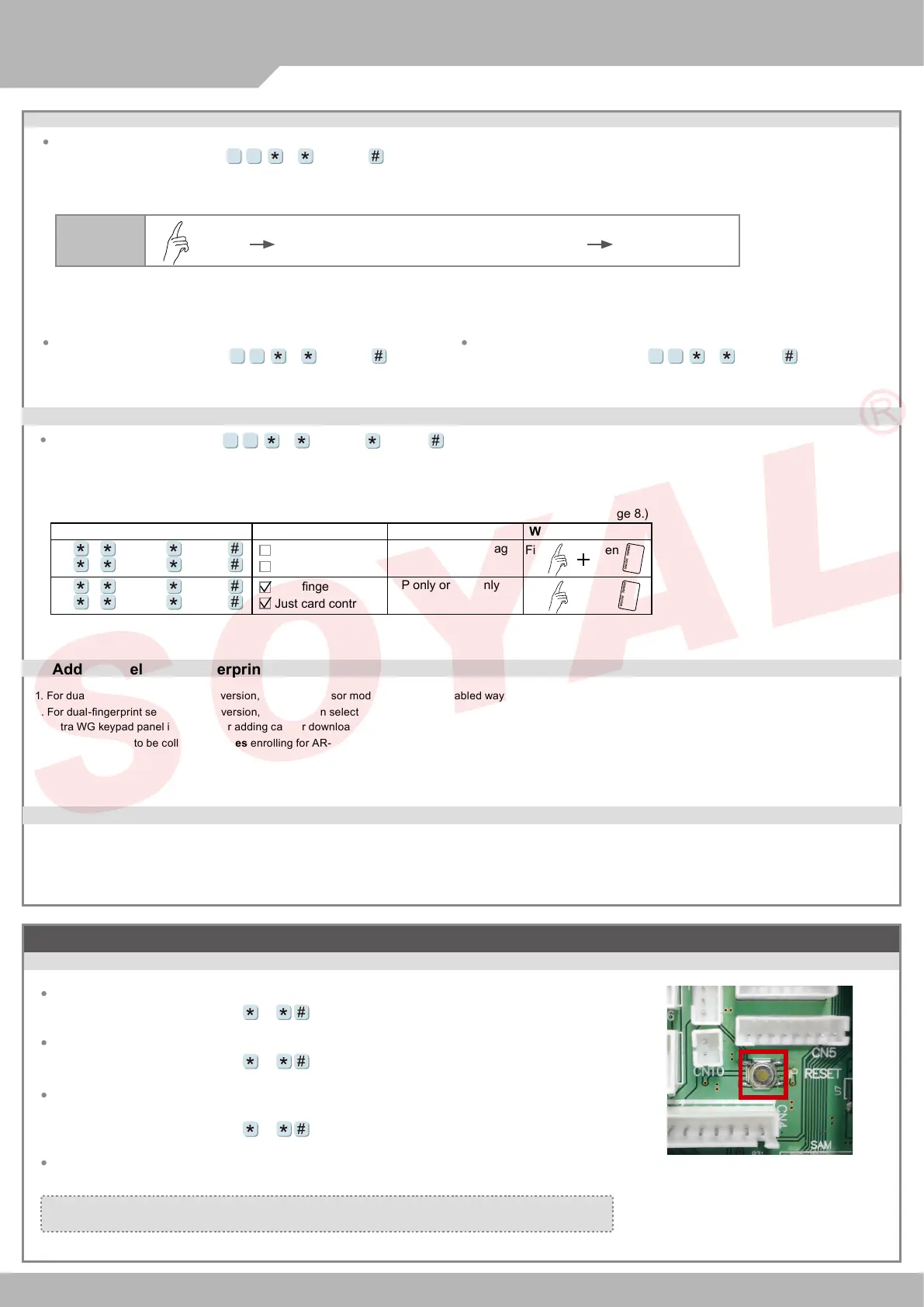
J. Adding / Deleting Fingerprint
K. Enable/Disable Skip Finger/Tag
Adding
How to add a nger data:
Access programming mode
→ Place your nger on the sensor
[F=1= Adding 1 Finger data; F=2= Adding 2 Finger data; UUUUU=
User address]
F UUUUU
93
Deleting
UUUUU=
User address
Access programming mode
→ 0 UUUUU
93
Deleting All
Access programming mode
→ 9 99999
93
※
Adding 2nd/3rd Fingerprint
→
Repeat 1st nger process
※
If you hear continuous "beep..." sounds when you place nger on the sensor, please release your nger from the sensor.
(Please consult detail command on page 8.)
Command Setting
Software Setting
Access Mode
Way
40 1 NNNNN EEEEE
40 3 NNNNN EEEEE
Just ngerprint
Just card control
FP rst and then Tag
First
Then
40 0 NNNNN EEEEE
40 2 NNNNN EEEEE
Just ngerprint
Just card control
FP only or Tag only
Access programming mode
→
NNNNN=
starting user address
EEEEE= ending user address
F
=
1+3(Default Value)
F NNNNN EEEEE
04
or
L. Adding / Deleting Fingerprint
1. For dual-ngerprint sensor module version, capactive sensor module is the only enabled way for enrolling FP.
2. For dual-ngerprint sensor module version, user just can select one of ngerprint sensor for identication and can't put two ngerprints to dierent sensor at the same time.
3. Extra WG keypad panel is needed for adding card or downloading data connected to PC.
4. Each nger need to be collected
1 times
enrolling for AR-331-E/EF.
M. The process of FP identication
1. While attached a nger on biometric sensor, there is a beep sound for starting the scanner. Then, please don't move your nger until the AR-331-EF makes
another beep sound.
2. If there is a 8-beep sound after user gets access by FP, the FP data shall be reset by command 39*9*99999# under the programming mode.
Cautions: Before reset the FP, please backup the data from source FP rst.
Adding 1
Fingerprint
( After Bi sound, please remove the the nger
from unit. Each nger shall collect for 3 times )
(OK)
Put 1st
Finger
Bi Long Bi
Restoring Factory Settings
Reset all device parameters and user card data
Reset User Data &Controller Parameter :
Access programming mode
→
29
20
Reset User Data &Controller Parameter (incl. Master Code)
& Reset Parameter Setting- SOR :
Access programming mode
→
29
21
Reset IP Setting:
Access programming mode
→
Press “IP Resent Button” of main board for few seconds. (Reference to picture)
Reset User Data :
Access programming mode
→
29
29
※
After operation as above, you will hear the long reminder sound,and wait until the
sound disappear then reset the power of the controller,the device will restore factory setting.


 To Next Page
 Loading...