V220922
- 6 -
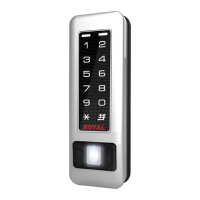
Fingerprint
Biometrics Device Access controller
I. Setting Up the Arming
Arming ModeDisarming Mode
TriggeringAlarm
Condition:
TriggeringAlarm
Condition:
VS
abnormaldoor
position
dooropentoo
long
doorisforced
openg
doorisforced
openg
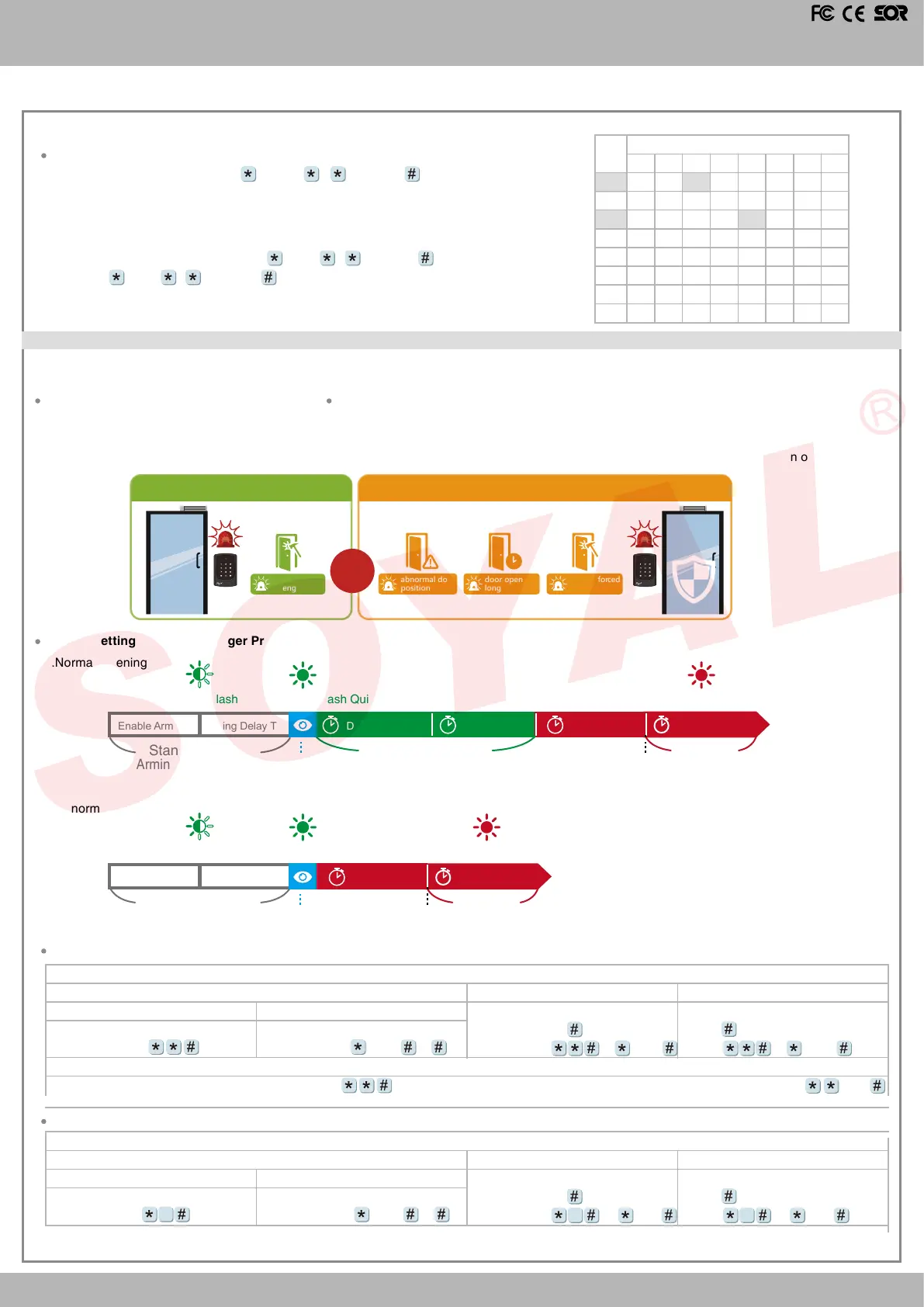
In the security management of access control system, the controller or reader status is divided into Standby Mode or Disarming Mode and Arming
Mode. The conditions for triggering the alarm in these two modes is dierent, as shown in the following comparison:
Alarm conditions:
1. Door is forced open
Application:
1. Door open too long: Door is open longer than door relay time plus door close time.
2. Force open (Opened without a valid user card): Access by force or illegal procedure.
3. Door position abnormal: Arming is enabled and the power is suddenly o then on.
1.
Normal Opening
Arming Setting and Alarm Trigger Procedure :
Door Relay TMArming Delay TMEnable Arming Alarm Relay TMDoor Close TM
Alarm Delay TM
Enable
Arming Status
Alarm Trigger
Door open
Green Led Flash Quickly Red Led Flash Quickly
Alarm trigger
Green Led Flash
Standby Mode
(Arming is not enable)
2.
Abnormal Opening
Enable
Arming Status
Alarm Trigger
Green Led Flash Quickly Red Led Flash Quickly
Green Led Flash
Arming Delay TMEnable Arming
Standby Mode
(Arming is not enable)
Alarm Relay TM
Alarm Delay TM
Alarm trigger
Set
(G)
Floor
L
8
16
24
32
40
48
56
64
0
1
2
3
4
5
6
7
L
6
14
22
30
38
46
54
62
L
7
15
23
31
39
47
55
63
L
5
13
21
29
37
45
53
61
L
4
12
20
28
36
44
52
60
L
3
11
19
27
35
43
51
59
L
2
10
18
26
34
42
50
58
L
1
9
17
25
33
41
49
57
Please refer to below oor chart
[e.g.] User address NO. 168 can reach only the 6th and 20th oor:
Access programming mode
→
21 00168 0 00100000
→
21 00168 2 00001000
→
OK (Please refer to oor chart as right.)
Multi oors
Access programming mode
→
21 UUUUU G LLLLLLLL
[UUUUU=User address G: 8 sets of lift control (Input: 0~7) LLLLLLLL:
8 oors setting (L=0=Disable, L=1=Enable)
Enable all devices: Access programming mode
→
Enable particular device: Access programming mode
→
0 or 1
Disable Arming status:
Standby Mode
Standby Mode
Enter Program Mode
Card only
Card only
Card or Passcode
Card or Passcode
Card and Passcode
Card and Passcode
※
Factory default armingcode is: 1234. 0 or 1=Reader unit (0=Main Controller Parameter Setting,1=WG Input Port Parameter Setting ).
Enable all devices
Induct valid card
→
Input 4 digit
arming code
→
Enable particular device
Induct valid card
→
Input 4 digit
arming code
→
0 or 1 or
Disable particular device
Induct valid card
→
Input 4 digit
arming code
→
0 or 1 or
Input 5 digit user address
→
Input 4
digit pass code
→ →
Input 4 digits
arming code
→
or
0 or 1
Induct valid card
→
Input 4 digit pass
code
→
→
Input 4 digits arming
code
→
or
0 or 1
Disable all devices
Induct valid card
→
Input 4 digit
arming code
→
9
Input 5 digit user address
→
Input 4
digit pass code
→ →
Input 4 digits
arming code
→
or 0 or 1
9
Induct valid card
→
Input 4 digit pass
code
→
→
Input 4 digits arming
code
→
or 0 or 1
9
Enable Arming status:


 To Next Page
 Loading...