OPERATING INSTRUCTIONS
Multi-Colour light models provide a choice of 8 exciting fixed colours & 2 Multi-Colour programs
with the flick of a switch!
1. Electric Blue
2. Midnight Magenta
3. Ruby Red
4. Spring Lime
5. Lagoon Green
6. Tropical Aqua
7. Daylight White
8. Warm White
9. Slow colour Blend
10. Fast Colour Change
COLOURS AVAILABLE:
SYNCHRONISED INSTALLATION
1.
To change the colour of the light, simply turn your light OFF for 2 seconds and then turn it
back ON. This will signal the light to step through to the next colour.
Colours will display in the order above, to select a desired colour, simply step through the
colours until you find your desired selection.
2.
3.
Your lights will automatically save your selected colour once the power has been turned OFF
for more than 1 minute so the next time the lights are used, they will illuminate on the
last colour selected.
To reset or ‘synchronise’ your lights; with the power turned ON, turn the power OFF/ON once
rapidly. This will put the lights into RESET mode (flashing BLUE), once this occurs turn the
power OFF, wait 2 seconds & turn the power ON. Your lights should now be synchronised.
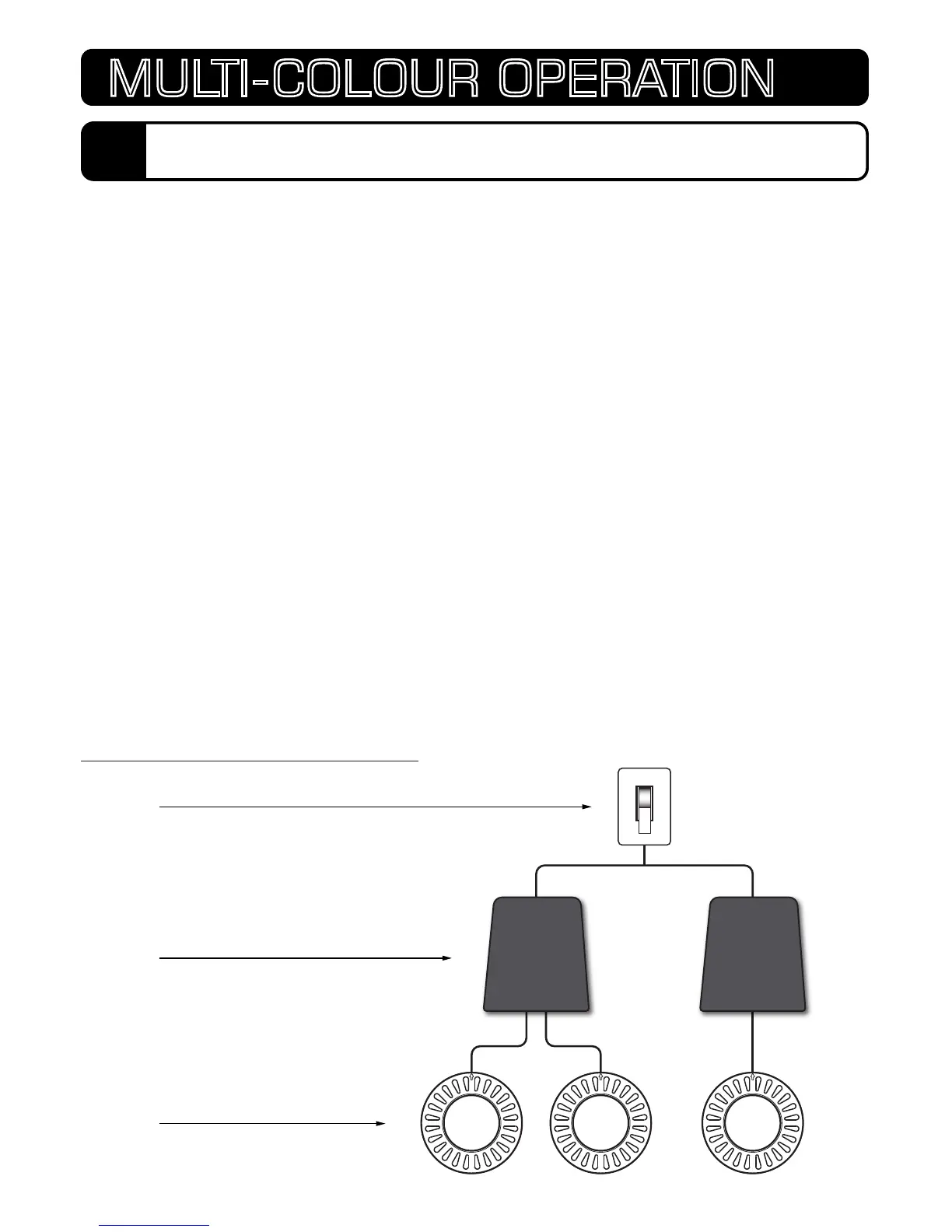
When installing multiple lights; to ensure synchronisation and ease of operation all
lights must operate from a single switch.
SUGGESTED WIRING DIAGRAM
SWITCH
TRANSFORMER(S)
STANDARD ATOM LIGHTS
LV50-12LV50-12 LV25-12
18
MULTI-COLOUR OPERATION


 To Next Page