Ambulatory Blood Pressure Monitor 90217 Service Manual
4-12
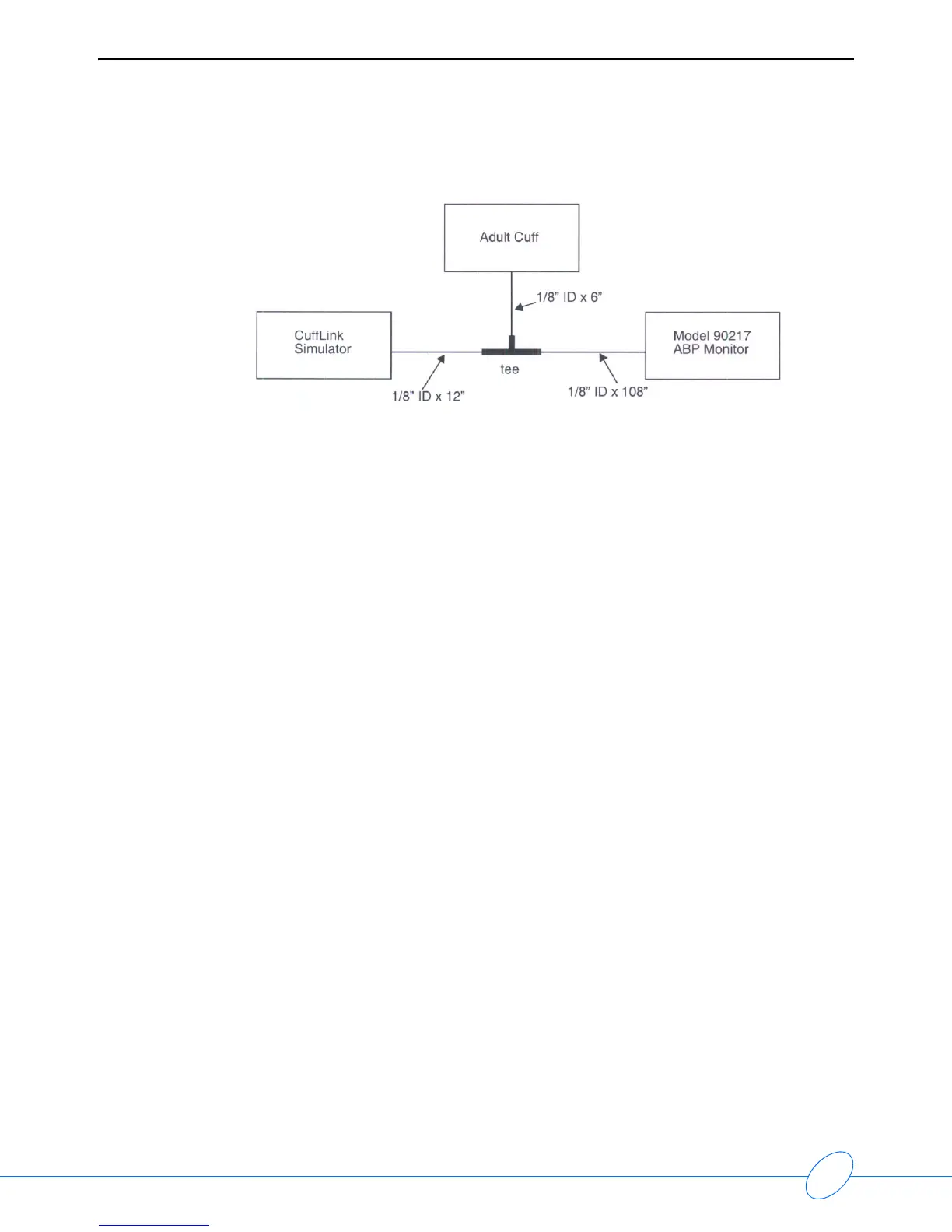
3 Connect the 90217 to the simulator:
4 Move the CuffLink cursor to SelectBp and press the ENT key to select ADAMS Adult.
5 Press the F2 key (AdjEnv) and verify that the gain is at 100%. If it is not, adjust it using the arrow
keys. At the same time, verify that OFFSET and/or SHIFT are at 0.
6 Press the ENT key.
7 Press the Esc key to return to the Main Menu.
8 Move the cursor to AUTO using the arrow keys and select Execute using the ENT key.
9 Press the F1 key to select ADULT readings.
10 Zero the pressure by pressing the F5 key.
11 Press the Esc key until the first pressure simulation reading is displayed on the CuffLink.
12 Press the START/STOP button on the ABP monitor to start the reading.
Note:
The CuffLink simulator may automatically change to the next blood pressure setting
when the current reading is complete. If you must repeat a reading, press the Esc key
repeatedly until the ADULT INFANT menu is shown at the bottom of the screen. Press
the F1 key to select ADULT readings and then use the Esc key to increment to the
reading desired.
13 Repeatedly press the START/STOP button on the 90217 to sequence through the list of blood
pressures simulated by the CuffLink.
14 At the end of the readings, verify that the systolic and diastolic readings are within given ranges
provided in step #2.
Note:
If the readings are out of range, retest the ABP monitor at the same setting. If it still
fails, check all hose connections, perform the leak test as described in the beginning
of these procedures, and check the gain settings on the simulator. If all this fails, refer
to Troubleshooting on page 5-1.



 To Next Page