FROZEN PRODUCT OPERATION
Adjust product consistency
Viscosity Adjustment:
1
Remove Left Side Panel using 6mm Allen Wrench
2
Remove Electrical Box Cover using 7mm Wrench
3
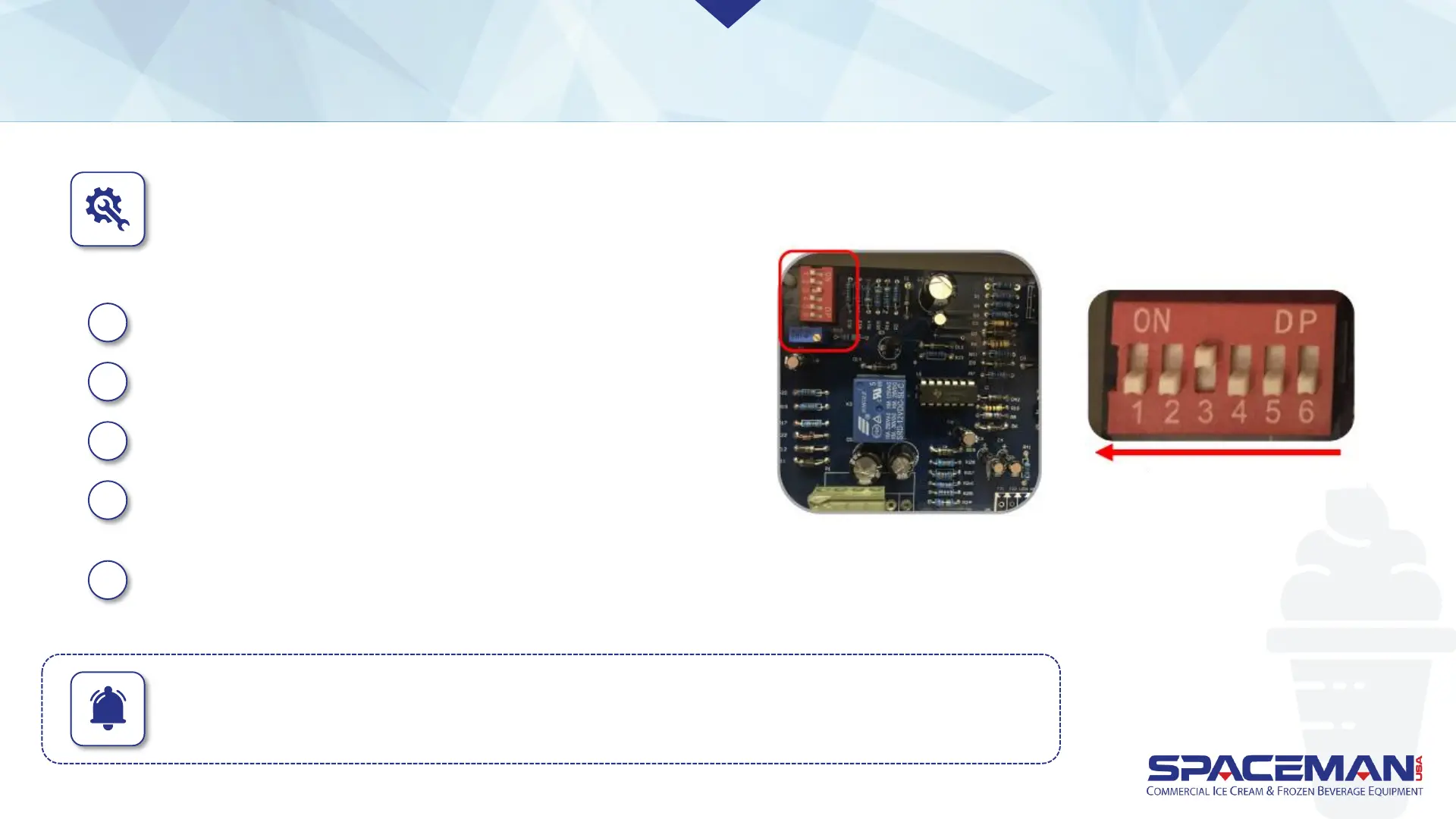
Viscosity is adjusted on the Electronic Control Board
4
Move the switch UP for the desired viscosity level.
Move all other switches DOWN.
5
The hardest viscosity is switch 1. The softest
viscosity is switch 6.
Harder Softer
IMPORTANT: Make only small adjustments to viscosity setting; allow at least 10 to 15 minutes
between adjustments to evaluate product firmness. Viscosity setting should not need
continuous adjustment. A setting of 3 is a good starting point for most product
Spaceman USA 6210 Training rev111918



 To Next Page