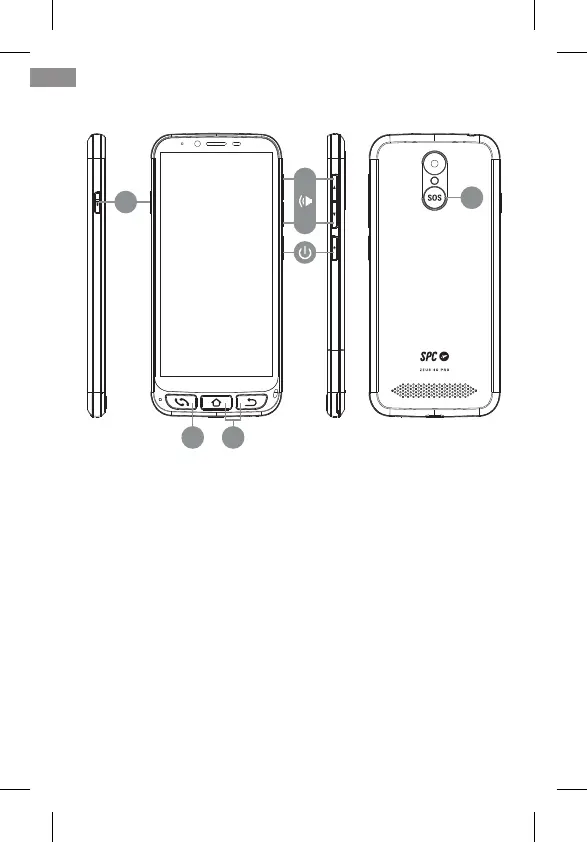
4. PHYSICAL KEYS
4.1 HANG UP AND PICK UP BUTTON
It is located at the bottom left. It is a single button with dou-
ble functionality of picking up calls (green) and hanging up
calls (red). Its functions in detail are:
• With the telephone turned on, pressing directly opens the
Telephone application. Here you can enter a telephone
number, select a contact to call or access call history.
• Within the Telephone application, if there is a contact open,
you have entered a telephone number or selected one of
the numbers from the history, the telephone dials.
• When receiving a call, pressing this button answers the call.
• During a conversation, this button hangs up the ongoing call.
52
EN
ON/OFF
4.1
4.3
4.4
4.2
+
-



 To Next Page