TL H.264 DVR User’s Manual
106
Following is an example of how the router should be set.
Router
(D-Link DI-724P+)
WAN IP: 218.160.54.13
LAN IP: 192.168.0.1
PC
IP: 192.168.0.100
DVR 1
IP: 192.168.0.167
Trigger port: 80
DVR 2
IP: 192.168.0.200
Trigger port: 81
• To change the setting of the router, a PC with web browser is required.
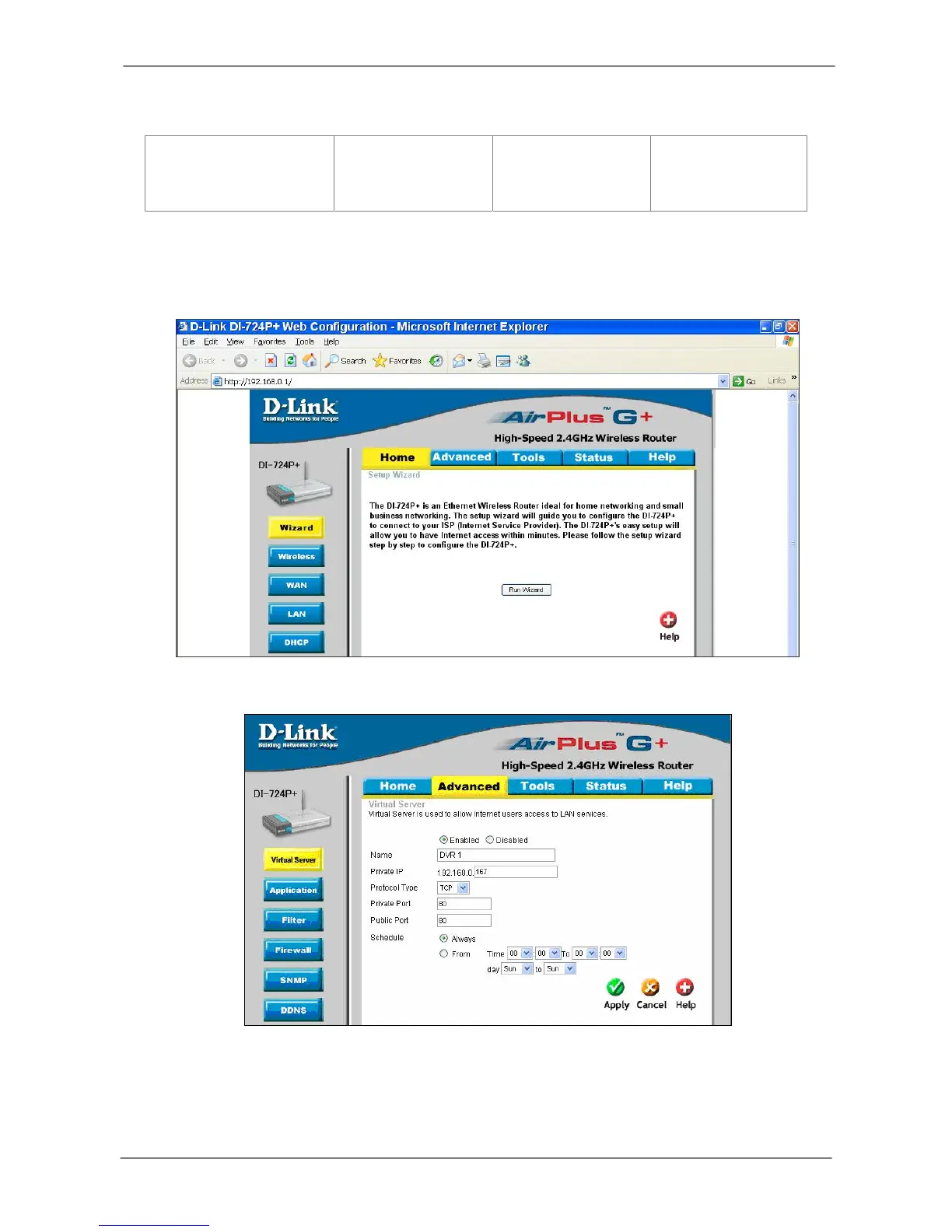
• Connect to D-Link DI-724P+ from PC via IE. The setup screen will be shown after
entering the correct username and password.
• Click the <Advanced> tab and follow the steps to set up web port forward to DVR 1.



 To Next Page