TL H.264 DVR User’s Manual
89
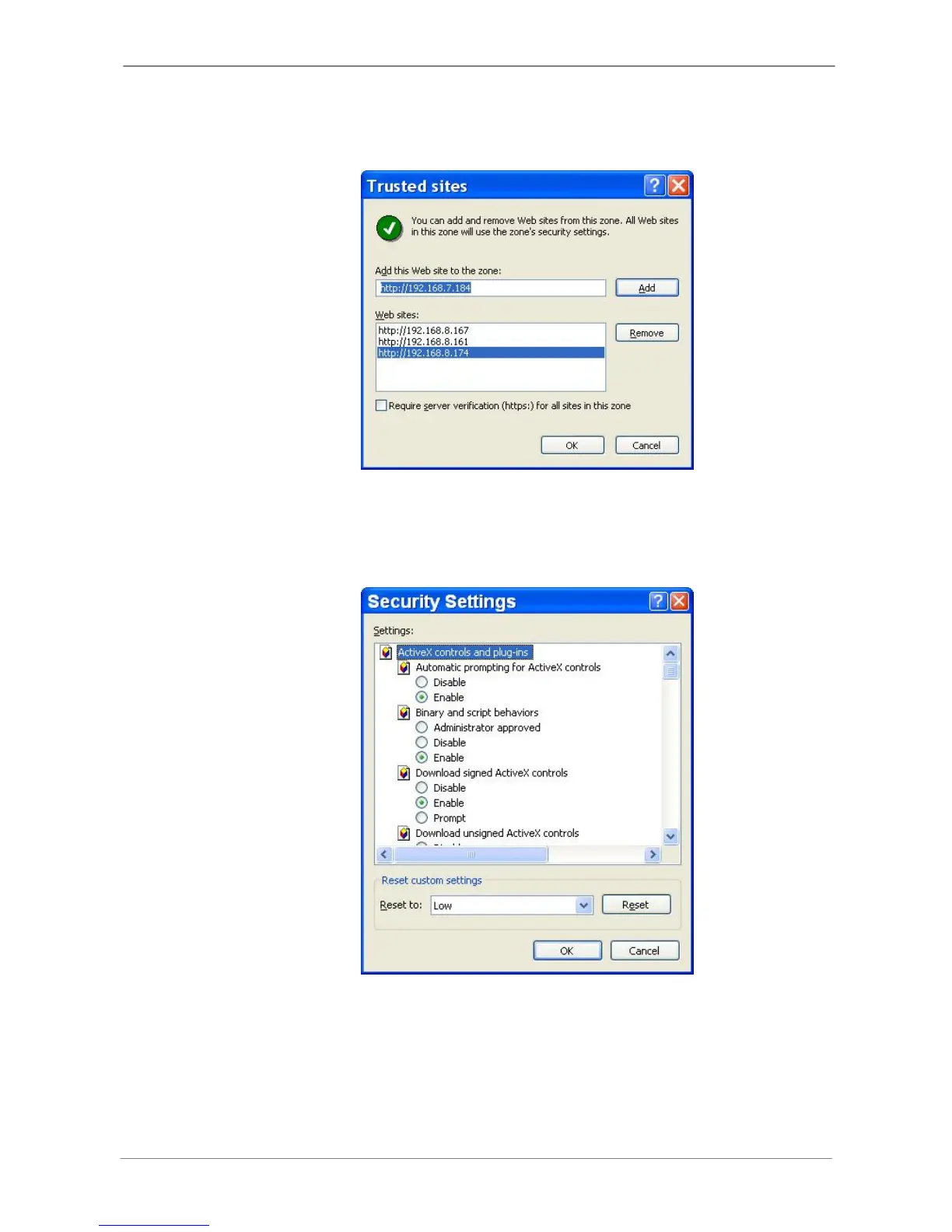
• Uncheck “Require server verification (https:) for all sites in this zone”.
Type the IP address of the unit in field and click <Add> to add this web site
to the zone.
• Click <OK> to confirm the setting and close Trusted sites dialog.
• In the Security Level area, click <Custom Level>. The Security Settings
screen is displayed.
• Under <ActiveX controls and plug-ins>, set all items to <Enable> or
<Prompt>.
• Click <OK> to apply the setting and close the <Security Settings> screen.
• Click <OK> to close Internet Options dialog.
Now the installation can continue to the next step.



 To Next Page