51
5.7.2 Online User
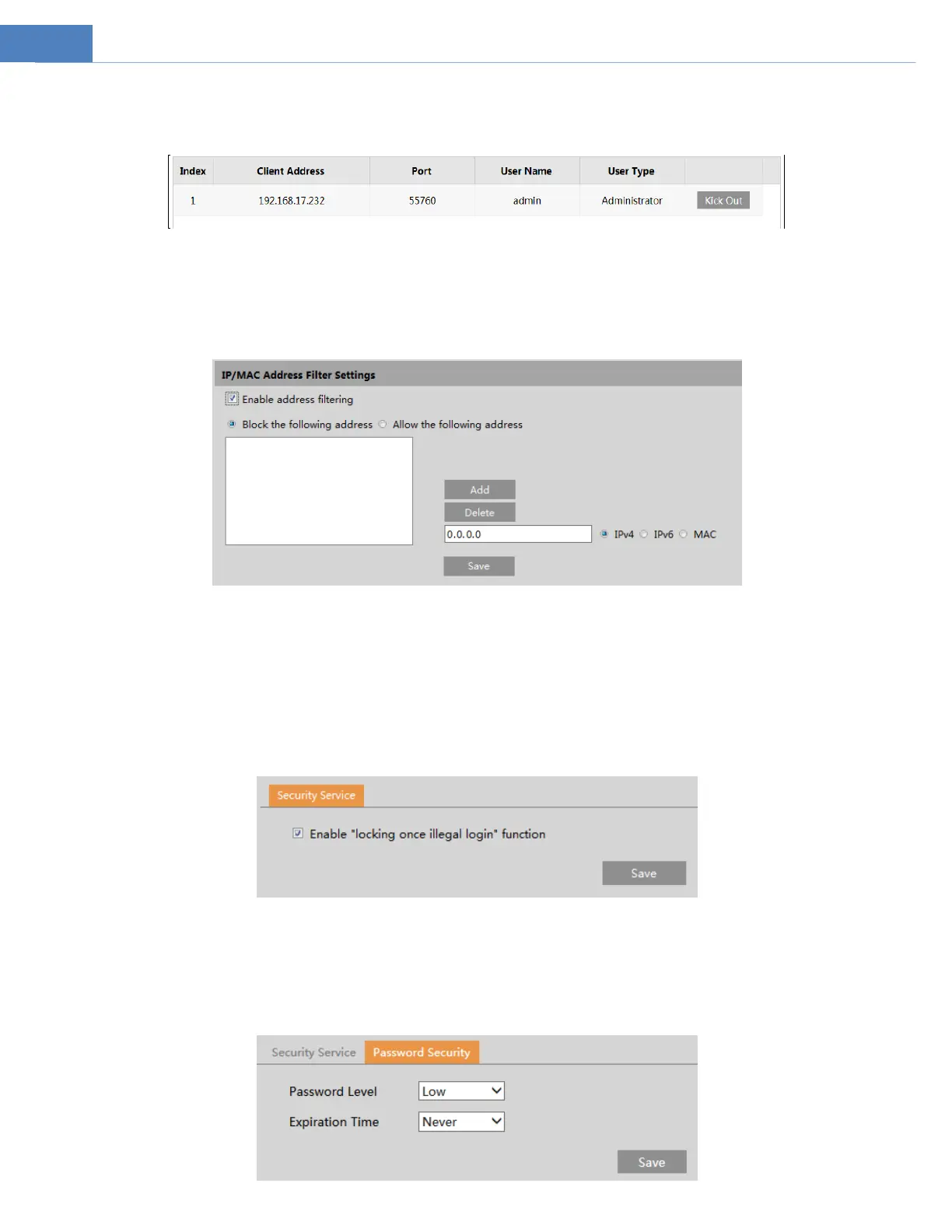
Go to SecurityOnline User to view the user who is viewing the live video.
An administrator user can kick out all the other users (including other administrators).
5.7.3 Block and Allow Lists
Go to SecurityBlock and Allow Lists as shown below.
The setup steps are as follows:
Check the “Enable address filtering” check box.
Select “Block/Allow the following address”, IPv4/IPv6/MAC and then enter IP address or MAC address in the address box and click
the “Add” button.
5.7.4 Security Management
Go to SecuritySecurity Management as shown below.
In order to prevent against malicious password unlocking, “locking once illegal login” function can be enabled here. If this function is
enabled, login failure after trying six times will make the login interface locked. The camera can be logged in again after a half hour
or after the camera reboots.
Password Security


 To Next Page