28
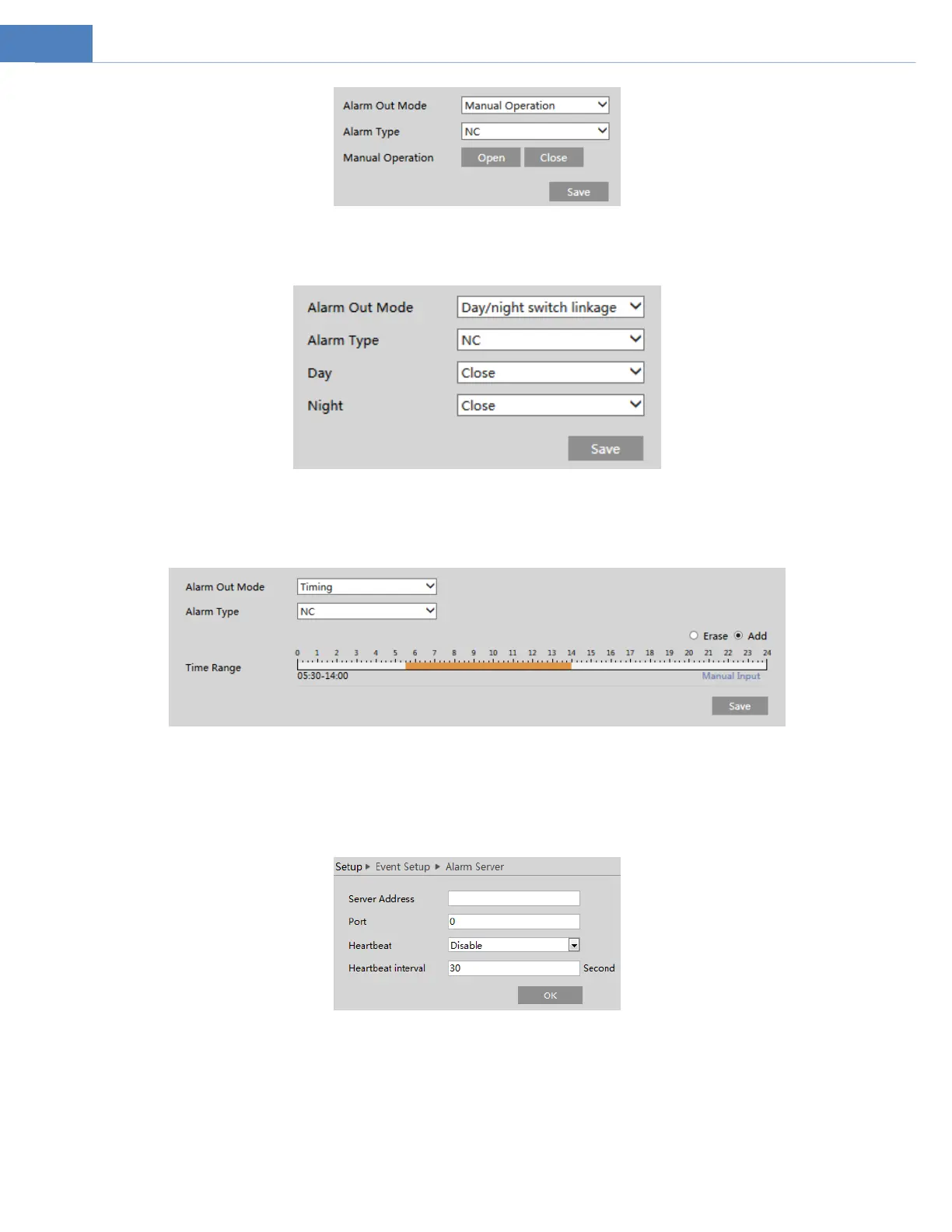
Day/Night Switch Linkage: Having selected this mode, select the alarm type and choose to open or close alarm out when the
camera switches to day mode or night mode.
Timing: Select the alarm type. Then click “Add” and drag the mouse on the timeline to set the schedule of alarm out; click “Erase”
and drag the mouse on the timeline to erase the set time schedule. After this schedule is saved, the alarm out will be triggered in the
specified time.
5.4.5 Alarm Server
Go to AlarmAlarm Server interface as shown below.
Set the server address, port, heartbeat and heartbeat interval. When an alarm occurs, the camera will transfer the alarm event to
the alarm server. If an alarm server is not needed, there is no need to configure this section.
5.4.6 Smart Tracking
The tracking option is available for line crossing detection, region entrance and exiting and intrusion detection.
Smart Tracking: When people or vehicle cross the alarm line or intrude or exit the predefined area, the PTZ camera will
automatically track them and the target image will be automatically zoomed in and centered on the screen until the target
disappears on the screen. After that, the PTZ camera will return to the tracking start position.



 To Next Page