EasyManua.ls Logo

Spectral CTA2-V2 - System Settings Menu; Accessing Settings Menus; Speaker Settings Overview; System Settings Overview

Spectral CTA2-V2
Print Icon
To Next Page IconTo Next Page
To Previous Page IconTo Previous Page
Loading...
53
English
Optional settings of the sound system
Once your sound system is successfully connected and operational you have the option of setting various parameters. If you want to make any adjustments
to the settings of the sound system just turn it on and press and hold <m> (longer than 3 sec.). To exit the Settings Menu press <m> again or use <exit> .
> 3 Sek.
ok
exit
m
sel
IR Learn
main key
blu ray
dvd
dvd rec
sat
tv1
Select Device
bra1
dvd sat tv light
stand by
no
connection
input config
in opt1 not active
in opt2 not active
in coax1 not active
in coax2 not active
in line1 not active
in line2 not active
input config
no configuration done
all inputs not active
to configure press ok
input config
in opt1 dvd
in opt2 not active
in coax1 not active
in coax2 not active
in line1 not active
in line2 not active
dvd sat tv
tv
tuner
p6
Analog stereo
<
preset
>
mode
40
dvd sat tv tuner
p6
Analog stereo
<
preset
>
modus
m
/
st
89.30
01
0
40
dvd sat tv tuner
p6
Analog wide
<
preset
>
modus
m
/
st
89.30
01
0
40
dvd sat tv tuner
p6
PLII surround 1
<
preset
>
modus
m
/
st
89.30
01
0
40
virtuell
dvd sat tv tuner
p6
PLII surround 2
<
preset
>
modus
m
/
st
89.30
01
0
40
virtuell
dvd
bra1
play
skip
skip
pause
stop
sat
red
epg
yello blue
info text
green
tv
/
r
tv
red
media
yello blue
tools info
green
sourc
lighting
power
rgb
Learn Menu
IR Learn
RF Learn
IR Learn
Learn
Clear
IR Learn
prog -
prog +
vol -
vol +
mute
IR Learn
main key
blu ray
dvd
dvd rec
sat
tv1
IR Learn
Learn
Clear
Name
IR Learn
power
ok
menu(m)
exit
left
right
IR Learn
press remote button
IR Learn
Programming successful
IR Learn
Programming failed
RF Learn
spectral bra1
new device
RF Learn
Plug in RF Device
press OK
RF Learn
Installation successful
RF Learn
Select Device
cla1
cta1
cta2
bra1
RF Learn
Installation failed
lighting
power
rgb
lan
g
ua
g
e
deutsch
english
contrast
75
input config
in opt1 dvd
in opt2 bd pl
in coax1 sat
in coax2 cd
in line1 tv
in line2 vcr
input config
in opt1 dvd
in opt2 not active
in coax1 not active
in coax2 not active
in line1 not active
in line2 not active
speaker set
preset
level trim
speaker distance
tone control
bass expand bypass
room comp
preset save
current value
default value
exit without save
preset
preset p1 default
preset p2 default
preset p3 default
preset p4 default
preset p5 default
preset p6 default
setup
speaker setup
system setup
system set
output config
sub lineout disabled
input config
ir learn
lip sync 0 ms
dynamic full
dvd sat tv tuner
p6
Analog stereo
<
preset
>
modus
m
/
st
SEEK
>
01
0
40
dvd sat tv tuner
p6
Analog stereo
<
preset
>
modus
m
/
st
89.30
01
00
40
IR Learn
yes
Clear Device
Are you sure ?
no
IR Learn
amp
apple tv
audio rec
beamer
blue ray
cd
IR Learn
Learn
Clear
Name
IR Learn
main key
blu ray
dvd
dvd rec
sat
tv1
Select Device
bra1
dvd sat tv light
stand by
no
connection
input config
in opt1 not active
in opt2 not active
in coax1 not active
in coax2 not active
in line1 not active
in line2 not active
input config
no configuration done
all inputs not active
to configure press ok
input config
in opt1 dvd
in opt2 not active
in coax1 not active
in coax2 not active
in line1 not active
in line2 not active
dvd sat tv
tv
tuner
p6
Analog stereo
<
preset
>
mode
40
dvd sat tv tuner
p6
Analog stereo
<
preset
>
modus
m
/
st
89.30
01
0
40
dvd sat tv tuner
p6
Analog wide
<
preset
>
modus
m
/
st
89.30
01
0
40
dvd sat tv tuner
p6
PLII surround 1
<
preset
>
modus
m
/
st
89.30
01
0
40
virtuell
dvd sat tv tuner
p6
PLII surround 2
<
preset
>
modus
m
/
st
89.30
01
0
40
virtuell
dvd
bra1
play
skip
skip
pause
stop
sat
red
epg
yello blue
info text
green
tv
/
r
tv
red
media
yello blue
tools info
green
sourc
lighting
power
rgb
Learn Menu
IR Learn
RF Learn
IR Learn
Learn
Clear
IR Learn
prog -
prog +
vol -
vol +
mute
IR Learn
main key
blu ray
dvd
dvd rec
sat
tv1
IR Learn
Learn
Clear
Name
IR Learn
power
ok
menu(m)
exit
left
right
IR Learn
press remote button
IR Learn
Programming successful
IR Learn
Programming failed
RF Learn
spectral bra1
new device
RF Learn
Plug in RF Device
press OK
RF Learn
Installation successful
RF Learn
Select Device
cla1
cta1
cta2
bra1
RF Learn
Installation failed
lighting
power
rgb
lan
g
ua
g
e
deutsch
english
contrast
75
input config
in opt1 dvd
in opt2 bd pl
in coax1 sat
in coax2 cd
in line1 tv
in line2 vcr
input config
in opt1 dvd
in opt2 not active
in coax1 not active
in coax2 not active
in line1 not active
in line2 not active
speaker set
preset
level trim
speaker distance
tone control
bass expand bypass
room comp
preset save
current value
default value
exit without save
preset
preset p1 default
preset p2 default
preset p3 default
preset p4 default
preset p5 default
preset p6 default
setup
speaker setup
system setup
system set
output config
sub lineout disabled
input config
ir learn
lip sync 0 ms
dynamic full
dvd sat tv tuner
p6
Analog stereo
<
preset
>
modus
m
/
st
SEEK
>
01
0
40
dvd sat tv tuner
p6
Analog stereo
<
preset
>
modus
m
/
st
89.30
01
00
40
IR Learn
yes
Clear Device
Are you sure ?
no
IR Learn
amp
apple tv
audio rec
beamer
blue ray
cd
IR Learn
Learn
Clear
Name
ok
exit
m
sel
Note: Basically you can use <exit> to exit the Settings Menu from almost all sub-menus. <m> will just take you back one menu level.
Settings Menu
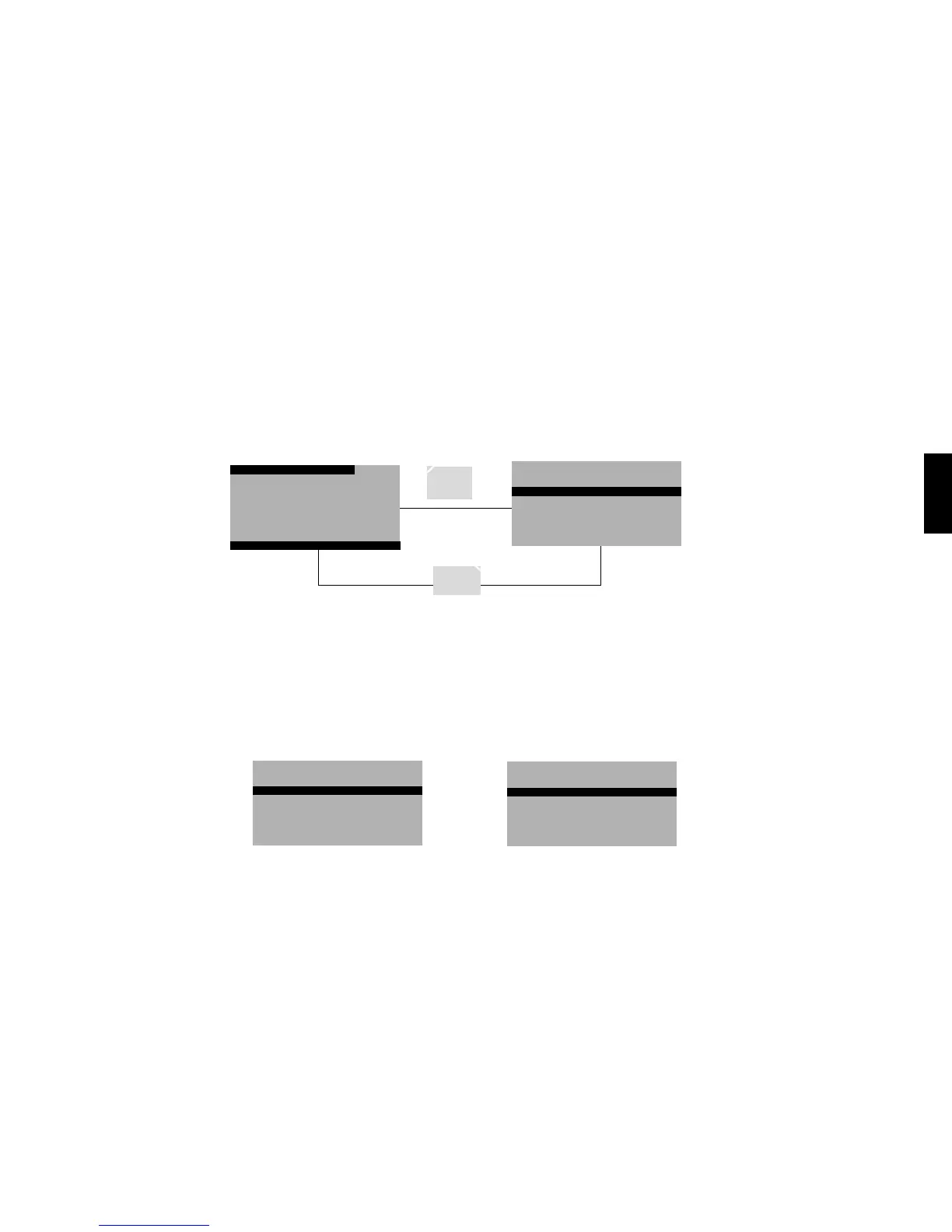
In the Settings Menu you can choose between the “Loudspeaker Menu and the “System Menu. A more detailed description can be found on the following pages.
IR Learn
main key
blu ray
dvd
dvd rec
sat
tv1
Select Device
bra1
dvd sat tv light
stand by
no
connection
input config
in opt1 not active
in opt2 not active
in coax1 not active
in coax2 not active
in line1 not active
in line2 not active
input config
no configuration done
all inputs not active
to configure press ok
input config
in opt1 dvd
in opt2 not active
in coax1 not active
in coax2 not active
in line1 not active
in line2 not active
dvd sat tv
tv
tuner
p6
Analog stereo
<
preset
>
mode
40
dvd sat tv tuner
p6
Analog stereo
<
preset
>
modus
m
/
st
89.30
01
0
40
dvd sat tv tuner
p6
Analog wide
<
preset
>
modus
m
/
st
89.30
01
0
40
dvd sat tv tuner
p6
PLII surround 1
<
preset
>
modus
m
/
st
89.30
01
0
40
virtuell
dvd sat tv tuner
p6
PLII surround 2
<
preset
>
modus
m
/
st
89.30
01
0
40
virtuell
dvd
bra1
play
skip
skip
pause
stop
sat
red
epg
yello blue
info text
green
tv
/
r
tv
red
media
yello blue
tools info
green
sourc
lighting
power
rgb
Learn Menu
IR Learn
RF Learn
IR Learn
Learn
Clear
IR Learn
prog -
prog +
vol -
vol +
mute
IR Learn
main key
blu ray
dvd
dvd rec
sat
tv1
IR Learn
Learn
Clear
Name
IR Learn
power
ok
menu(m)
exit
left
right
IR Learn
press remote button
IR Learn
Programming successful
IR Learn
Programming failed
RF Learn
spectral bra1
new device
RF Learn
Plug in RF Device
press OK
RF Learn
Installation successful
RF Learn
Select Device
cla1
cta1
cta2
bra1
RF Learn
Installation failed
lighting
power
rgb
lan
g
ua
g
e
deutsch
english
contrast
75
input config
in opt1 dvd
in opt2 bd pl
in coax1 sat
in coax2 cd
in line1 tv
in line2 vcr
input config
in opt1 dvd
in opt2 not active
in coax1 not active
in coax2 not active
in line1 not active
in line2 not active
speaker set
preset
level trim
speaker distance
tone control
bass expand bypass
room comp
preset save
current value
default value
exit without save
preset
preset p1 default
preset p2 default
preset p3 default
preset p4 default
preset p5 default
preset p6 default
setup
speaker setup
system setup
system set
output config
sub lineout disabled
input config
ir learn
lip sync 0 ms
dynamic full
dvd sat tv tuner
p6
Analog stereo
<
preset
>
modus
m
/
st
SEEK
>
01
0
40
dvd sat tv tuner
p6
Analog stereo
<
preset
>
modus
m
/
st
89.30
01
00
40
IR Learn
yes
Clear Device
Are you sure ?
no
IR Learn
amp
apple tv
audio rec
beamer
blue ray
cd
IR Learn
Learn
Clear
Name
IR Learn
main key
blu ray
dvd
dvd rec
sat
tv1
Select Device
bra1
dvd sat tv light
stand by
no
connection
input config
in opt1 not active
in opt2 not active
in coax1 not active
in coax2 not active
in line1 not active
in line2 not active
input config
no configuration done
all inputs not active
to configure press ok
input config
in opt1 dvd
in opt2 not active
in coax1 not active
in coax2 not active
in line1 not active
in line2 not active
dvd sat tv
tv
tuner
p6
Analog stereo
<
preset
>
mode
40
dvd sat tv tuner
p6
Analog stereo
<
preset
>
modus
m
/
st
89.30
01
0
40
dvd sat tv tuner
p6
Analog wide
<
preset
>
modus
m
/
st
89.30
01
0
40
dvd sat tv tuner
p6
PLII surround 1
<
preset
>
modus
m
/
st
89.30
01
0
40
virtuell
dvd sat tv tuner
p6
PLII surround 2
<
preset
>
modus
m
/
st
89.30
01
0
40
virtuell
dvd
bra1
play
skip
skip
pause
stop
sat
red
epg
yello blue
info text
green
tv
/
r
tv
red
media
yello blue
tools info
green
sourc
lighting
power
rgb
Learn Menu
IR Learn
RF Learn
IR Learn
Learn
Clear
IR Learn
prog -
prog +
vol -
vol +
mute
IR Learn
main key
blu ray
dvd
dvd rec
sat
tv1
IR Learn
Learn
Clear
Name
IR Learn
power
ok
menu(m)
exit
left
right
IR Learn
press remote button
IR Learn
Programming successful
IR Learn
Programming failed
RF Learn
spectral bra1
new device
RF Learn
Plug in RF Device
press OK
RF Learn
Installation successful
RF Learn
Select Device
cla1
cta1
cta2
bra1
RF Learn
Installation failed
lighting
power
rgb
lan
g
ua
g
e
deutsch
english
contrast
75
input config
in opt1 dvd
in opt2 bd pl
in coax1 sat
in coax2 cd
in line1 tv
in line2 vcr
input config
in opt1 dvd
in opt2 not active
in coax1 not active
in coax2 not active
in line1 not active
in line2 not active
speaker set
preset
level trim
speaker distance
tone control
bass expand bypass
room comp
preset save
current value
default value
exit without save
preset
preset p1 default
preset p2 default
preset p3 default
preset p4 default
preset p5 default
preset p6 default
setup
speaker setup
system setup
system set
output config
sub lineout disabled
input config
ir learn
lip sync 0 ms
dynamic full
dvd sat tv tuner
p6
Analog stereo
<
preset
>
modus
m
/
st
SEEK
>
01
0
40
dvd sat tv tuner
p6
Analog stereo
<
preset
>
modus
m
/
st
89.30
01
00
40
IR Learn
yes
Clear Device
Are you sure ?
no
IR Learn
amp
apple tv
audio rec
beamer
blue ray
cd
IR Learn
Learn
Clear
Name

Related product manuals