Spectralink 7520 and 7540 User Guide
14158600 Version 10.0
March, 2014 9
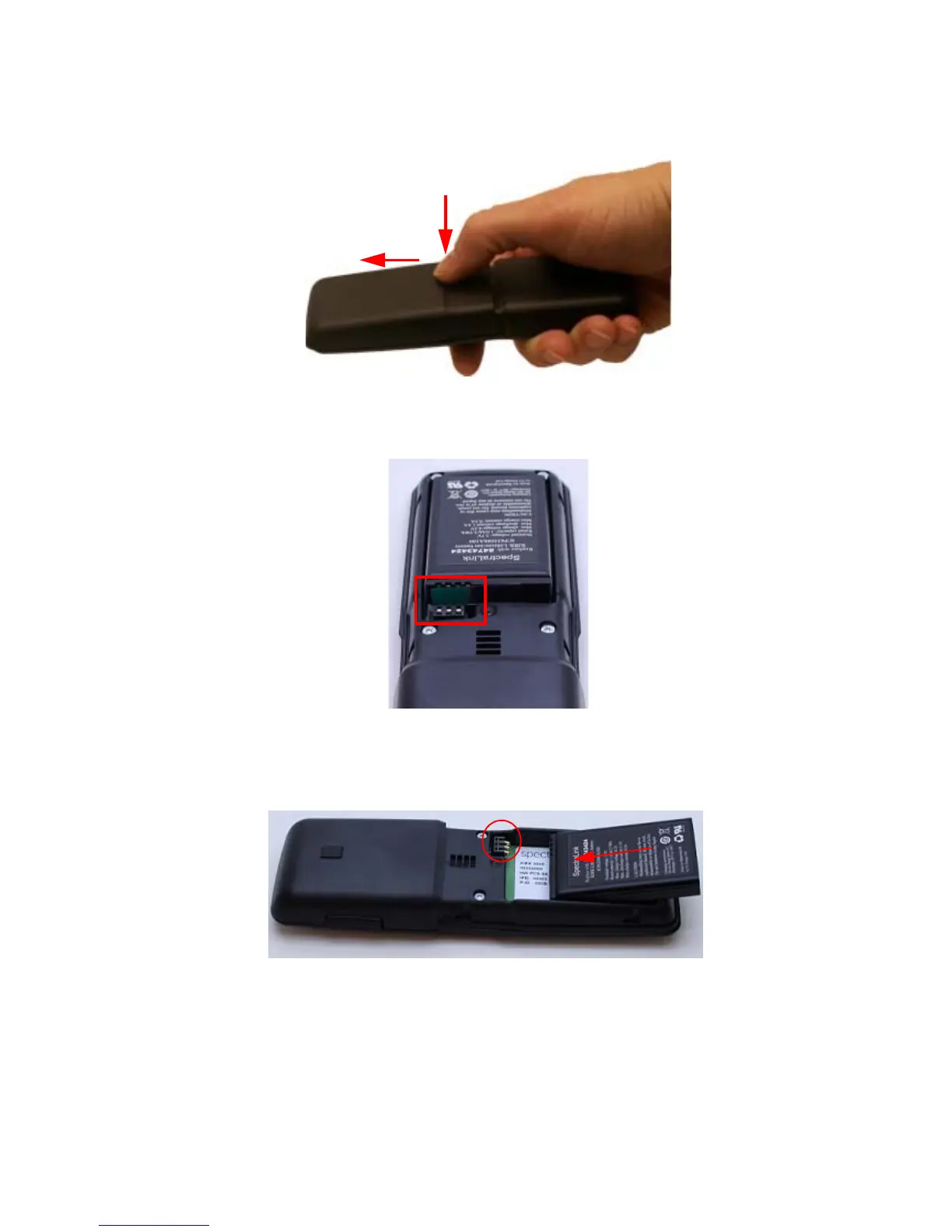
Remove the Battery Protection Strip and Install the Battery
1 Press down the back cover and slide it towards the bottom of the handset.
2 Lift off back cover.
3 Remove the battery, and then remove the green slip from the bottom of the battery.
You find the product label, including the CE logo in the battery compartment.
4 Insert the battery with the label readable. Align the contacts of the battery with the
corresponding connectors on the battery compartment and insert in the direction of the arrow.
5 Press the back cover back in locked position (when you hear a click the back cover is in
position).



 To Next Page