14226900-IG, Edition 10.0
July 2017, Original document
22
Navigating the Handset
The main part of the functions of the handset are grouped into different menus. In the following sec-
tions you will find a description of how to navigate these menus.
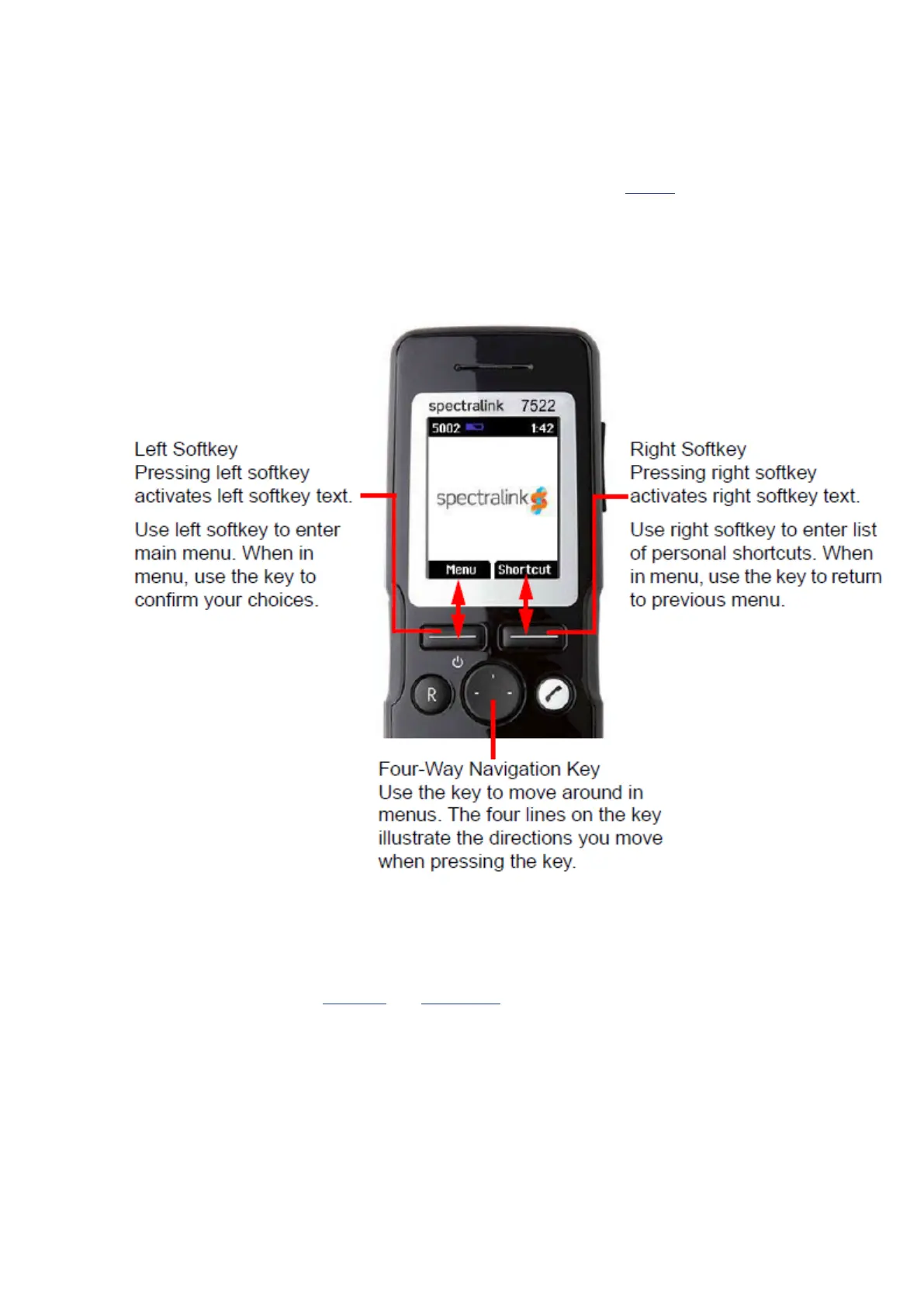
You navigate the handset using two softkeys and a four-way navigation key. The following figure illus-
trates the connection between these keys and the text shown in display.
The handset also offers both personal and predefined shortcuts to selected functions in the menu.
Entering Main Menu
l To enter main menu press left softkey to activate Menu.
Spectralink 7522/7532 Handset User Guide



 To Next Page