A-2 Appendix A: Manually Importing an AOP
User’s Manual Pub. 0300309-01 Rev. A
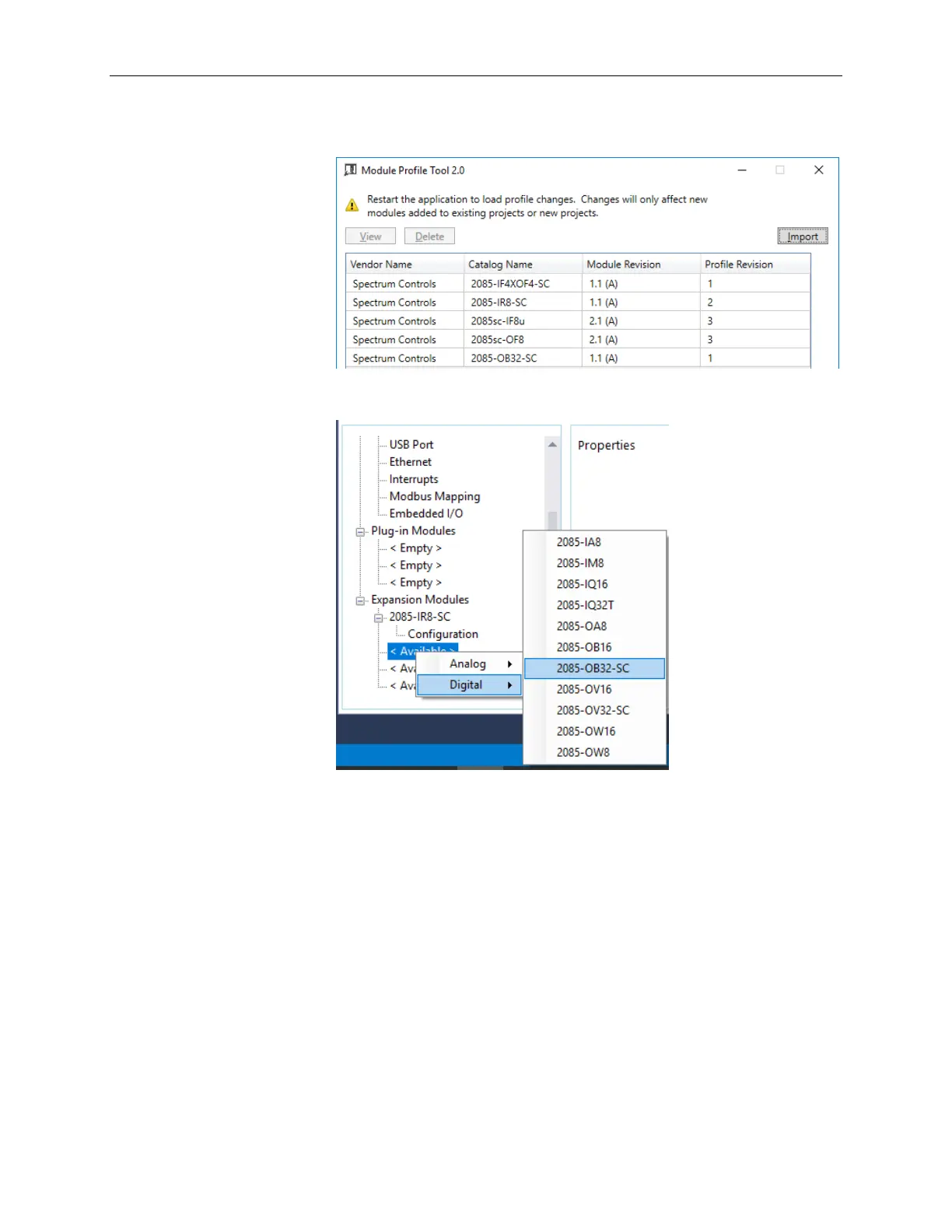
8. The program loads the .rampp file and informs you that you need to
restart the CCW program.
9. After the program restarts, create a new project or reload your project.
Select an Available slot from the Expansion Modules drop-down list:
The newly imported module is now available as a selection from the
Expansion Modules list.



 To Next Page