3-2 Chapter 3: Configuring the Micro800 Expansion I/O 2085-OX32-SC Using CCW
User’s Manual Pub. 0300309-01 Rev. A
2085-OX32-
SC AOP
You use the module’s AOP to operate your module. The AOP is available in the
CCW software. If not available, or a newer revision is released, see Appendix A
about how to manually import a module AOP to CCW.
To view information about the AOP:
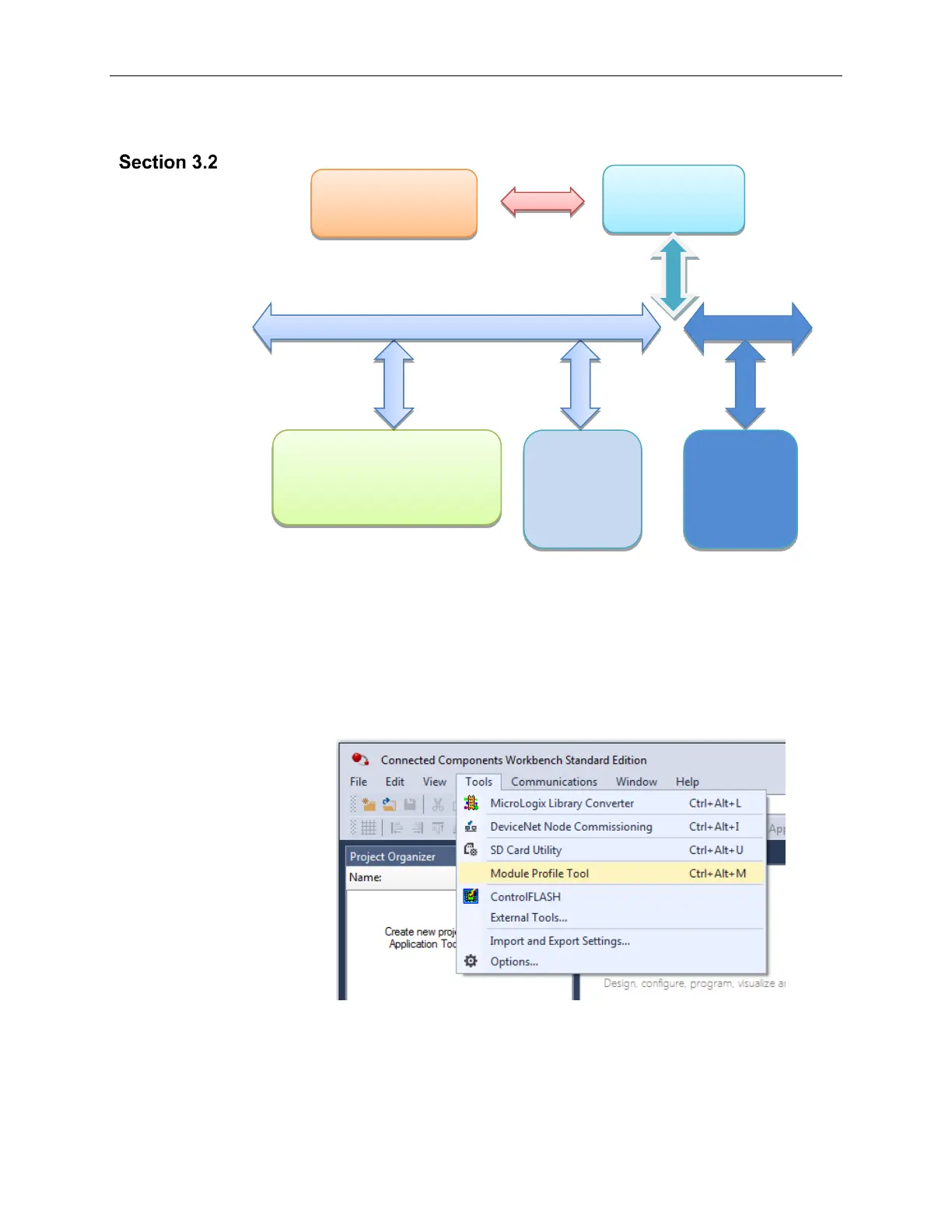
1. Use RA’s Module Profile Tool 2.0. This tool may be launched from
within CCW by selecting the Module Profile Tool option from the
CCW Tools menu:
2. When prompted by Windows User Account Control, to confirm that you
wish to run the program, click Yes button.
If necessary, confirm with the Windows operating system that you wish
to run the software.



 To Next Page