User’s Manual Pub. 0300309-01 Rev. A
Appendix A
Manually Importing an AOP
This appendix explains how to manually import an AOP rampp file into CCW
software.
1. Download the latest module AOP from Spectrum Controls website,
https://www.spectrumcontrols.com, and save the file to a local folder on
your computer (normally the Downloads folder).
2. Run CCW.
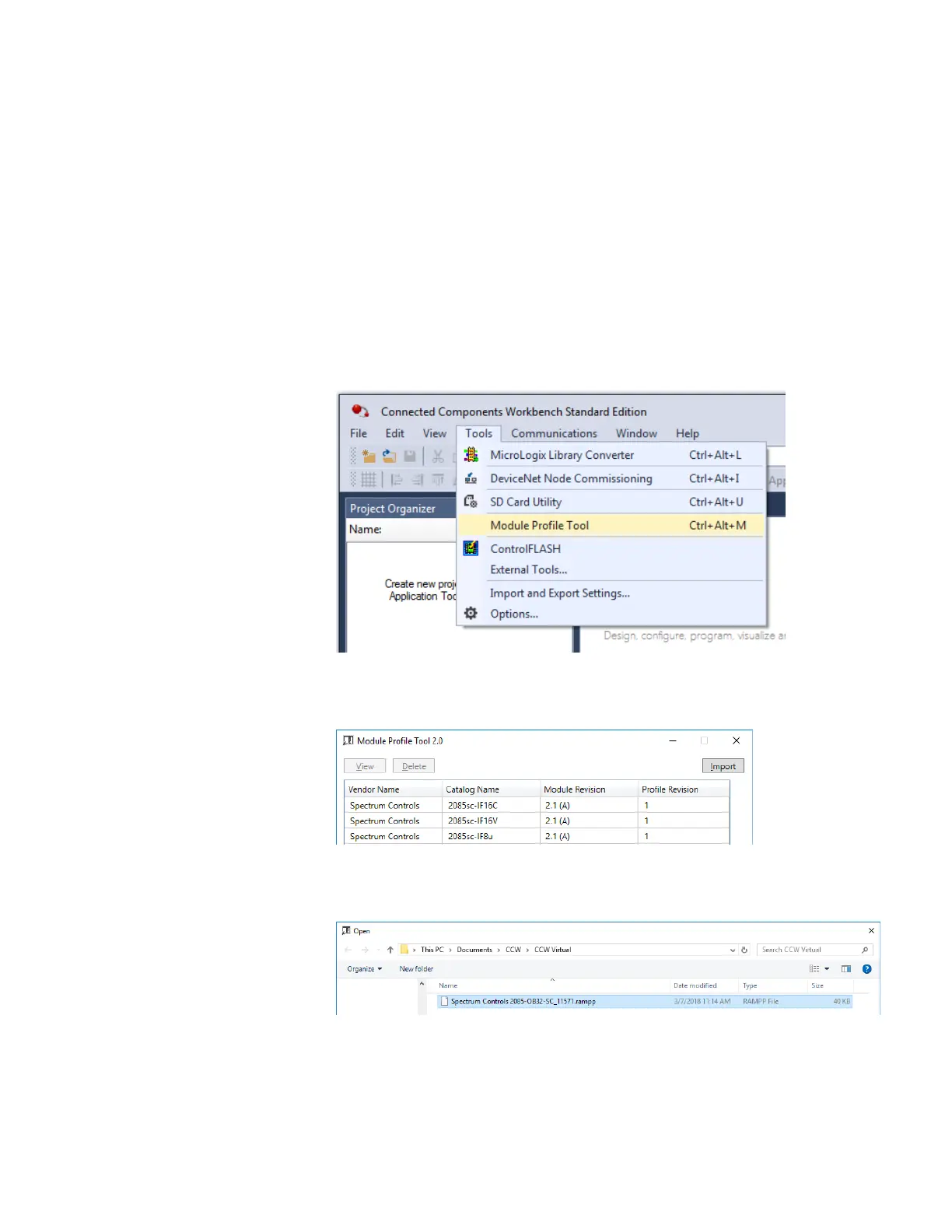
3. From the Tools menu, select the Module Profile Tool option:
4. When prompted by Windows User Account Control, to confirm that you
wish to run the program, click Yes button.
The Module Profile Tool 2.0 window appears:
5. Click the Import button.
6. An Open dialog appears. Navigate to the provided .rampp file location,
and click the file you downloaded:
7. Click Open to import the file.



 To Next Page