Chapter 3: Configuring the Micro800 Expansion I/O 2085-OX32-SC Using CCW 3-5
User’s Manual Pub. 0300309-01 Rev. A
You can directly control channel output through the CCW output variable
or your own ladder program. No default configuration is required. The
modules do NOT use the third-party, MCC tool for configuration.
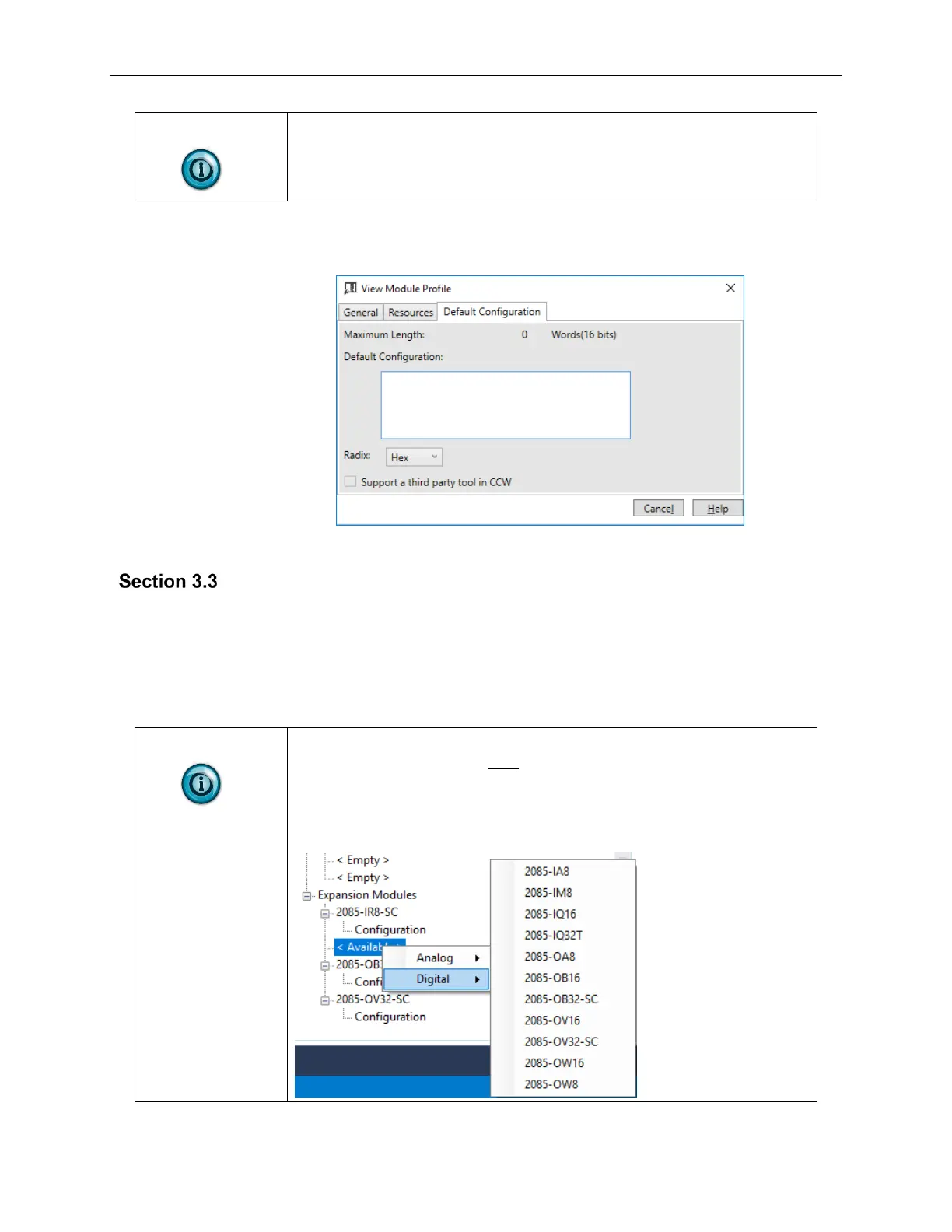
5. To view default configuration information, click the Default
Configuration tab:
The modules do not use the third-party, MCC tool for configuration.
2085-OX32-SC
Tab on CCW
Before you start, if needed, install the latest version of Rockwell Automation’s
Connected Components Workbench (CCW) Standard Edition.
Using the Module Profile Tool to import the 2085-OX32-SC AOP into
CCW software is necessary only if you are using a CCW version earlier
than 11.00.00. For information on manually importing an AOP file, see
Appendix A. For Version 11.00.00 and later, the modules are already
available as a selection from the CCW Expansion Modules drop-down
menu:



 To Next Page