Chapter 3: Configuring the Micro800 Expansion I/O 2085-OX32-SC Using CCW 3-3
User’s Manual Pub. 0300309-01 Rev. A
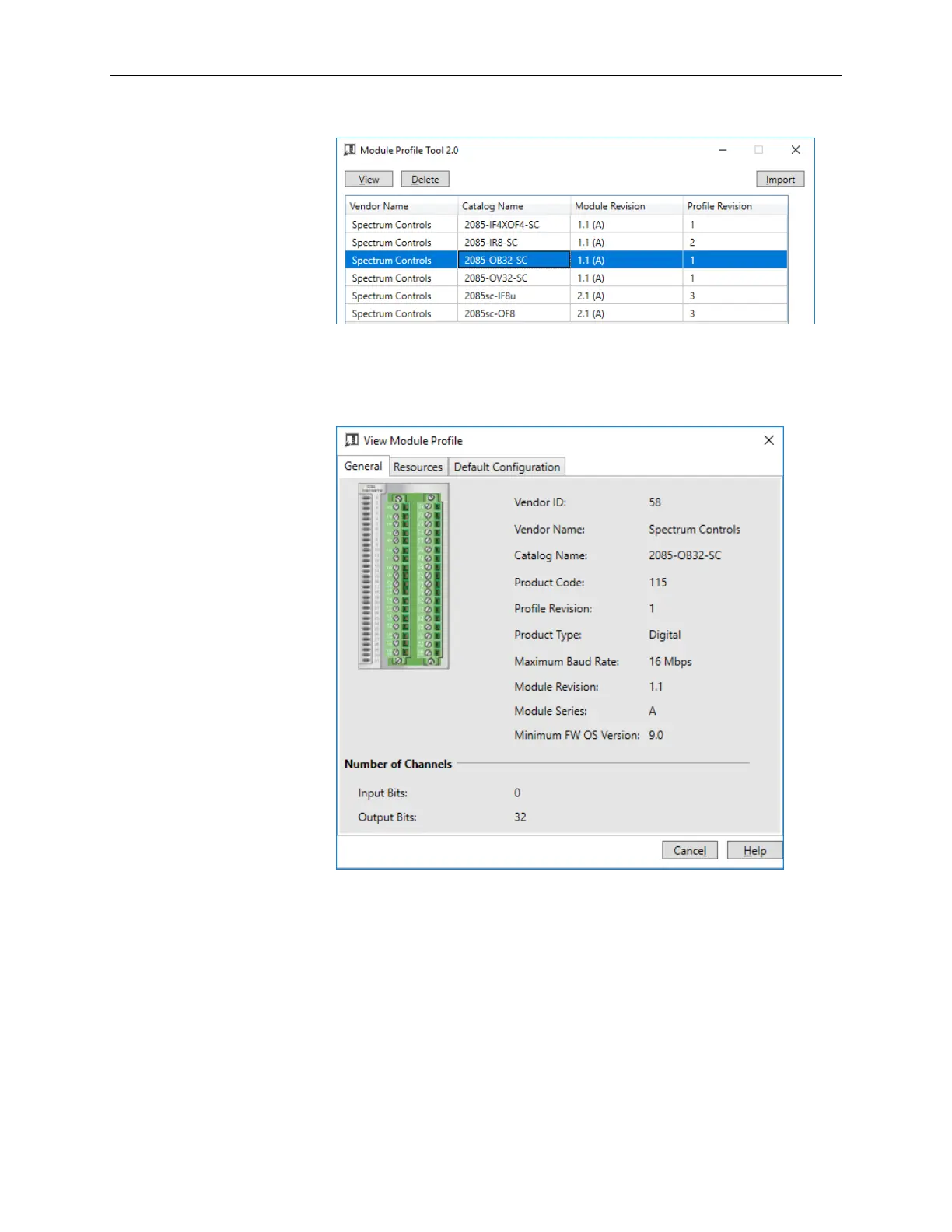
The Module Profile Tool dialog appears:
3. Select the row showing the module catalog name (either 2085-OB32-SC
or 2085-OV32-SC), and then click the View button.
The View Module Profile window appears:
2085-OB32-SC:



 To Next Page