EasyManua.ls Logo

Spectrum DX5C - User Manual

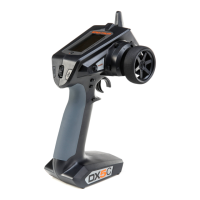
Spectrum DX5C
22 pages
Print Icon
To Next Page IconTo Next Page
Loading...
Instruction Manual
Bedienungsanleitung
Manuel d’utilisation
Manuale di istruzioni
DX5C
5-Channel 2.4GHz DSMR
®
Radio System

Questions and Answers

Spectrum DX5C Specifications

General IconGeneral
Channels5
TelemetryYes
Model Memory20
DisplayLCD
Battery TypeAA
Transmitter Power100 mW

Summary

IMPORTANT NOTICES AND SAFETY

MEANING OF SPECIAL LANGUAGE

Defines terms indicating potential harm levels in procedures.

WARNING AGAINST COUNTERFEIT PRODUCTS

Advises purchasing authentic products to ensure quality and avoid compatibility issues.

SAFETY PRECAUTIONS

Lists critical safety measures for operating the RC transmitter and models.

BOX CONTENTS

GETTING STARTED

AVC - ACTIVE VEHICLE CONTROL

Introduces AVC technology for enhanced vehicle stability and performance.

DAILY DRIVING

Outlines the correct procedure for powering the transmitter and vehicle on and off.

RECEIVER INSTALLATION

ANTENNA INSTALLATION

Details how to position the receiver antenna for optimal signal strength.

RECEIVER INSTALLATION TYPES

Specific mounting instructions for SR415 and SRS6000 receivers.

AUX CHANNELS AND AVC TECHNOLOGY

Explains the use of AUX channels for AVC gain control and other functions.

IDENTIFYING CONTROLS AND SWITCHES

INSTALLING BATTERIES

Step-by-step guide for inserting AA batteries into the transmitter.

MAIN SCREEN

Details the information displayed on the transmitter's main screen and how to navigate.

NAVIGATION

USING THE SCROLL WHEEL SELECTOR

Describes how to use the scroll wheel and buttons for menu interaction.

INDIVIDUAL DIRECTION ADJUSTMENTS

Guides on adjusting steering and throttle direction sensitivity independently.

AUTO SWITCH SELECT

Instructions for assigning switches to functions within the transmitter menus.

MENU

MODEL SELECT

Allows selection and management of up to 20 internal model memories.

MODEL NAME

Provides steps to assign a custom name to each model memory.

MENU

SERVO SETUP FUNCTIONS

Covers adjustments for travel, sub-trim, reverse, and speed of servos.

MENU

RATES

Allows reduction of servo travel for steering, throttle, or braking with trimmer control.

EXPONENTIAL

Modifies servo response sensitivity around the neutral position.

TIMER

Configures a countdown or stopwatch timer with alarm functionality.

MENU

BIND;FRAME MENU

Sets servo frame rates and manages failsafe settings during binding.

Binding

Explains the process of linking the transmitter to a receiver and storing failsafe values.

MENU

MIXING

Connects multiple servo outputs to one control input or creates custom mixes.

STEERING MIX

Provides options for dual steering setups like 4WS and 2 Servo.

PROGRAMMABLE MIX

Allows creation of a custom mix where a slave channel follows a master channel.

MENU

AVC PROGRAMMING MENU

Manages AVC operation, gain, and priority settings for vehicle stability.

CONTROL ASSIGNMENTS AND SETTINGS

Covers trim setup, trim assignment, and auxiliary channel assignments.

MENU

SETTINGS

Configures transmitter display, user name, language, contrast, and alarms.

Trims

Assigns trims to specific physical controls on the transmitter.

Sound settings

Enables or disables system sounds for various transmitter functions.

MENU

CALIBRATE

Calibrates transmitter controls after physical adjustments for accurate response.

UTILITIES

Provides access to model management, firmware updates, and system settings.

MODEL SELECT

Allows selection and management of multiple model memories.

UTILITIES

MODEL UTILITY FUNCTIONS

Covers creating, deleting, copying, resetting, and sorting model memories.

PHYSICAL TRANSMITTER ADJUSTMENTS

STANDARD WHEEL CONVERSION

Instructions for converting the steering wheel using a hex wrench.

STEERING TENSION ADJUSTMENT

Adjusts the tightness of the steering wheel using a screwdriver.

DATA PORT

Explains the function of the data port for firmware updates.

BINDING THE INCLUDED RECEIVER

BINDING THE SR415 RECEIVER (NO AVC)

Specific binding procedure for the SR415 receiver without AVC.

BINDING AND CALIBRATING THE SRS6000 RECEIVER WITH AVC TECHNOLOGY

Detailed binding and calibration for SRS6000 receiver with AVC features.

DISABLING AVC TECHNOLOGY IN THE SRS6000

Method to disable AVC technology in the SRS6000 receiver using a disable port.

AVC TUNING

AVC CONCEPTS AND PROCEDURE

Explains gain, priority, heading hold, and provides a tuning procedure.

TUNING GUIDANCE

Offers tips for tuning AVC based on conditions and discusses battery voltage impact.

TROUBLESHOOTING GUIDE

AVC TROUBLESHOOTING GUIDE

Addresses specific issues related to AVC operation and provides solutions.

OPTIONAL PARTS LIST

Lists optional accessories available for the Spektrum DX5C transmitter.

1-YEAR LIMITED WARRANTY

Warranty Coverage and Limitations

Details what the warranty covers, exclusions, and liability limitations.

WARRANTY SERVICES

Provides instructions on how to obtain warranty support and service.

WARRANTY AND SERVICE CONTACT INFORMATION

FCC INFORMATION

Details FCC compliance statements and RF exposure safety requirements.

IC INFORMATION

Outlines Industry Canada compliance statements for the device.

COMPLIANCE INFORMATION FOR THE EUROPEAN UNION

Provides EU compliance information and disposal instructions for WEEE.

Related product manuals