Spellman High Voltage Electronics Limited - Company Confidential
This document must not be copied or distributed without express permission from Spellman High Voltage Electronics Limited
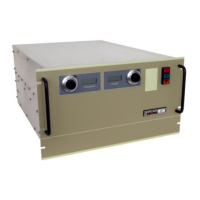
Click the ‘Close’ button. The GUI has been installed in the ‘C:\Projects\MPD_Series GUI’
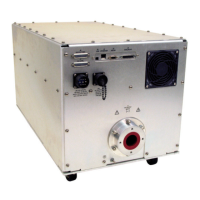
folder on your computer and a shortcut placed on your computer’s desktop.
Installing GUI Updates
To install newer versions of the GUI, the old one must first be uninstalled. This can be
done in two ways. See the following paragraphs.
Note: Once the previous version of the GUI has been removed, re-install the updated one
using the procedure in paragraph 4.2.3.1.
Uninstall using the original GUI installation application.
Execute the installation application that was used to install the application and follow the
procedure below.
1. Double-click the ‘Customer 48113-GUIvxryy.exe’ file. The GUI installer will start to
run.
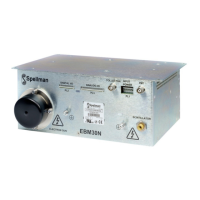
2. Click the ‘Remove MPD Series GUI’ option and click the ‘Finish’ button.
3. The application will be removed.
4. When complete, a corresponding dialog will be displayed. Click the ‘Close’ button.


 To Next Page