ENGLISH - 25
43
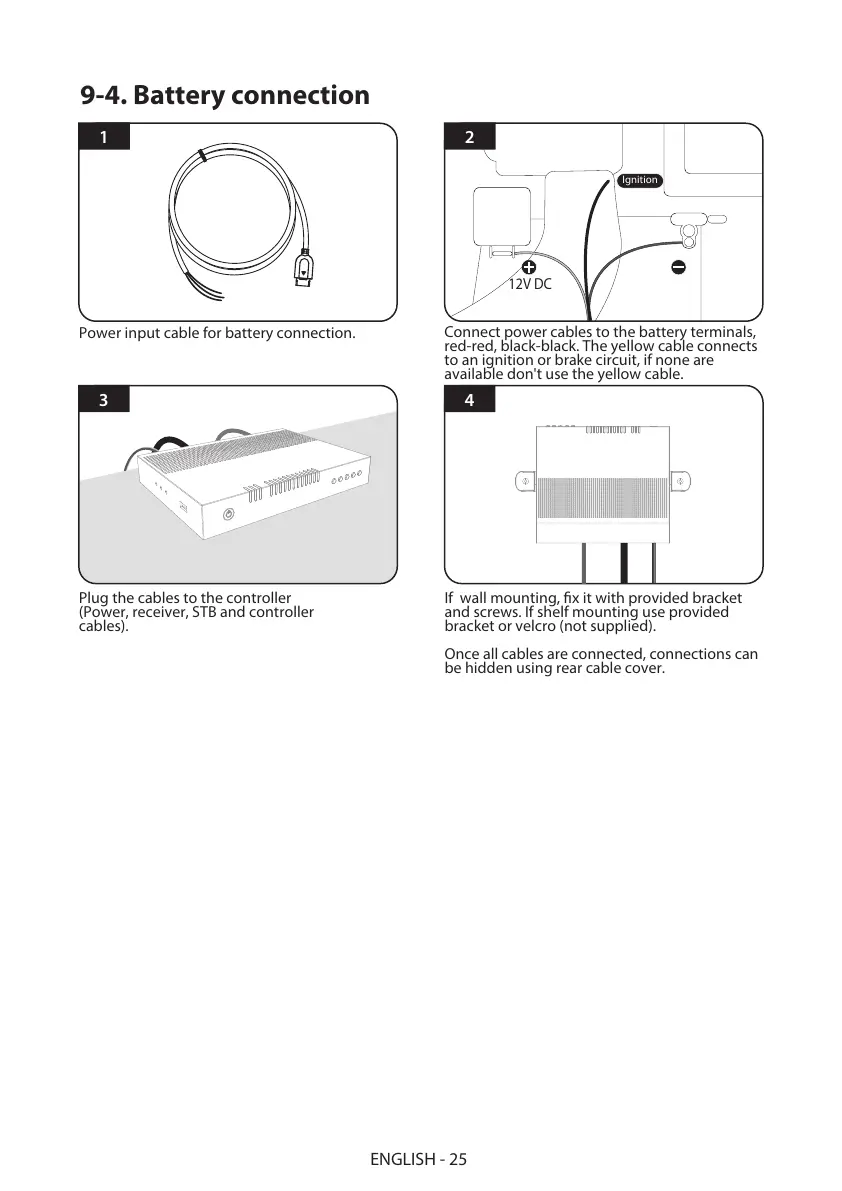
Plug the cables to the controller
(Power, receiver, STB and controller
cables).
If wall mounting, fix it with provided bracket
and screws. If shelf mounting use provided
bracket or velcro (not supplied).
Once all cables are connected, connections can
be hidden using rear cable cover.
21
Connect power cables to the battery terminals,
red-red, black-black. The yellow cable connects
to an ignition or brake circuit, if none are
available don't use the yellow cable.
Power input cable for battery connection.
12V DC
Ignition
9-4. Battery connection
More information https://www.caravansplus.com.au



 To Next Page