SPHINX Myth 5
8
5. OPERATION
After you have finished connecting all components,
you can switch on the Myth 5.
Connect the mains cable to a mains outlet.
Turn the volume control to 'off' (fully counter-
clockwise).
Power on
Switch the Myth 5 on with the ON/OFF switch (21.)
on the rear panel.
The red LED next to the STANDBY button will blink.
After a few seconds the CD input is selected: the re
LED next to CD (2.) will illuminate.
The Myth 5 is now switched on and ready for use.
You can leave the amp on. That way all circuits will
remain at optimum operating temperatures and the
audio quality will be at 100% immediately after
switching on. On top of that it significantly increases
the life span of the component.
Only if the amp will not be used for a longer period
you might switch it off with the ON/OFF switch (21.)
to save energy.
Selecting an input
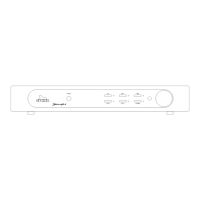
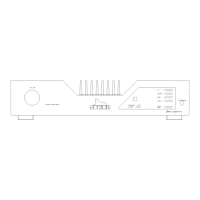
You select the input with one of the buttons 2. to 6.
As soon as you have selected an input, the red LED
next to the button will illuminate.
CD : To select the CD input.
TUNER : To select the TUNER input.
LINE 1 : To select the L1 input.
LINE 2 : To select the L2 input.
Tape button
Pressing the TAPE button in the front panel (6.)
selects the TAPE IN input.
After you press PLAY on the recorder you will hear
the recorded signal.
If you record a tape this button lets you compare the
input signal (as selected with button 2., 3., 4. or 5.)
to the signal from the recorder:
IN (LED red) signal from tape
OUT (LED off) signal from selected input
When using a 3-head recorder you are thus able to
compare the original signal with the actual recorded
signal (you'll hear the 'off-tape' signal which might
be slightly delayed).
Adjusting the volume
With the large VOLUME control (9.) you can adjust
the sound level from the loudspeakers.
This volume control is motor controlled. So even if
you adjust the volume on the Remote Control the
knob will automatically turn. The position of the
knob therefore always correctly indicates the set
volume.
Standby button
The STANDBY button (7.) temporarily standbys the
sound from the loudspeakers: the red LED will light.
Another press on the button un-standby the sound,
the LED extinguishes.
You may also use this button when you listen via
headphones and would like to switch the
loudspeakers off. The Standby function has no
influence on the signal to the headphones.
This function can also be controlled via the Remote
control.
Switch the Myth 5 temporarily off (to stand-by) with
the STANDBY button (7.).
When the Myth 5 will not be used for a longer
period, you may switch it off completely with the
ON/OFF switch (21.).
Amplifier switches to Protection Mode...
Indication: Standby LED blinks rapidly and volume
control automatically turns to “zero” (fully counter
clockwise).
N.B.: Switch power off with the ON/OFF switch (21.)
and wait for at least 60 seconds. In the mean time
check all loudspeaker cables for shorted wires! If
you find any, remove this short to insure fault-free
connection.
Now switch the power on with the the ON/OFF
switch. If the amplifier itself is not defective it will
operate normally again after 30 seconds.


 To Next Page