Phonitor 2
19
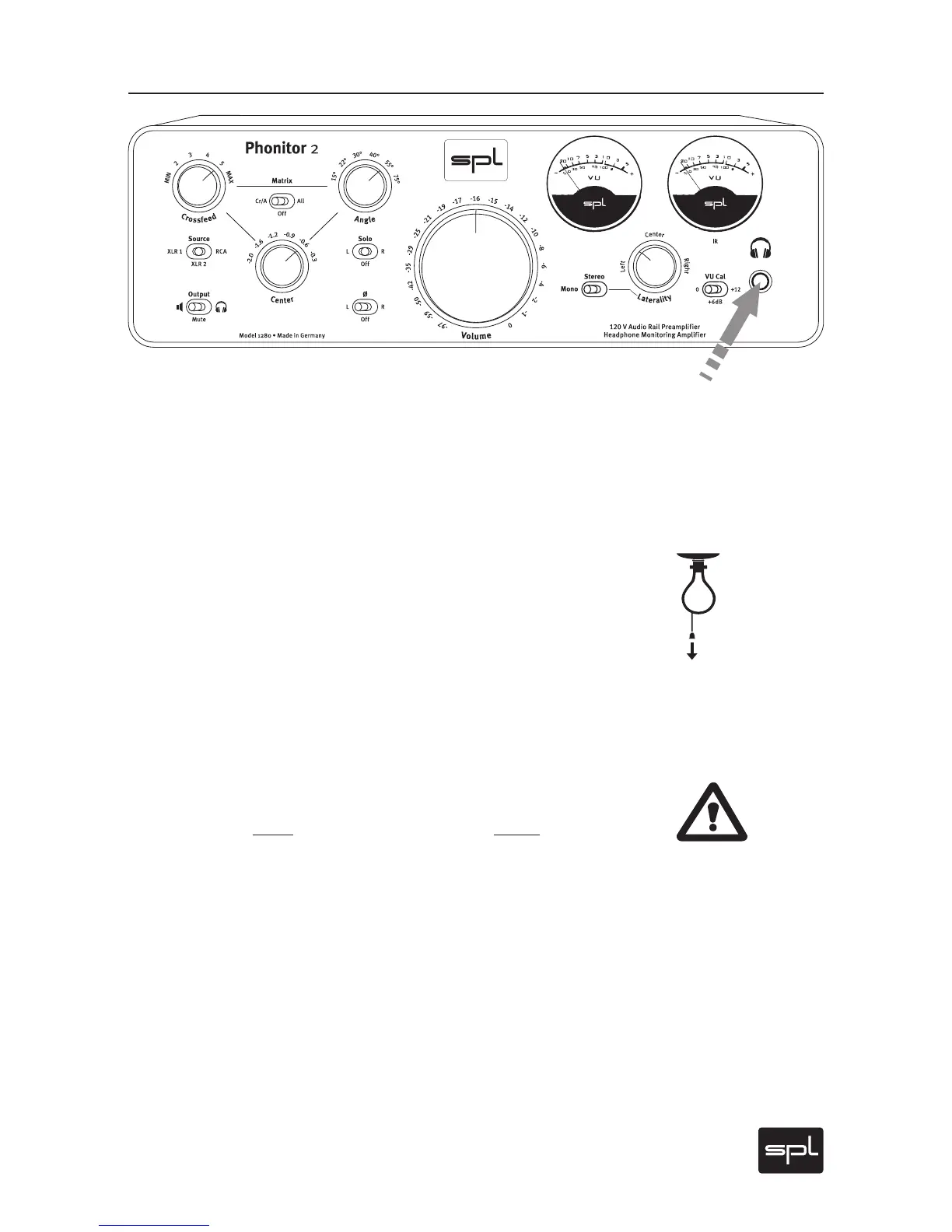
Front Panel: Connection
Headphone Connection
Connect headphones to the standard 1/4" (TRS) stereo plug on the
lower right front panel. The layout is: Tip =left channel, Ring = right
Channel, Sleeve = ground.
Make sure that the plug firmly seated for a solid connection.
Recommendations
Reduce volume level before you remove or plug in the headphone (or
when switching headphones). This excludes louder clicks and pops
reaching the ear. In addition, this can avoid unpleasant surprise that
follows when a headphone’s lower impedance suddenly reproduces
an otherwise acceptable Phonitor 2 volume setting of a first head-
phone at a much higher – even painful – level.
Warning
NEVER plug in a mono 1/4" (TS) connector to the stereo headphone
output. The use of a mono connector produces a short-circuit and de-
stroys the final amplifier stage! Standard headphone connectors al-
ways have stereo plugs, and thus a correct connection will be assured
when you only connect headphones directly.



 To Next Page