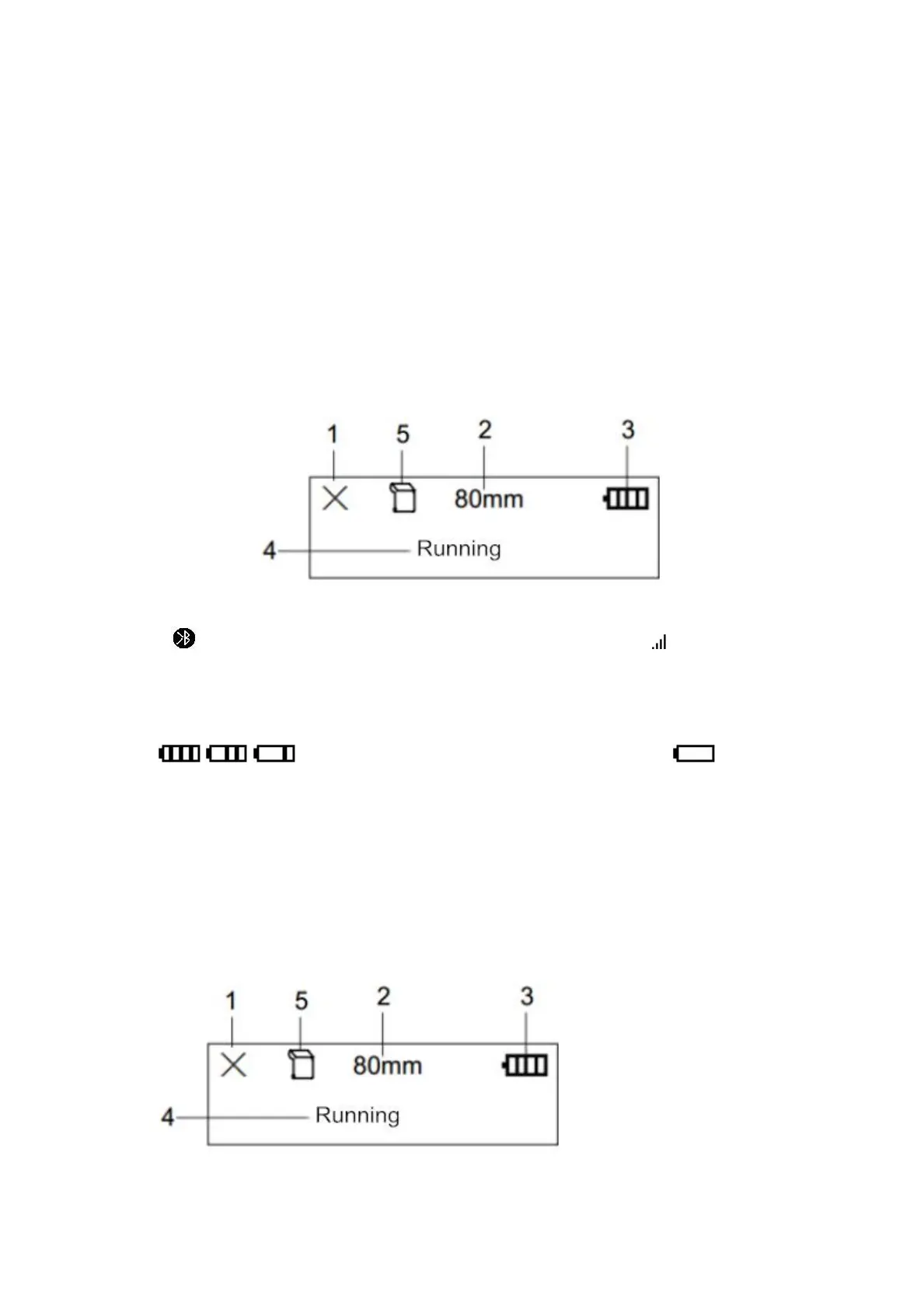
3.8 LCD indication
When the printer is turned on, the LCD screen of the printer will display a
prompt message for startup. After the printer is initialized, the LCD will display
the relevant information of the printer. If no data is sent to the printer or no
external interface is inserted into the printer within 5 seconds, the LCD will
automatically turn off the display. Until the external interface is plugged into the
printer or the external device sends data to the printer.
① When the icon is ×, it means that Bluetooth is not connected; when the icon
is , it means that Bluetooth is connected; when the icon is , it means that
WiFi is connected.
② Display the working mode of different printing paper, waybill mode, receipt
mode and tax receipt mode.
③ Icons for the current battery power of the printer. The icons
, , for indicating current battery status. The icon will
flash when the printer power is low.
④ Text prompt display, where the current status of the printer is displayed in
text.
When the printer is in normal standby, it is running.
When the printer has a print job, it displays printing.
When the printer makes an error, according to the error status, it will display
out of paper, abnormal temperature, abnormal voltage and abnormal alarm
of the paper compartment cover.
2. Standard mode:
①
When the icon is ×, it means that the wireless is not connected; when the



 To Next Page