ENGLISH
6
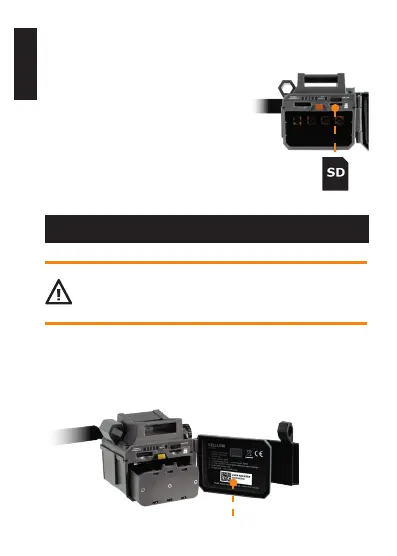
INSERTING A MICROSD CARD
• Open the CELL-LINK battery
compartment door.
• Make sure the camera is turned
OFF.
• Insert the microSD card in the
slot for microSD cards, the metal
contacts facing the bottom (as
shown).
• The card is inserted correctly when
a click is heard.
ACTIVATING YOUR CELL-LINK
You have to activate your CELL-LINK before you can
use it. To do so, you will need the activation code.
FINDING THE ACTIVATION CODE
The activation code is located inside the CELL-LINK’s battery
compartment door.
Activation code














 To Next Page