9
FLEX G-36SPYPOINT
REMOVING YOUR MEMORY CARD
• Before removing a memory card, always turn your camera OFF
to prevent les on the card from being deleted or damaged.
• To remove the card, push it lightly into the camera until you hear a click.
Then take it out of the device.
Memory Card
FORMATTING THE MEMORY CARD
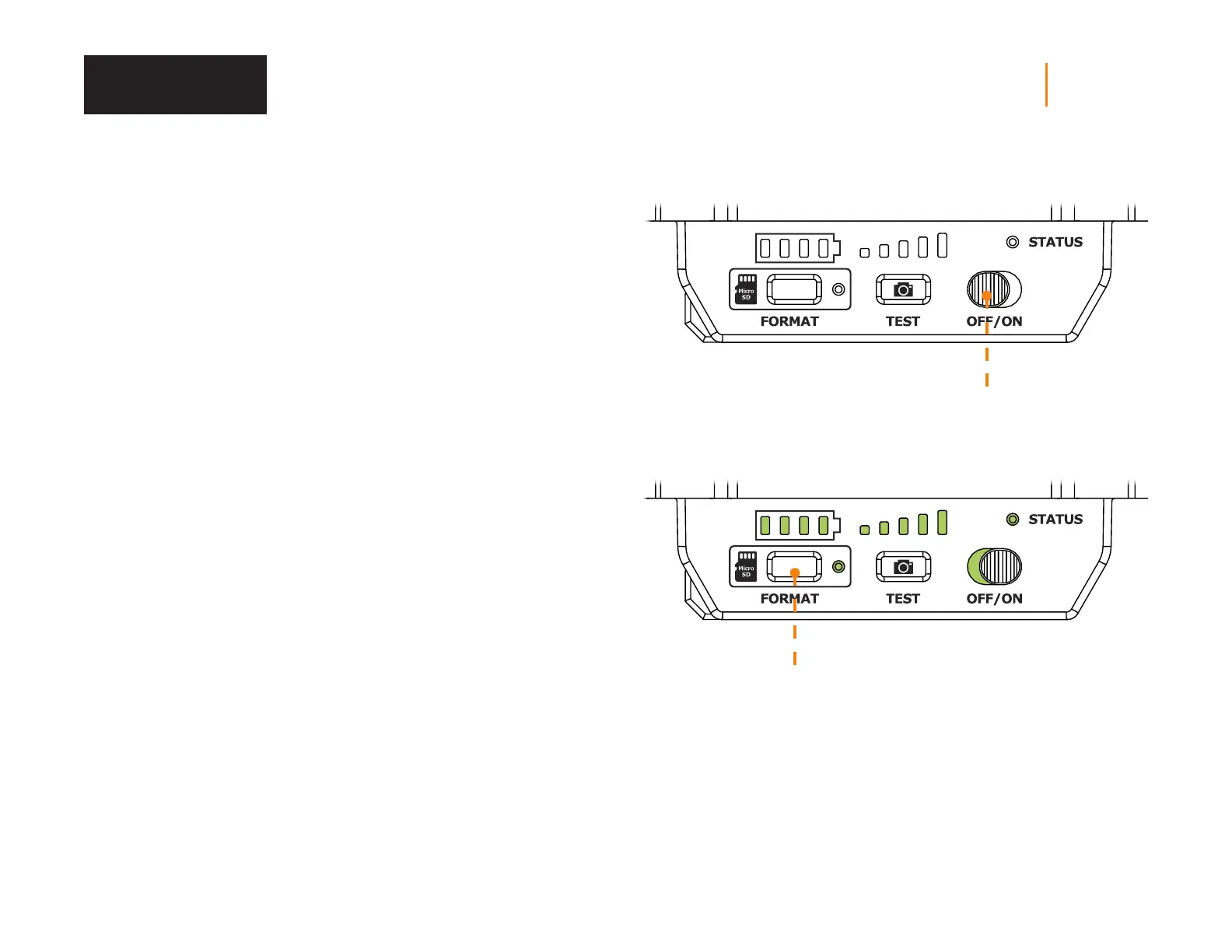
During the start up of the camera, you can use the FORMAT button on the
device to quick format the microSD card. This is required if you want to be able
to take photos and videos while transmitting.
1. Turn ON the camera.
2. Press and hold the FORMAT button for 5 seconds.
3. The microSD light will blink green while the card is formatting.
4. Once complete, the microSD light will become solid green.















 To Next Page