10
FLEX SeriesSPYPOINT
INSTALLING A MEMORY CARD (NOT INCLUDED)
The use of a memory card is necessary for the operation of the camera. It is used to save photos, videos and
other camera status les. Note that photos and videos in their original format are kept on the memory card.
The les sent to your application are lighter versions. You can retrieve your photos and videos at any time by
removing the card from the camera and transferring the contents to another device (e.g.: computer).
Your camera requires a microSD memory card, with a maximum capacity of 512 GB, sold separately. Here is
a table showing the approximate quantity of photos or videos that can be recorded on the card, according
to dierent memory card capacities.
INSERTING YOUR MEMORY CARD
• Ensure the camera is turned OFF.
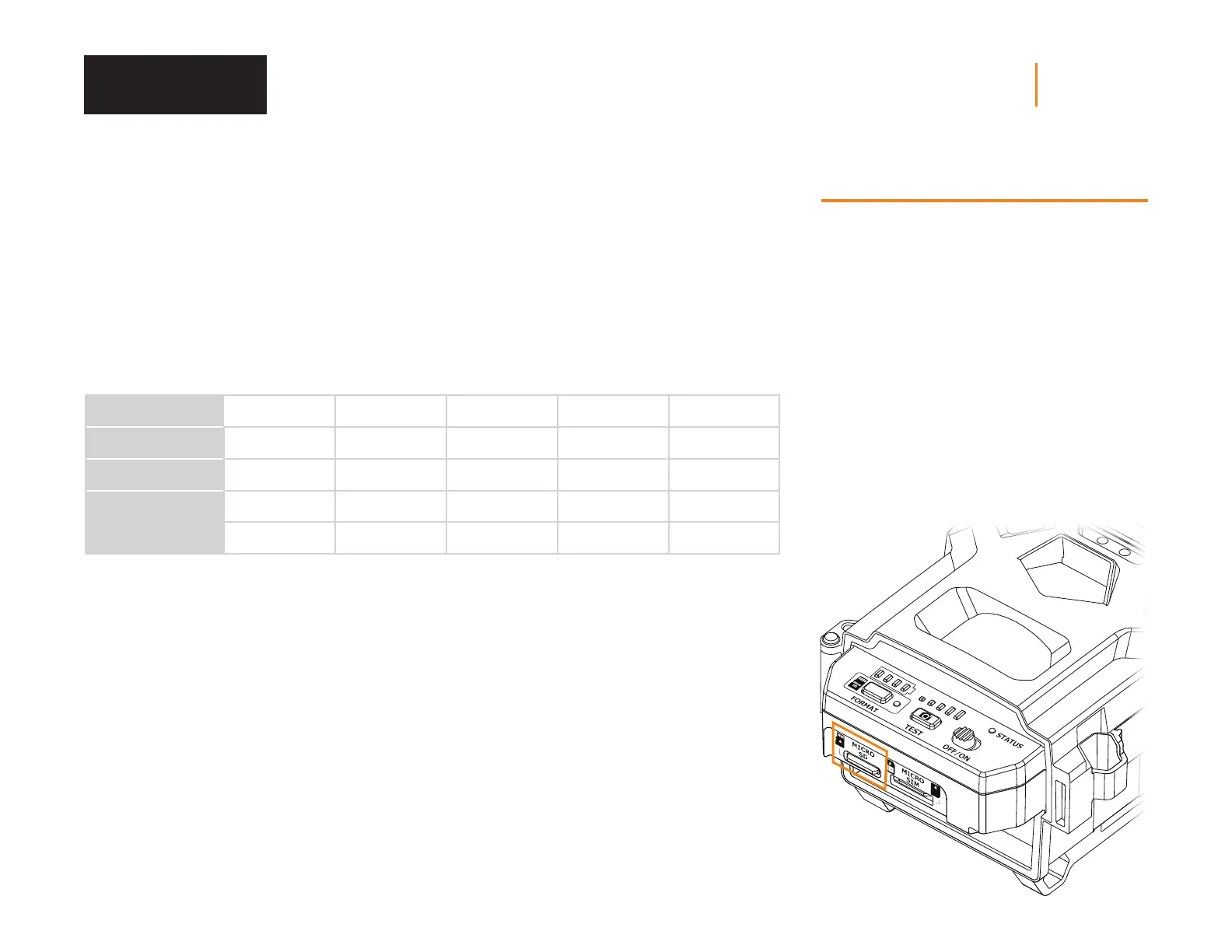
• Find the microSD card slot. It is located at the bottom
of the camera (see photo).
• Insert a microSD card (up to 512GB) in the microSD
card slot with the metal contacts facing up.
• The card is inserted correctly when a click is heard.
• If using a microSD card 64 GB or larger - the SD card
should be formatted in the ex series camera directly.
MEMORY
4 GB 16 GB 32 GB 128 GB 512 GB
PHOTOS (36 MP)
1 700 7 000 13 900 55 700 222 900
PHOTOS (28MP)
2185 8 740 17 480 69 920 279 680
VIDEOS (1080P)
627 2 508 5 016 20 064 80 256
VIDEOS (720P)
941 3 764 7 528 30 112 120 448
NOTE
The FLEX Series is equipped with continuous mode.
This means that when the memory card is full, the
camera continues to save your photos and videos
by erasing the rst recorded les.
Memory Card



 To Next Page