8
ENGLISH
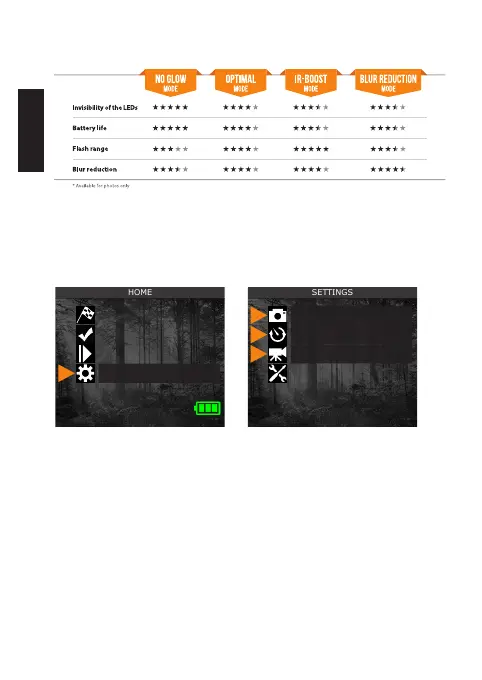
COMPARISON OF HYBRID ILLUMINATION MODES *
CONFIGURING THE SETTINGS FOR THE 3 OPERATING MODES
From the home menu, select SETTINGS, then PHOTO, TIME-LAPSE,
or VIDEO to access the respective mode conguration menu.
PHOTO
Delay: Sets the time interval between each detection before
the camera takes the next photo.
Photo
Time-lapse
Video
General
Start camera
Detection test
View
Settings















 To Next Page