23
Procedure:
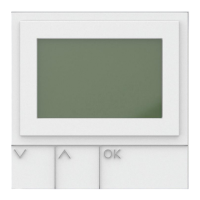
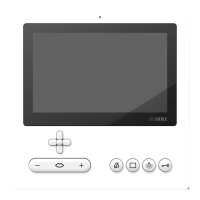
•Using the right-hand control
button, select the Main menu.
•In the Main menu, select the set-
tings by pressing the right and then
the lower control button.
•Conrmbypressingtheleft-hand
display button OK.
In the Settings menu, select the
date and time using the lower con-
trol button.
•The Time entry is selected in the
Date and time menu.
•Conrmbypressingtheleft-hand
display button OK.
•The display shows the current
date and time settings. These can be
deleted using the display button <C.
•Enter the current time using the
numerical keypad, e.g. 17 for the
hour.
•Then select the Minute settings
using the lower control button and
enter for instance 25.
Only plausible entries are possible.
•Conrmbypressingtheleft-hand
display button Save.
•Thedisplayconrmsyourentry
with the message: Time set, and
shows the entered time setting.
•Conrmbypressingtheleft-hand
display button OK.
Setting the date and time
The date and time are required
in order to show the correct time
against incoming calls in the call list.
Main menu
OK Back
Setting the time
Settings
Status
Date and time
Audio settings
Speed dial
Language
System
OK Back
Time settings
Hour
Minute
Save <C
Main menu
Settings


 To Next Page
 Loading...