28
Main menu
Settings
Procedure:
•In the Settings menu, select the
Speed dialling submenu using the
lower control button.
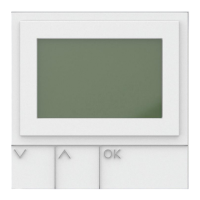
•Conrmbypressingtheleft-hand
display button OK.
•Select the required Speed dialling
number using the control button.
•Access the Assign speed dial menu
using the display button Assign.
•Speed dialling entries can be
assigned from the Phonebook or
Intercom.
•Using the right and left control
button, choose between Phonebook
or Intercom.
.
•Your selection is highlighted in
yellow.
•Conrmbypressingtheleft-hand
display button OK.
•Now select the required Speed
dialling assignment using the
lower control button.
•Conrmbypressingtheleft-hand
display button OK.
•Pressing the red End call button
takes you back to the higher-level
menu.
Speed dial
For fast access to favourite users
from the phonebook or intercom
users or functions, it is possible to
assign a speed dialling number from
0 - 9.
Settings
Status
Date and time
Audio settings
Speed dial
Language
System
OK Back
Speed dial
5
6
7
8
9
I Light
II Last door
Assign Back
Speed dial
Assign speed dial from
Phonebook Intercom
OK Back


 To Next Page
 Loading...