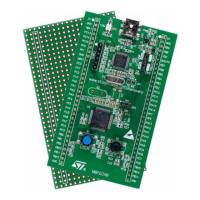
The eMotion kit is a motion control system designed for evaluating control algorithms, motors, and drivers, capable of managing up to three DC or BLDC motors simultaneously.
Function Description
The eMotion kit provides a comprehensive solution for motor control, integrating hardware and software components. It allows users to interact with the control board via a Windows GUI (XP-compatible) through a serial connection. The system supports both open-loop and closed-loop operations. In open-loop mode, users can manage PWM frequency (17-30 kHz) and duty cycle (0-100%), along with driver signals such as enable/disable, brake/unbrake (for BLDC), and forward/reverse (for DC). For closed-loop operation, it performs motor speed regulation using encoder feedback, implementing a complete PID (Proportional, Integrative, And Derivative) control algorithm. The firmware, developed in standard C language, consists of a communication module for data exchange with the GUI via RS232 and a control module for managing motor operations.
Important Technical Specifications
Control Board (MDK-ST10):
- Microcontroller: ST10F276 (16-bit with DSP @ 64 MHz)
- Memory: 832 KB Flash, 68 KB RAM
- Communication Interfaces: RS232, RS485, 2 CAN, I2C (3.3V and 5V)
- Connectors: MC Connector, 3 powerSPIN connectors, VN808 board / GP connector
- Power Supply: 5V via jumpers for powerSPIN boards
- Clock Frequency: 60 MHz core clock frequency
PowerSPIN Boards:
- L6205 Eval board: For DC motors, based on DMOS dual full bridge motor driver (L6205, L6206, L6207).
- L6235 Eval board: For BLDC motors, based on DMOS fully integrated three-phase motor driver (L6235).
Feedback Board:
- Function: Interfaces control system with encoder signals from motors.
- Connectors: Two 20-pin shielded connectors for encoder feedback (Conn1 J3, Conn2 J4).
- Dimensions: Approximately 6.5 x 6.5 cm.
- Encoder Signal Management: Directly managed by ST10F276 peripherals. Supports incremental encoders (using timer pins) and absolute encoders (using GPIO and capture pins).
- Signal Requirements: Encoder signals (A and B channels) must be squared and at the correct logic level (0 and 5V).
PID Control Parameters:
- PID Terms: Configurable from 0.01 to 100.
- Speed: Configurable from 1 to 3000 rpm.
- Control Loop Time: Configurable from 1 to 52 ms (with 200 µs steps).
- Encoder Pulses per Revolution: Configurable from 1 to 65536.
Communication Protocol:
- Type: Frame-based serial protocol.
- Baud Rate: 115200.
- Data Length: 8-bit.
- Parity: No parity check.
- Stop Bits: 1 bit stop.
- Frame Structure: Variable length with a 1-byte CRC field.
- Acknowledgement: Mechanism for each command.
- CRC Calculation: CRC = (8-bit) (High_Byte(16_Total_Length) + Low_Byte(16_Total_Length)).
- ACK Timeout: Fixed at 10 ms for both PC and ST10.
Usage Features
eMotion GUI (Windows XP-compatible):
- Multi-Window Software: Manages control of up to three motors via a serial connection.
- File Menu:
- Connect/Disconnect: Establishes/closes serial communication with the MDK-ST10 board.
- New: Opens new 6205 (DC motor) or 6235 (BLDC motor) control windows.
- Log Window: Displays communication data in hexadecimal values and corresponding commands, useful for debugging.
- Exit: Closes the program.
- View Menu: Toggles visibility of toolbar and status bar.
- Help Menu: Accesses help topics and project credits.
Motor Control Commands (via GUI):
- Enable/Disable Driver: Switches ON/OFF Power MOSFETs of the driver.
- Brake/Unbrake (BLDC): Sets BRAKE pin high for normal mode (six-step control) or low for Brake Function (all High Side Power MOSFETs ON).
- Forward/Reverse (DC): Sets IN1 pin low for forward or high for reverse.
- Duty Cycle Set: Slider to adjust PWM duty cycle (0-100%). 0-50% for one direction, 50-100% for the other, 50% for no rotation.
- PWM Set: Slider to change PWM frequency (17-30 kHz in 1 kHz steps).
- Closed Loop Control:
- Enc. Pulses/r: Sets number of encoder pulses per revolution (1-65536).
- Speed (RPM): Sets target motor speed (1-3000 rpm).
- P, I, D: Sets proportional, integral, and derivative gains (0.01-100).
- Set: Applies configured control parameters.
- Start/Stop: Initiates/terminates PID speed closed-loop control.
- Get: Retrieves current control parameters and loop time from the MDK-ST10 board.
Board Configuration:
- MDK-ST10 Flashing: Requires ST10Flasher software (V2.4B or above) to program "emotion.hex" firmware into the ST10 microcontroller in BSL mode.
- Jumper Settings:
- EA jumper: Set to 1 for code fetch from internal flash.
- J206 jumpers: Set to "Practi" position for powerSPIN board connection.
- VCC Practi X Jumpers: Leave open.
- SW3 switches: All OFF.
- SW5 switches: Switch 2 (CSEL 0) ON, Switch 7 (CLK 1) ON, others OFF.
- Eval 6205 Configuration:
- JP1: Set to INT position for 5VDC supply.
- JP2, JP3: Installed for overcurrent protection.
- JP4, JP5: Installed to configure Vref circuits.
- Power Supply: Connect to CN1.
- DC Motor Connection: Connect to CN3 (OUT1A and OUT2A).
- Eval 6235 Configuration:
- JP1, JP2: Installed for 5VDC supply.
- SWITCHES: All OFF.
- HALL SENSORS: Connect to CN5 (GND, 5V, H1, H2, H3).
- Motor Connections: Connect three motor armature wires to CN3, matching phasing to Hall sensor connections.
Control Operations:
- Ensure all connections are correctly established before powering on.
- Turn on MDK-ST10 first, then motor power.
- Open Loop (DC): Enable driver, modify PWM duty cycle. Direction depends on motor connection. Default duty cycle at startup is 50%.
- Open Loop (BLDC): Enable driver, unbrake motor, then vary PWM duty cycle. Default duty cycle at startup is 50%.
- Closed Loop: Start with lower PID values and increment for better performance. High control loop time recommended for low speeds.
Maintenance Features
Hardware Issues:
- Reset Phase Conflict: Due to shared microcontroller configuration pins (POL.0 and POL.1) with powerSPIN connectors, connecting an L6235 evaluation board via "practi1" or "practi2" connectors can cause the micro to enter "ADAPT" or "EMU" modes during reset (if a pull-up is used).
- Future Release (v1.2) of MDK-ST10: Will include buffers to isolate these pins during the reset phase to prevent conflicts.
Encoder Feedback Quality:
- A special adapter (feedback board) is included to shield encoder signals and avoid interference, ensuring optimum waveform quality.
- A flat cable is recommended for connecting the feedback board to keep signals shielded.
- Users may need to refer to the encoder datasheet and potentially add pull-up resistors if necessary (not provided with the encoder kit).
Software Updates:
- The eMotion GUI is compatible with Windows XP OS.
- Firmware updates are performed using ST10Flasher software.

 Need help?
 General

 To Next Page