STACK-ON PRODUCTS CO.
P.O. BOX 489, WAUCONDA, IL 60084
IMPORTANT
Keep keys and combination number in a secure place, away
from children. Keep this record of your key number, serial
number and combination in a secure place separate from
your safe. To order a replacement key set, follow the
instructions on the aached form.
BACK UP KEY
A "Back Up Key" has been provided in case you have
forgoen or lost your security code. To open the
safe using the back up key follow the steps below:
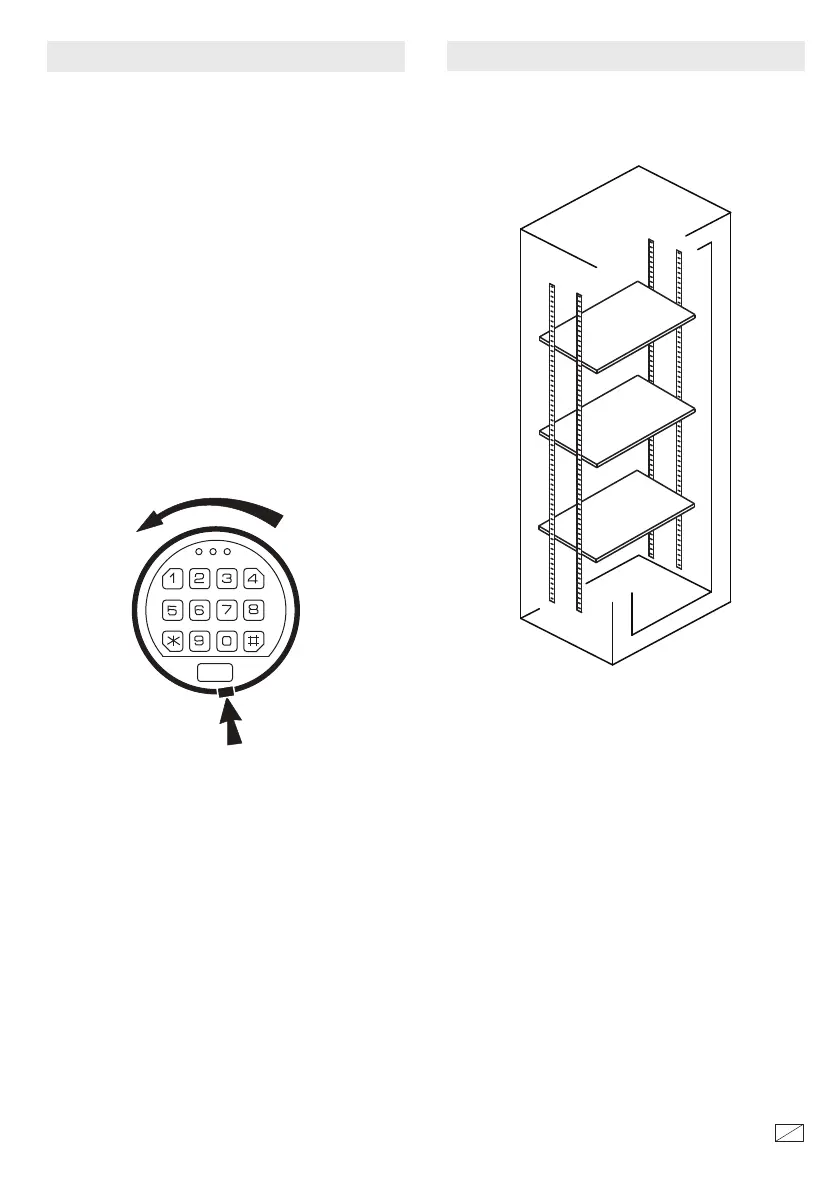
1. Remove the cover by pressing the tab and turning
the cover as shown in the illustration. e lock can
hang by the connecting cable while unlocking the
safe.
2. Insert the key in the key hole and turn clockwise
1/4 turn (until stopped) in order to unlock the safe.
Rotate the handle and open the door.
3. Keep the door open until you have entered a new
security code. Before entering your new code,
remove the key and screw the cover back in place.
4. Enter your new security code following the
instructions for entering your security code.
TAB
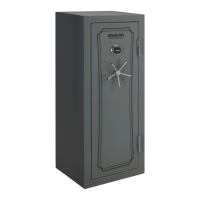
SHELVES
e shelves can be installed by locating the shelf clips
to the desired location and seing the shelf in place.
40708-1607
6
18




 To Next Page