23
5.3 Top Speed Test
If you stop accelerating
during the test or want
to stop the test, press
the Adjust Button to stop
the timer. Then press the
Adjust button to clear
the record and enter the
target distance timer again.
The timer is automatic, so
when your bike starts to
move, the timer will start
to count the time and
stop automatically after
you stopped the bike.
• Once the target distance has been
reached, the timer will stop counting
automatically.
• To perform another test, press the
Adjust Button to clear the record and
enter the target distance timer again.
The will keep
throughout the test.
The will keep
throughout the test.
In order to save a record and get back to the main screen, press
and hold the Select Button for 3 seconds.
NOTE
• As soon as the scooter moves, the
timer will start automatically.
To
out how to adjust the Power
Test timer settings, please see 4.2.
NOTE
• In the main screen, press and hold
the Adjust Button for 3 seconds to
switch the instrument to timer mode.
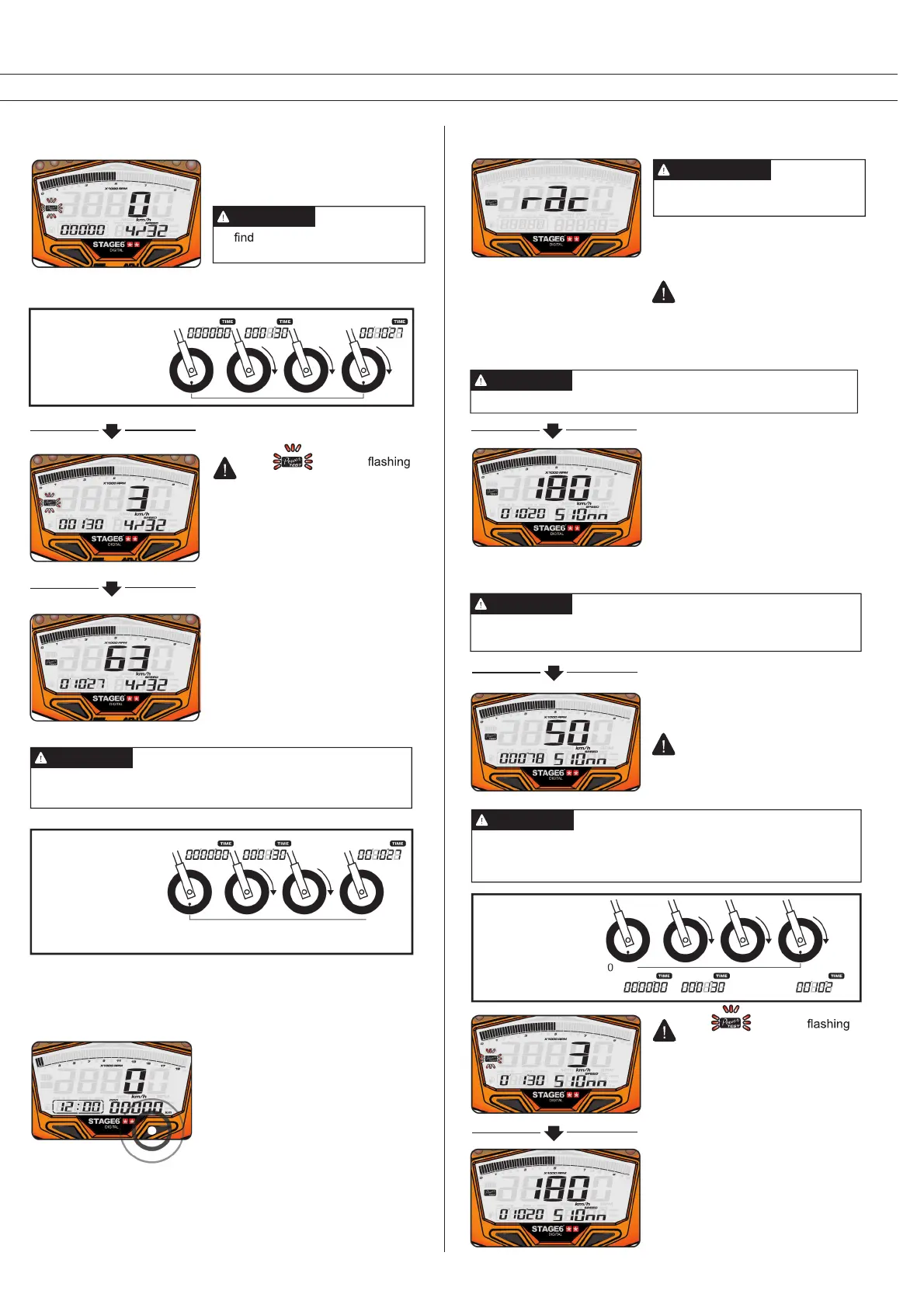
• In the Power Test screen, press the
Select Button 3 times to enter the top
speed test screen.
• As soon as the scooter moves, the
timer will start automatically.
• Press the Adjust Button to clear the
record and enter the top speed timer.
• E.g.: The stored record is displayed:
the top speed was 180 km/h, the time
needed was 10.20 s, the distance
needed was 510 m. During the test,
the max RPM was 10,000.
Please only use this function on
race tracks to avoid accidents!
WARNING
The top speed test range:
0–360 km/h; distance: 0–999 m (3280 ft.);
RPM: 0–10.000/20.000 RPM; timer: 0–9:59.99 min.
NOTE
In order to save a record and get back to the main screen, press
and hold the Select Button for 3 seconds.
NOTE
If there already is a power test
record stored, it will be displayed
now. Before starting a new test,
the old record will have to be
cleared.
The setting unit is automatically
changed together with the speed
unit (see 4.2).
The timer is automatic, so
when your bike starts to
move, the timer will start
to count the time and
stop automatically when
you stop the bike or when
the speed decreases.
• Once a new top speed has been
reached, the timer will stop counting
distance and time.
• To perform another test, press the
Adjust Button to clear the record and
enter the top speed timer again
Please start the test while the scooter is standing still.
NOTE
0 m 100 m
0 m Test fail
0 km/h 3 km/h Speed up 180 km/h


 To Next Page
 Loading...