BS and BSA Bias Supply Series and User Manual, Rev 2.60
www.stahl-electronics.com phone: +49 6242-504882, fax: +49 6242 504884
7
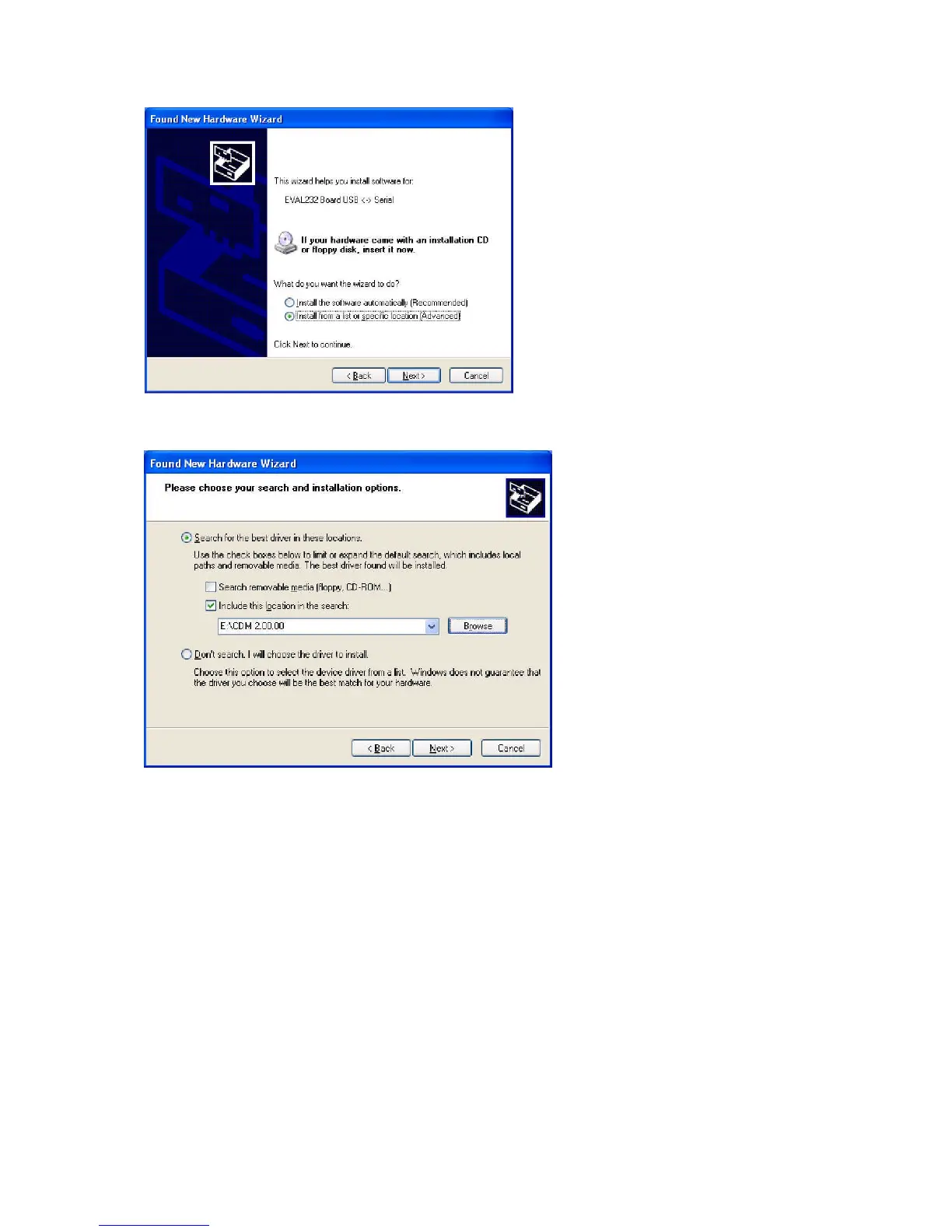
Afterwards choose “Search for driver in these locations” and “Include this location in the search”.
Browse now to the provided Installation CD and select the appropriate path with the USB drivers.
Click “OK” and “Finish” to complete the first driver installation.
After a few seconds the first window will show up again (“Found New Hardware Wizard”). This is
because the drivers come in two separate parts, which both have to be installed. Go through the
installation steps in the same way as before. After completion, the USB drivers are ready for use and
Windows indicates this by showing “Device Ready” (or similar) in the lower right screen corner for a
couple of seconds.
Windows usually recommends to restart Windows now, but normally one can skip this point.
Nevertheless note that the PC should be restarted before installing any other piece of hardware or
software.



 To Next Page