Page 15
Other controls vary by unit:
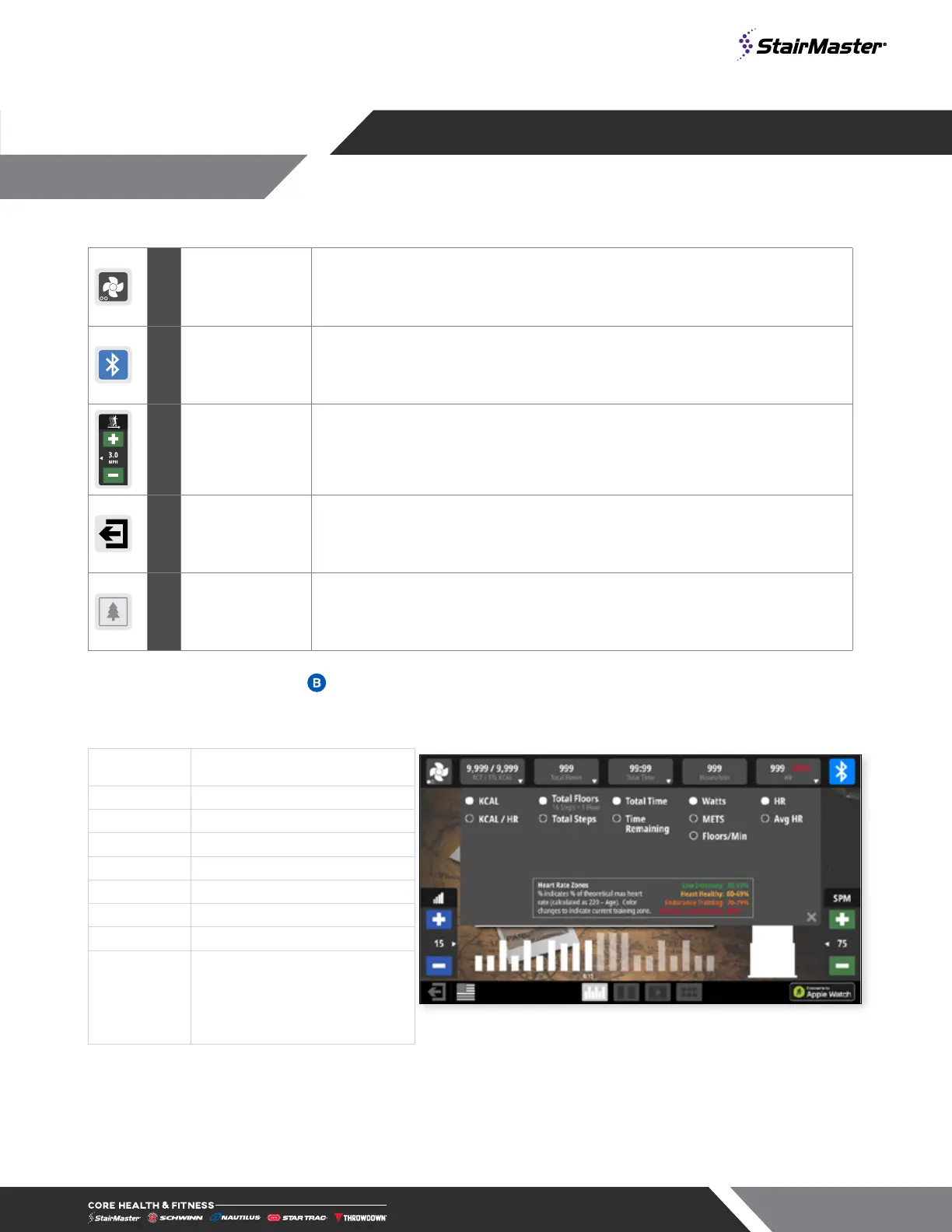
A Fan Button Cycles the fan between three settings: High, Low and Off
C Bluetooth Button is grayed out if no device is connected to the console.
D
Adjustment
Buttons
Allows user to increase/decrease speed, level or incline depending on unit.
E Exit/Back
This button has the same function as pressing stop button on hot bar, puts
display into the pause screen.
Wallpaper Select to set the screen background.
Display Measurements
Measurements are displayed at top of screen during workout, tapping any of the measurement boxes allows
user to select alternative measures to display and may include the following measurements:
Calories
Active/Total calories burned
Note: When connected to Apple Watch only
Fig. 9
Display Measurement Dropdown (10G)
Cal/Hour
Current rate of calorie burn
Floors
Current floors climbed
Steps
Current steps climbed
Time
Current total workout time
Watts
Current user Watts
METS
Current user METS
Floors/Min
Current climbing speed
Heart Rate
Current HR in beats per minute,
if available






 To Next Page