Page 17
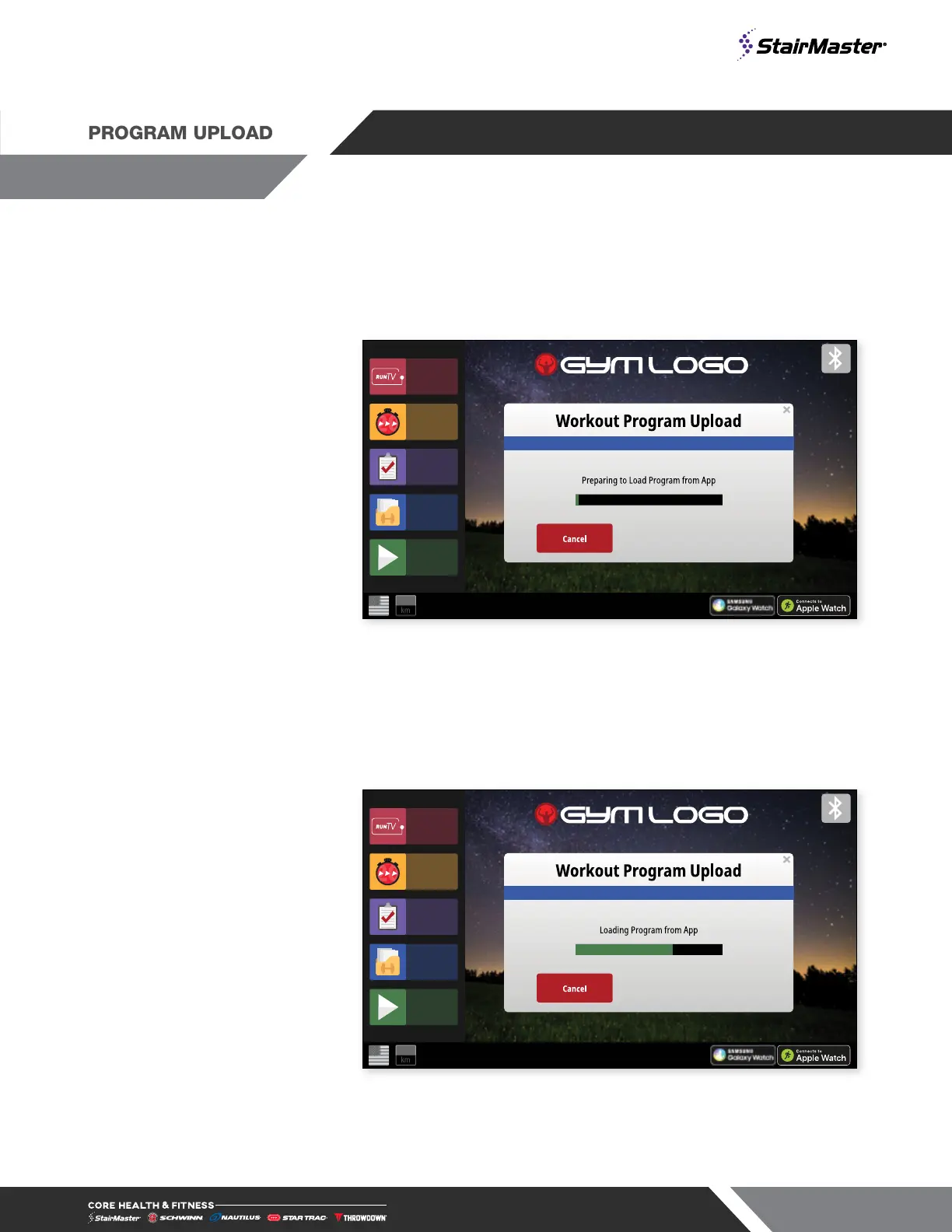
Prior to starting a workout, a BlueTooth connected device can be used to upload a program to display on the
console from a compatible app. The upload may contain user info such as age and weight.
1. In an App interface, select the
option to Upload Program
to Display and then select
the program from the app to
upload. Console will switch to
shown page when responding
to the app.
NOTE: if done while a workout
is in progress, the display
will not respond to the app
command.
ST20
H.I.I.T.
Build A
Workout
Existing
Workouts
Quick
Start
RunTV
mi
Fig. 11
2. The app will upload to the
console. Pressing the cancel
during this time will return to the
home screen and remove any
uploaded information from the
console.
ST20
H.I.I.T.
Build A
Workout
Existing
Workouts
Quick
Start
RunTV
mi
Fig. 12






 To Next Page