43
7.1.4 Setting the cassette bill denomination
8.0 PART ORDERING INFORMATION
To obtain service on a component or module, please follow these instructions.
1. Locate the fault to a specific component or module. See the troubleshooting section of this manual for
assistance.
2. Call your nearest Standard Change-Makers service center. You will need to give the service
representative the following.
MODEL NUMBER OF YOUR MACHINE
SERIAL NUMBER OF YOUR MACHINE
3. If you cannot furnish these numbers, it will be extremely difficult for the service department to help
you. The serial number and model number are located on a label inside your machine. Service center
phone numbers are given on the last page of this manual.
4. Always remove power from your machine prior to removal of a component.
5. Remove the faulty component from the changer cabinet.
6. If the component is to be returned to the factory or service center, pack the component in the original
factory packaging if possible. If the original packaging is not available, use a suitable substitute. Care
should be taken to prevent damage to the components from electrostatic discharge and mechanical
shipping damage.
NOTE: Please avoid the use of Styrofoam “peanuts” when packing. If peanuts are used, the component
should be encased in a plastic bag to prevent clogging the mechanism.
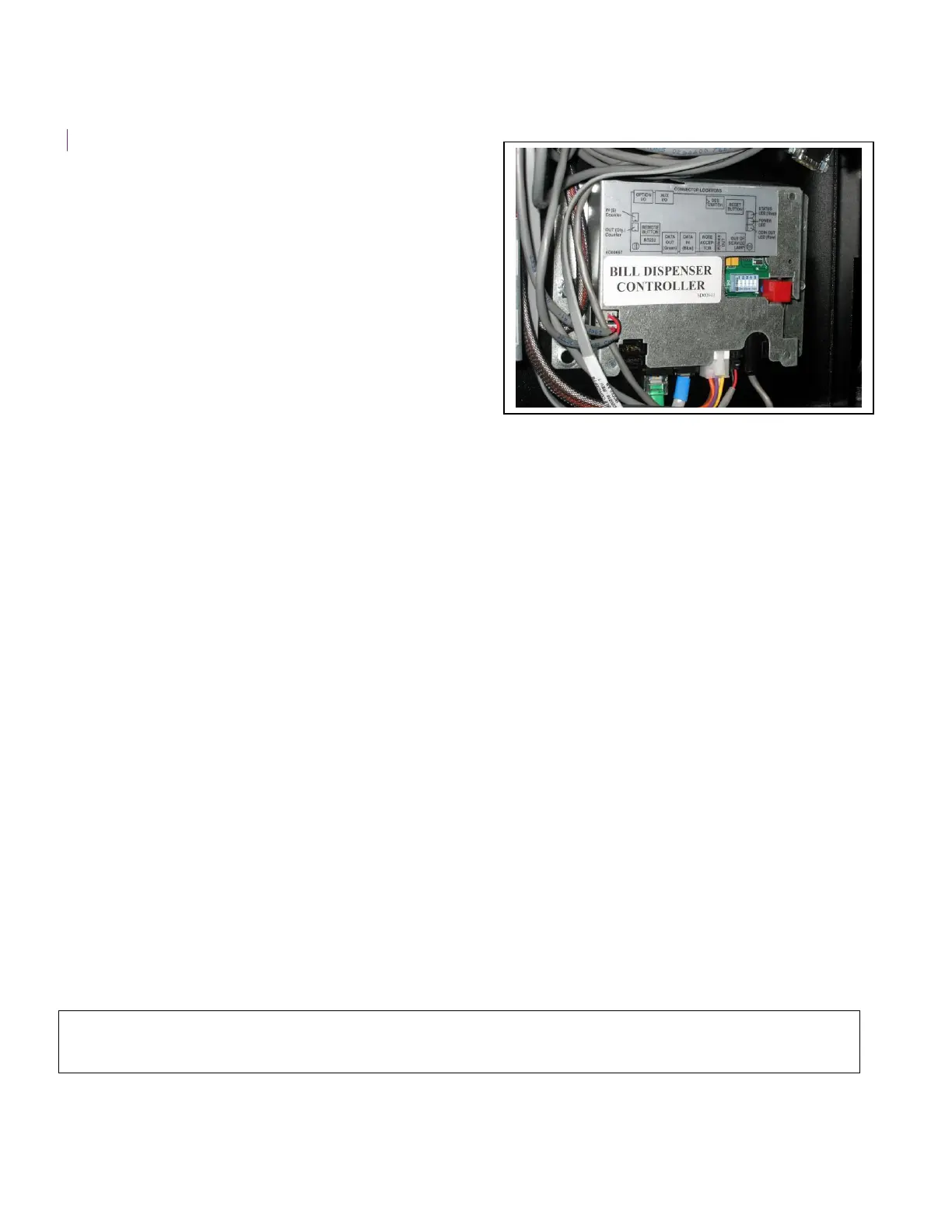
The denomination ($1, $5, $10 or $20) of each cassette
is stored in the memory of the bill dispenser controller
module (see picture to the right). The denomination
of each cassette will need to be programmed into this
memory using the DSS switch setting procedure
outlined in the “Dispenser Value” section of this
manual.



 To Next Page