C
Fast Vend Shutoff
(The factory default settings for Fast Vend Shutoff are as follows):
Time Period is 15 minutes for all bill denominations.
Maximum quantity of bills varies by denominations and by country.
U.S. Currency: $1=45, $2=45, $5=20, $10=10, $20=5, $50=2, $100=2
Canadian Currency: $5=20, $10=10, $20=5, $50=2, $100=2
Mexican Currency: 20 peso=20, 50 peso=10, 100 peso=5, 200 peso=2, 500 peso=2
To make changes to the Fast Vend Shutoff feature, follow the step by step procedure outlined on the
following two pages. Please note selecting either time or maximum quantity to 0 will disable the Fast
Vend feature for that bill denomination only.
Note: The five-position switch and red selection button are located on the dispenser control board of
the device marked “Primary”. For machines with multiple bill acceptors, these settings must be set on
the dispenser control board that each bill acceptor is plugged in to.
IMPORTANT: Please note the original switch settings before starting this procedure. You will need to
return the switches to this original setting to assure proper operation after making any changes. As a
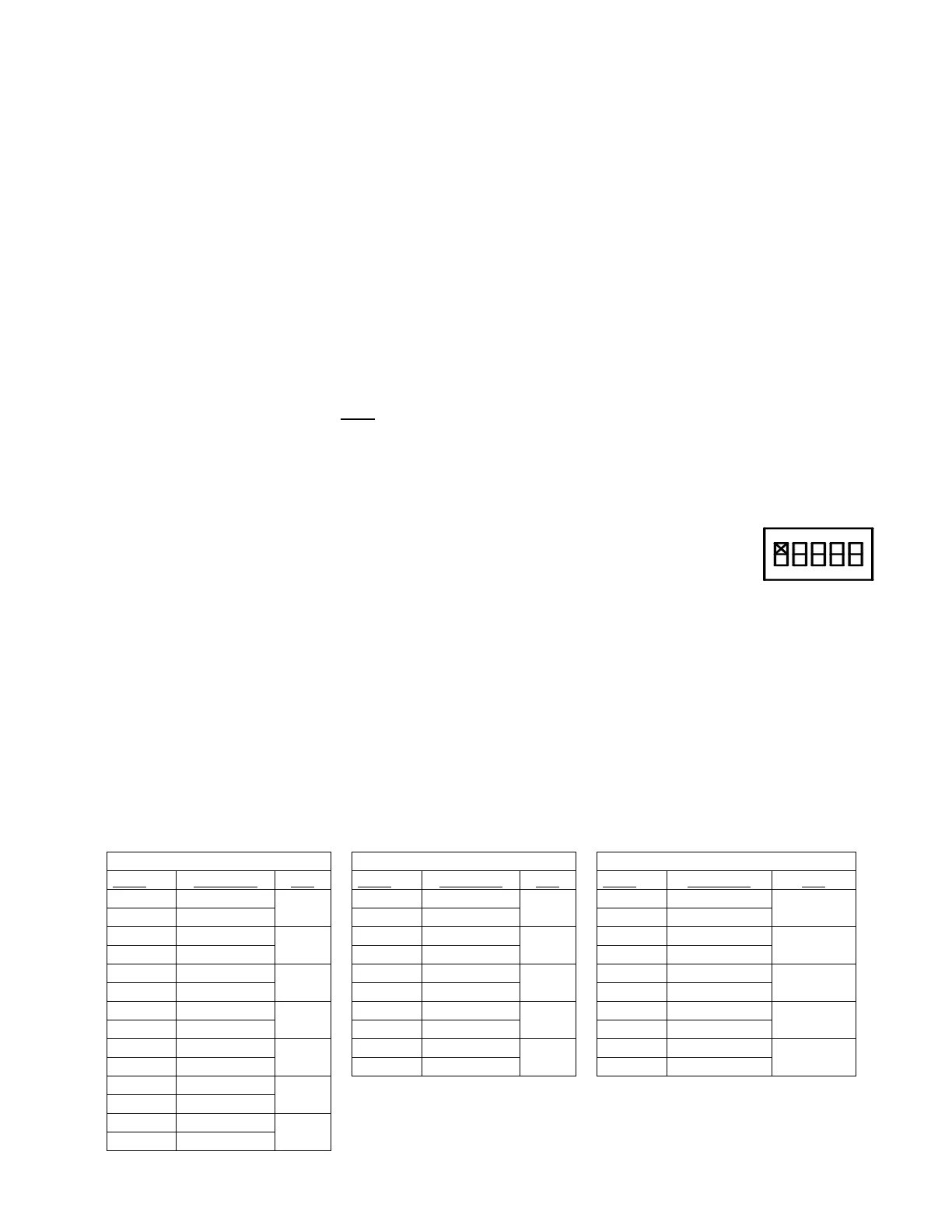
convenience, you can enter these original settings in the diagram to the right by simply
marking an “X” for UP or DOWN on each switch.
1. Activate the Fast Vend Shutoff programming mode by setting:
Switch 1–ON; Switch 2-OFF; Switch 3-OFF; Switch 4-ON; Switch 5-OFF
2. Press the red selection button one time. This advances you to the 1
st
step as per the Country
Currency tables below. This step sets the maximum quantity of a bill type accepted BEFORE the
Fast Vend feature is activated.
Example: Step 1 is for a U.S. $1, a Canadian $5, or a Mexican $20 note.
COUNTRY and BILL DENOMINATION GROUPS



 To Next Page