(8)
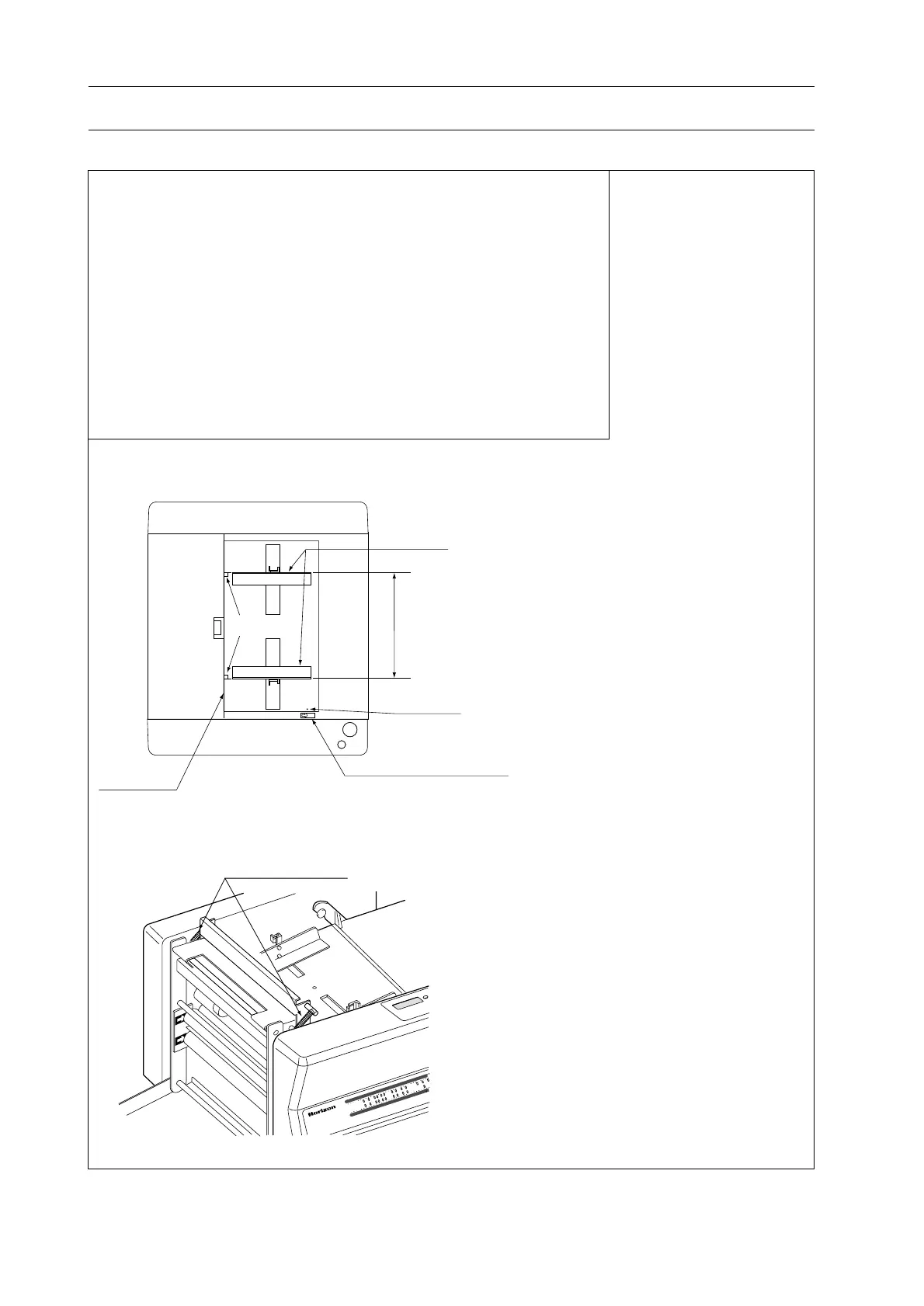
FoldRollerSprings
1
ス
ト
ッ
パ
2
ス
ト
ッ
パ
1
0
1
5
5
1
0
1
5
5
P
F
-P
3
1
0
P
E
P
E
R
F
O
L
D
E
R
ク
リ
ア
FeedGuideAdjustLeve
Parallel
RedMark
FeedGuide
Right-angled
FrontGuide
5. Troubleshooting
F. Folding result is not good.
(Cause)
1. Sheet is too thin. (Out of specification)
2. Sheet is not cut square.
3. Sheet is curled.
4. Feed guides are set improperly. (Remedy 1)
5. Fold roller spring is loosen. (Remedy 2)
6. Stopper in buckle is set improperly. (Remedy 3)
7. Fold rollers are dirty with ink. (Remedy 4)
8. Sheets are jammed in buckle. (Remedy 5)
9. Support rollers are set improperly. (Remedy 6)
10. Feed roller or double feed stope pad is worn out. (Remedy 7)
11. Fold roller is worn out. (Remedy 8)
(Remedy 1)
- Adjust feed guides so that feed guides are
right-angled with front guide and feed
guides are parallel each other.
- Red mark tells the standard position of feed
guide adjust lever.
(Remedy 2)
Replace fold roller spring.
(Continued on the next page)



 To Next Page