(9)
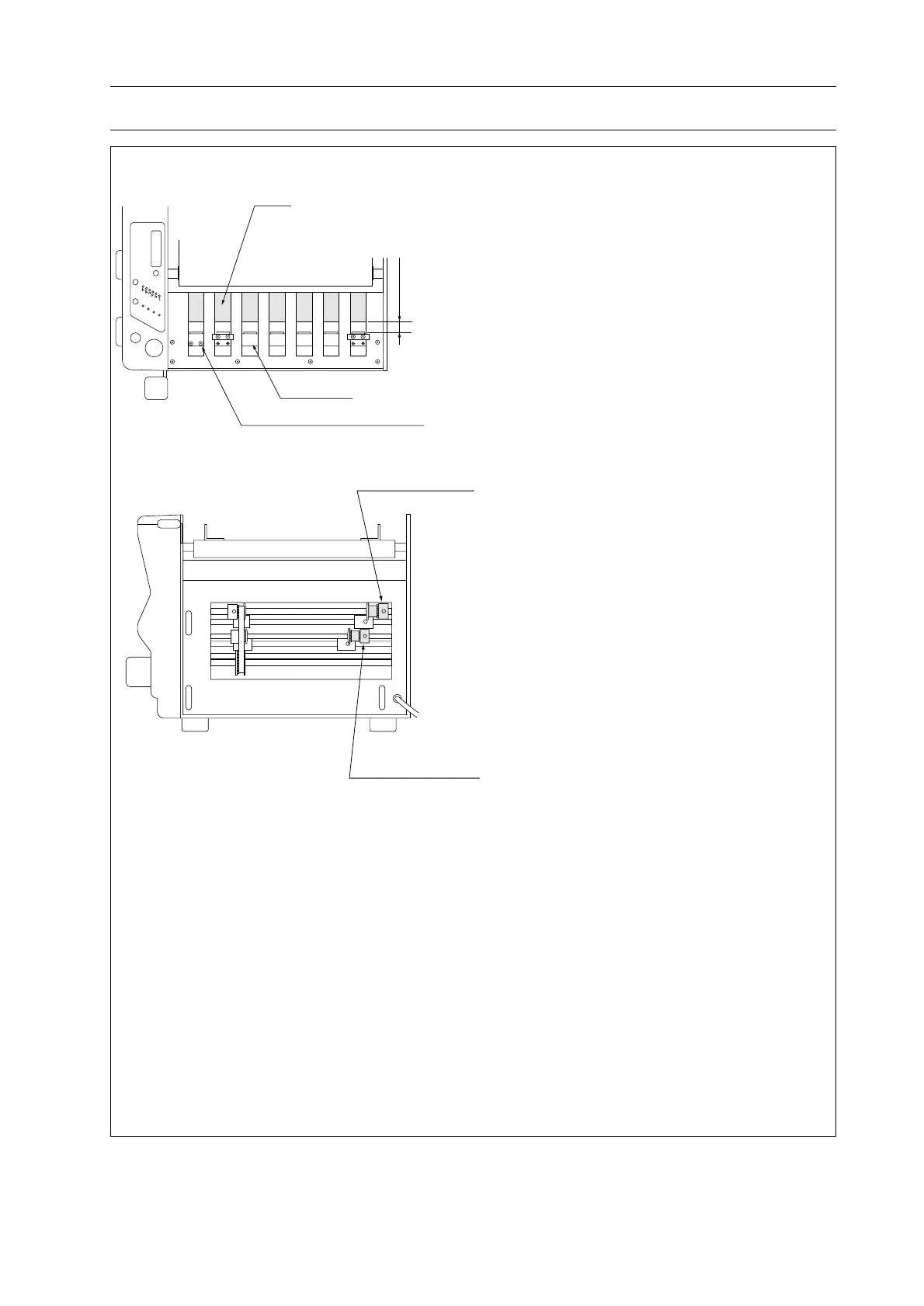
1stStopperAdjust
TimingPulley
2ndStopperAdjus
TimingPulley
テスト
スタート/ストップ
折形 紙サイズ
B5
B4
A4
A3
クリア
枚数
1stStopper
1stStopperIndicatorFixScrew
Sheet
Theleadingedgeofsheetis
paralleltobucklestopper.
5. Troubleshooting
(Remedy 3)
1. Turn power off and unplug power cord.
2. Remove all covers (front cover, rear cover
and side covers).
3. Remove feed tray (support tray) and move
1st stopper to L direction until it appears
under feed tray. Move 2nd stopper to the
position where 2nd stopper can be seen
from feed guide holes.
4. Feed exactly square A3 size sheet to buckle
by turning feed roller by hand. Make sure
that sheet is not skewed.
5. Check that the leading edge of sheet is
parallel to buckle stopper.
6. If buckle stopper is not parallel with sheet
edge, loosen two timing pulley screws and
adjust stopper angle so that it will be paral-
lel to sheet.
(Remedy 4)
Clean fold rollers with alcohol soaked
cloth.
(Remedy 5)
Remove all jammed sheets in buckles.
(Remedy 6)
Readjust support roller position.
(Remedy 7)
Replace feed roller or double feed stop pad.
(Remedy 8)
Replace fold rollers.



 To Next Page