Service Menu
STAR TRAC FITNESS 5 of 8 637-1414 Rev: A
Channel Maintenance
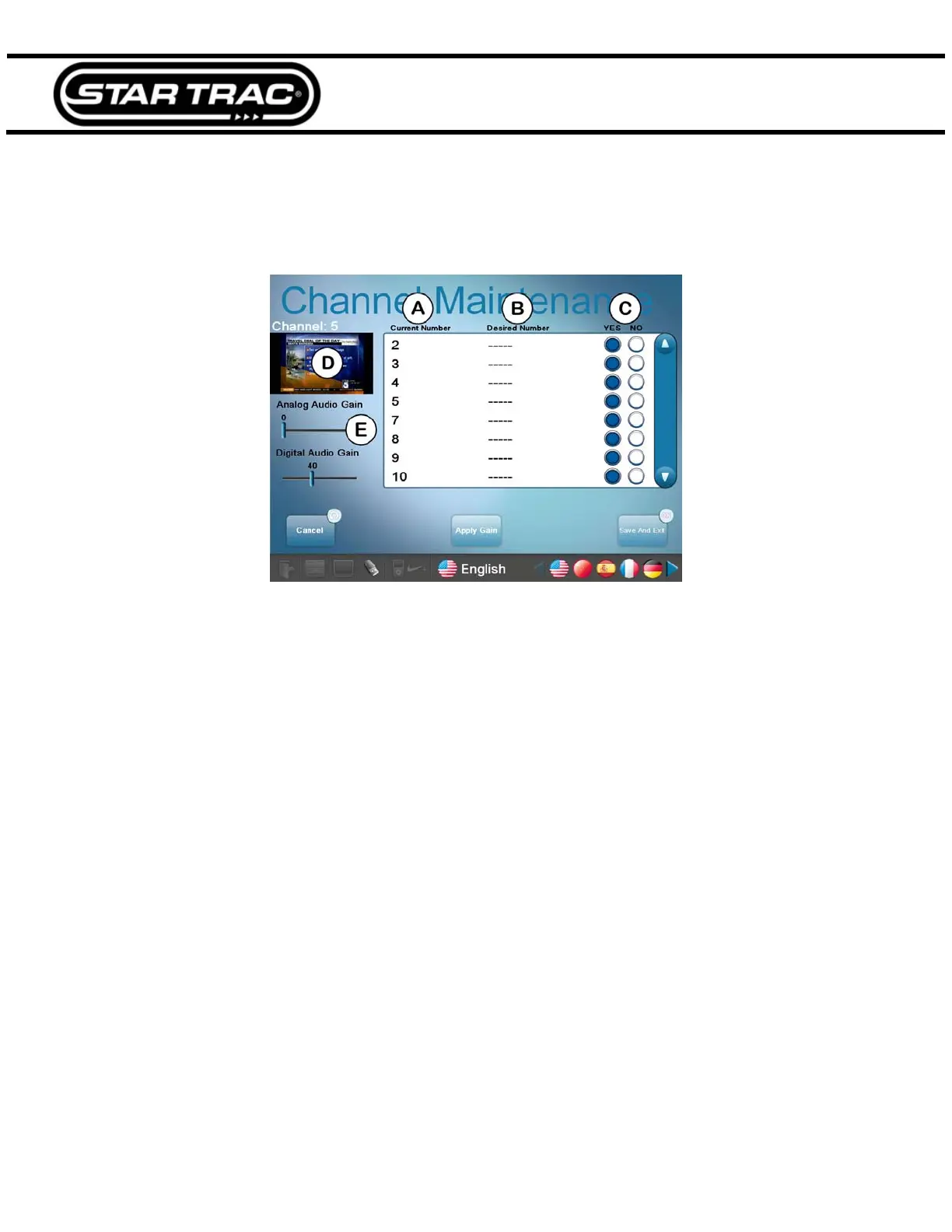
Channel Maintenance allows you to hide channels, re-number channels and adjust audio gain levels.
Fig. 8
A. Tap on a number to choose a channel.
B. Desired Number allows the current number to be changed to another number.
C. If an undesired show was captured during the channel scan, it can be removed from the lineup by tapping the NO
circle. Tap YES to keep it in the lineup.
D. A preview of the current channel will be displayed here.
E. Sometimes the analog channels may not be as loud as the digital channels or vice-versa. These two sliders allow
adjustment of the gain for both types of audio.
Remove TV Config Files
Remove TV configuration allows you to clear all TV settings in the event the TV configuration becomes corrupted.



 To Next Page