Service Menu
STAR TRAC FITNESS 6 of 8 637-1414 Rev: A
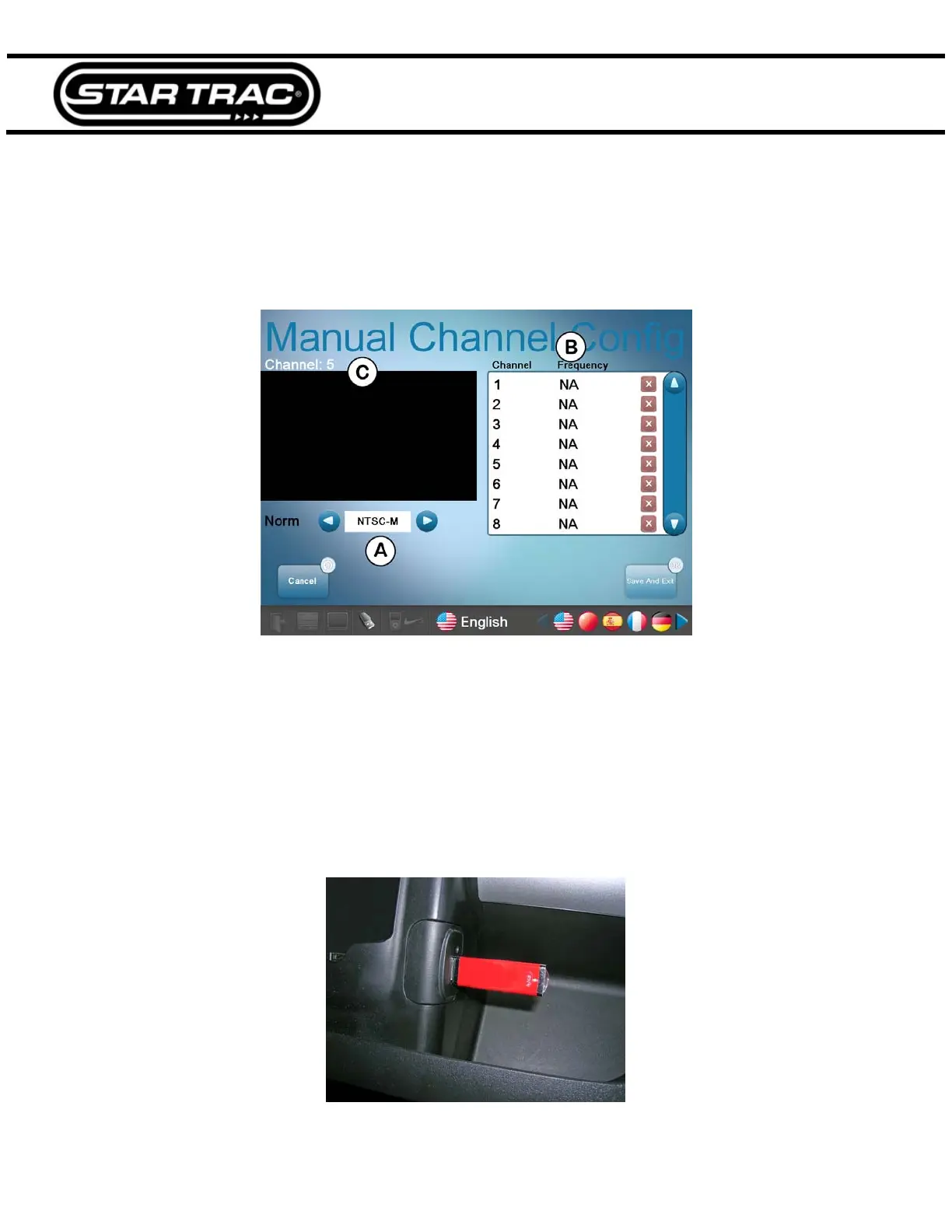
Manual Channel Config
Manual Channel Configuration allows you to manually configure the frequency of each channel.
Note: Manual configuration will clear all the settings of previously scanned channels. Also the manual channel
configuration only works for analog TV.
Fig. 9
A. Choose the standard (Norm) for the country that the machine is in.
B. Tap on the frequency column of each channel and key in the desired frequency for that channel.
C. A preview of the current channel will be displayed here.
Export TV Config and Import TV Config
Allows you to export the channel scan information from one TV and import it to another.
1. Connect a USB drive into the port on the center console (Fig. 10).
Fig. 10



 To Next Page