Battery Indicator
An indicator will sound when the battery’s voltage is low. You
have approximately 20 minutes* to replace the battery. A
different indicator will sound just before the battery
stops working.
* Actual time between low battery indicator and shut down will vary
depending on environmental noise levels and brand of battery used.
Helpful Hints
• NEVERFORCETHEDOORSHUT;thiscouldresultin
seriousdamage;ifthedoorwillnotclosesecurely,checkthat
the battery is inserted correctly
• Donotopenthebatterydoortoofarordamageislikely
to occur
• Disposeofusedbatteriesimmediatelyintheproperwasteor
recycling container
• Batteriescanvaryinsizeandperformance,yourhearingcare
professional is your best source for information
Warnings
Batteries are dangerous if swallowed. To help prevent the
accidental ingestion of batteries:
Keep out of reach of children and pets
Check your medications before taking them –
batteries have been mistaken for pills
Never put batteries in your mouth, as they can easily
be swallowed
National Button Battery Ingestion Hotline:
202-625-3333
preparatiOn
Batteries
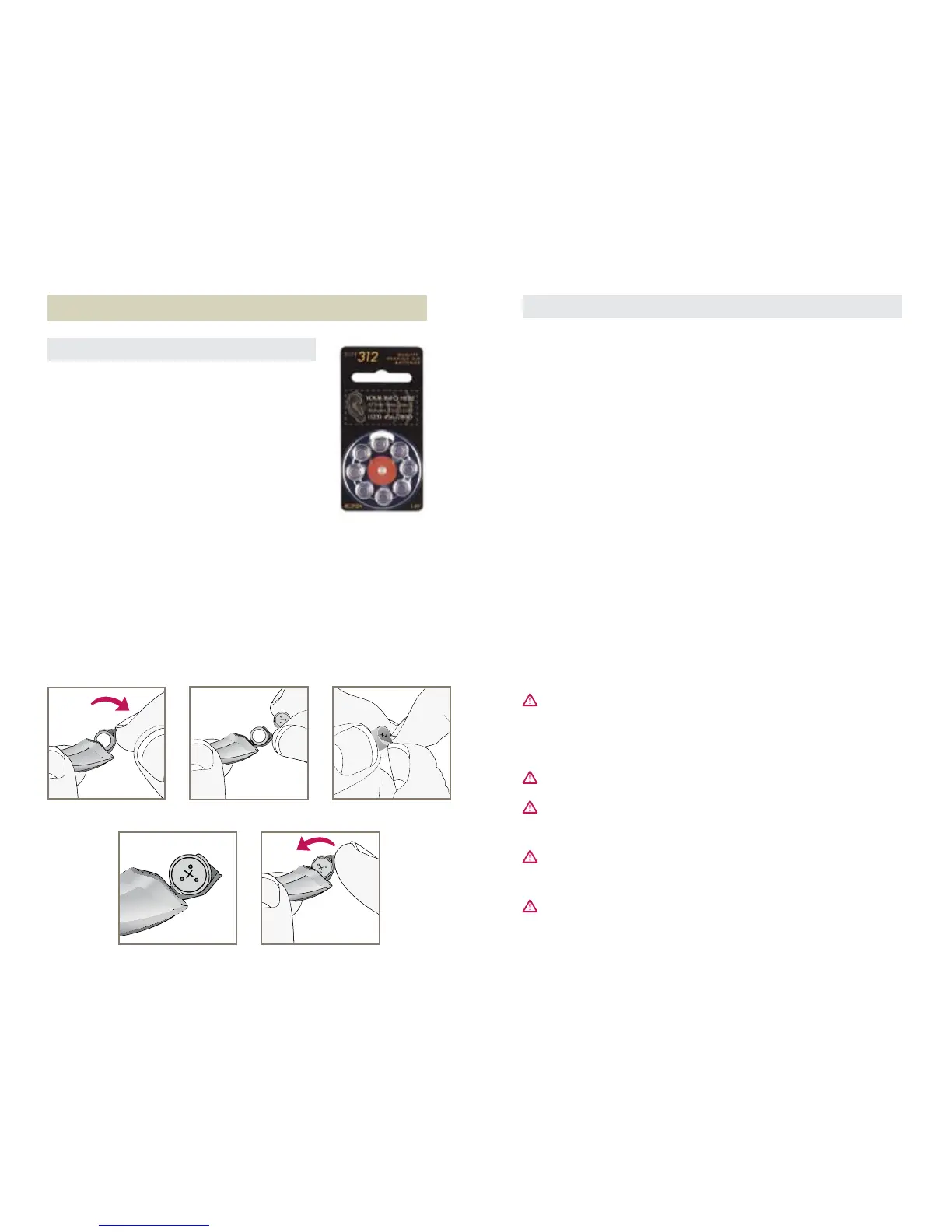
Yourhearingsystemusesasize312battery
asitspowersource.Thisbatterysizecan
be identified by the brown color code on
the packaging.
To insert or replace the battery:
1. Use the nail grip on the battery door.
2. Open the battery door gently and remove
the old battery.
3. Remove the tab from the new battery.
4. Line up the battery’s plus “+” sign (flat side of the battery)
with the “+” on the battery door.
5. Close the battery door.


 To Next Page