RDCM V03-1015110
Manual del usuario Starline Roldeck
19 : 11
HH+ OK MM+
19 : 11
HH+ OK MM+
5.5 AutoLock function
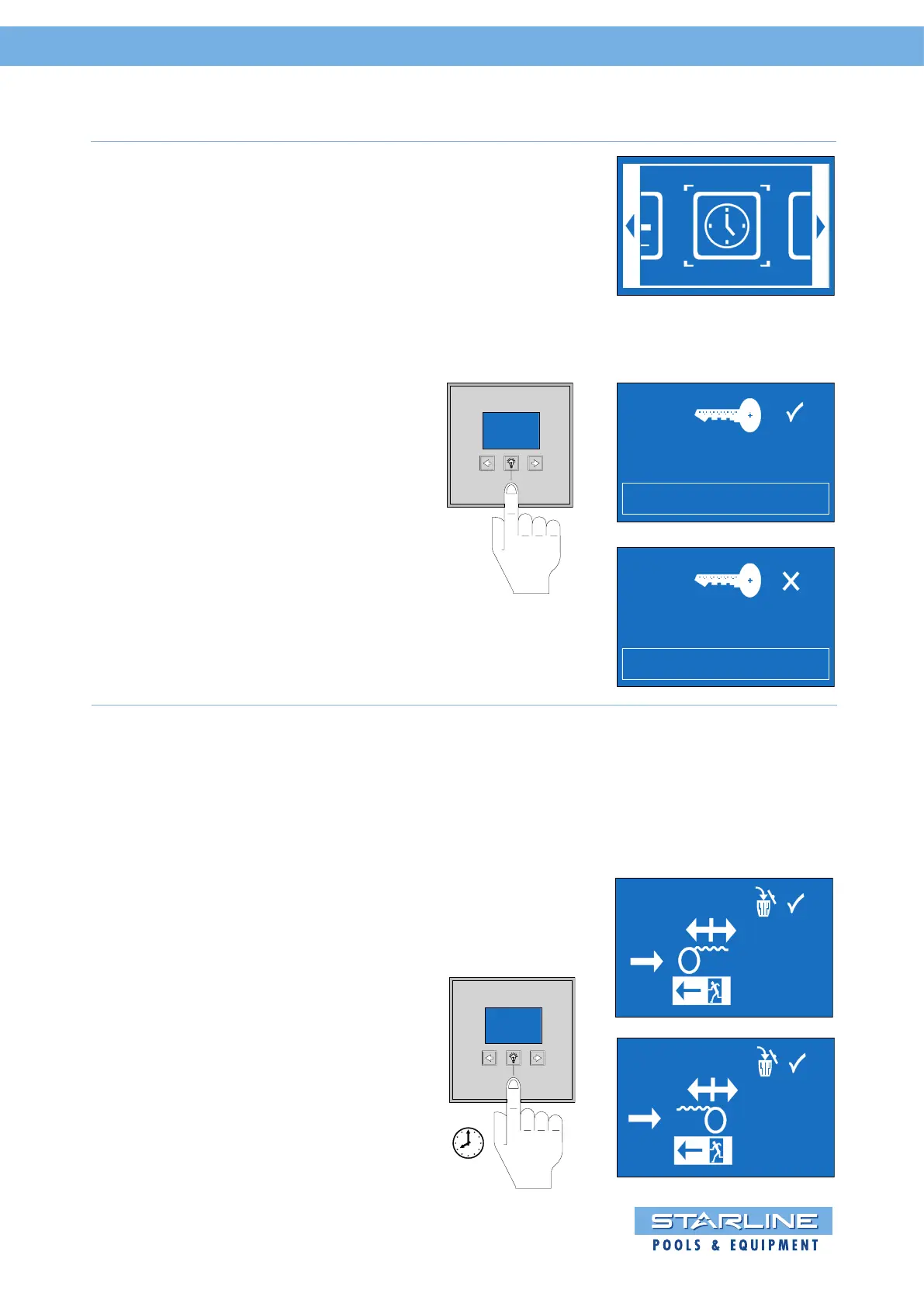
By pressing he middle key “light symbol”
for 3 seconds the menu of the S-switch
opens.
By touching the arrow keys or briefly
you can scroll through the menu.
Select the symbol “time” and confirm this
with the “light symbol”. It is now possible to
switch on/off the AutoLock function.
By touching “light symbol” the AutoLock
function can be switched on or off.
The time is set by using the arrow keys
or .
Symbol “” setting hours, Symbol “”
setting minutes
Then confirmed the time by pressing the
key “light symbol” for 3 seconds.
The menu returns to the symbol time.
First turn on the Roldeck Control by means
of the red button and connect the jumper of
the RD2013 into socket.
5.6 Changing position of the Roldeck (afterwards)
The position of the Roldeck can be changed
after programming by pressing the lamp key
of the S-Switch.
Then go to exit.
PROG
1 sec.


 To Next Page