RDCM V03-101530
User manual Starline Roldeck User manual Starline Roldeck
7.4 Manual Roldeck Operation
If the Roldeck motor fails due to a malfunction
with one of the sensors (error code is readable
in LED display or s switch).
The function of the sensor can be switched off
by means of a button combination together
with the jumper.
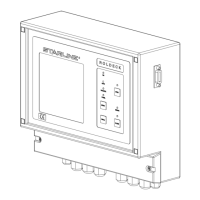
Than push the buttons “prog” and “mode”
simultaneously for 3 seconds in a row.
The manual Roldeck Control function
is only meant in case of need, by using
this control the pre-programmed OPEN
and CLOSE position will be erased from
the memory of the Roldeck Control unit.
After the problems are solved the OPEN
and CLOSE position must be programmed
again.
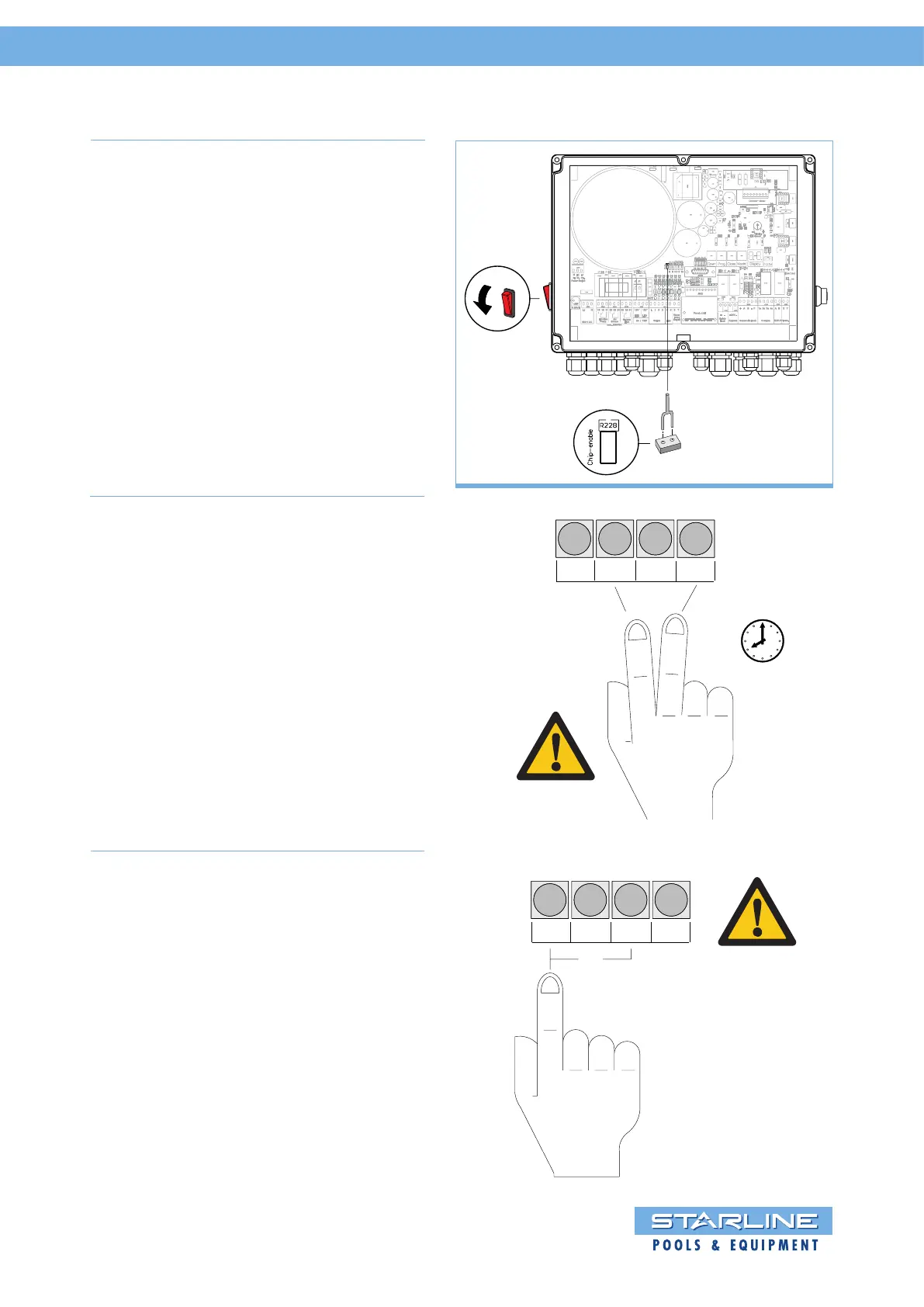
First turn on the Roldeck Control by means
of the red button (1) and connect the
jumper of the RD2013 into socket (2).
3,15A/T
J202
J202
1.
2.
Open Prog. Close Mode
S202 S200 S203 S201
Subsequently the Roldeck can be
controlled manually by pushing the “open”
and “close” button in the control box until
the desired position is reached.
When the button is released, the Roldeck
stops automatically. Pay attention when
opening or closing the Roldeck that the
Roldeck doesn’t move too far.
Open Prog. Close Mode
OR
S202 S200 S203 S201


 To Next Page