RDCM V03-10158
User manual Starline Roldeck
4 Operation
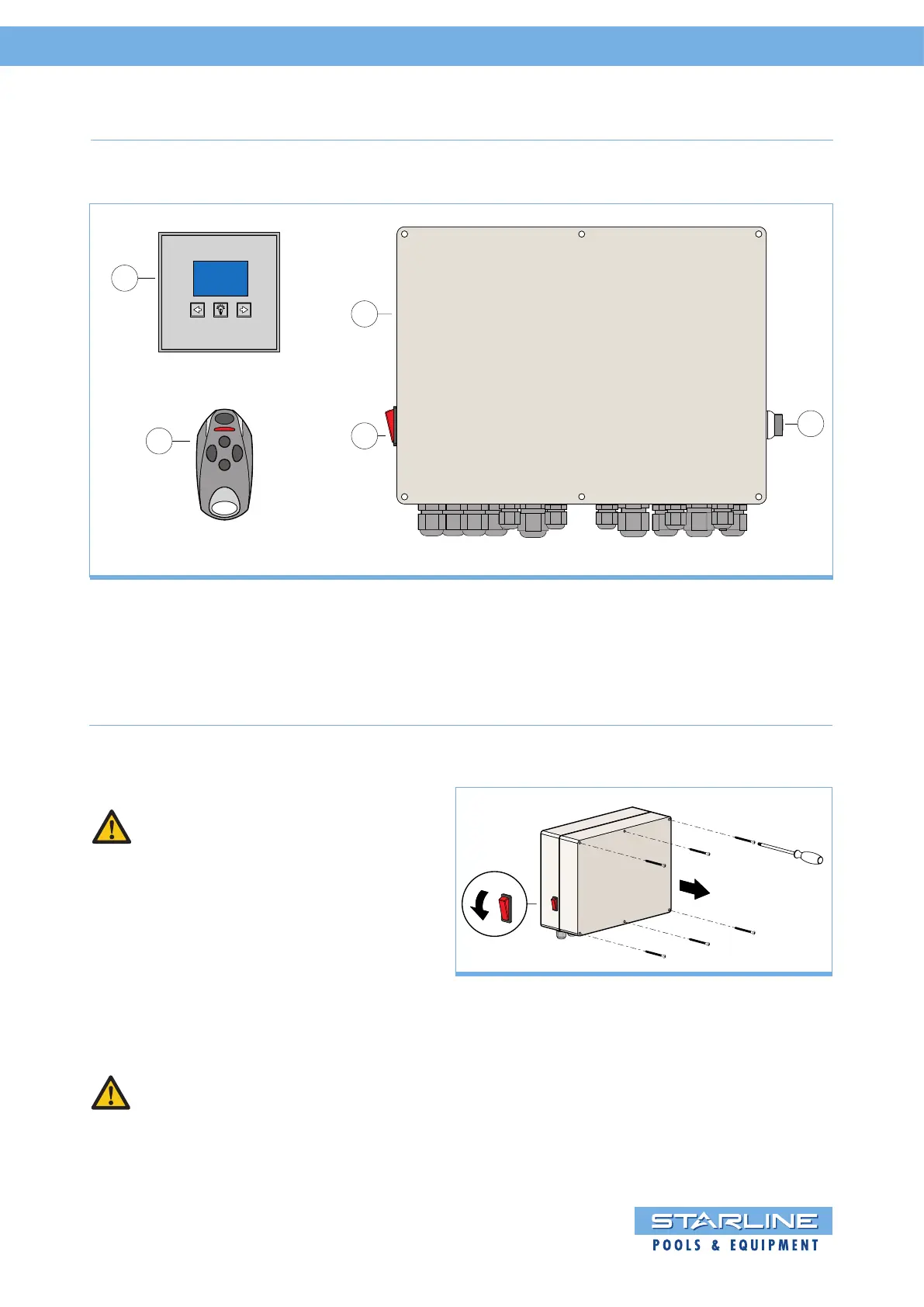
1 Roldeck control RDEB2013
2 On/Off switch
3 Key Switch
4 S-Switch
5 Remote control
2
3
4
5
1
4.1 Overview Control
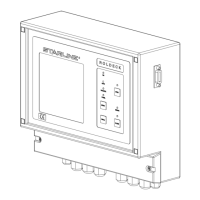
4.2 Removal of the RDEB2013 front panel
REMOVAL OF THE RDEB2013 PANEL
PLEASE NOTE:
1.Before the housing is opened the equipment
must be switched off.
2. Remove the 6 screws from the front panel
of the housing.
Remove the panel of the control housing.
RE-FITTING THE PANEL
Put the panel back on the housing and tighten
the screws crosswise.
NOTE:
Make sure that the panel on the housing is
completely closed, otherwise condensation may
occur inside the housing, which may damage
the RDEB2013.
1.
2.


 To Next Page