RDCM V03-101518
User manual Starline Roldeck
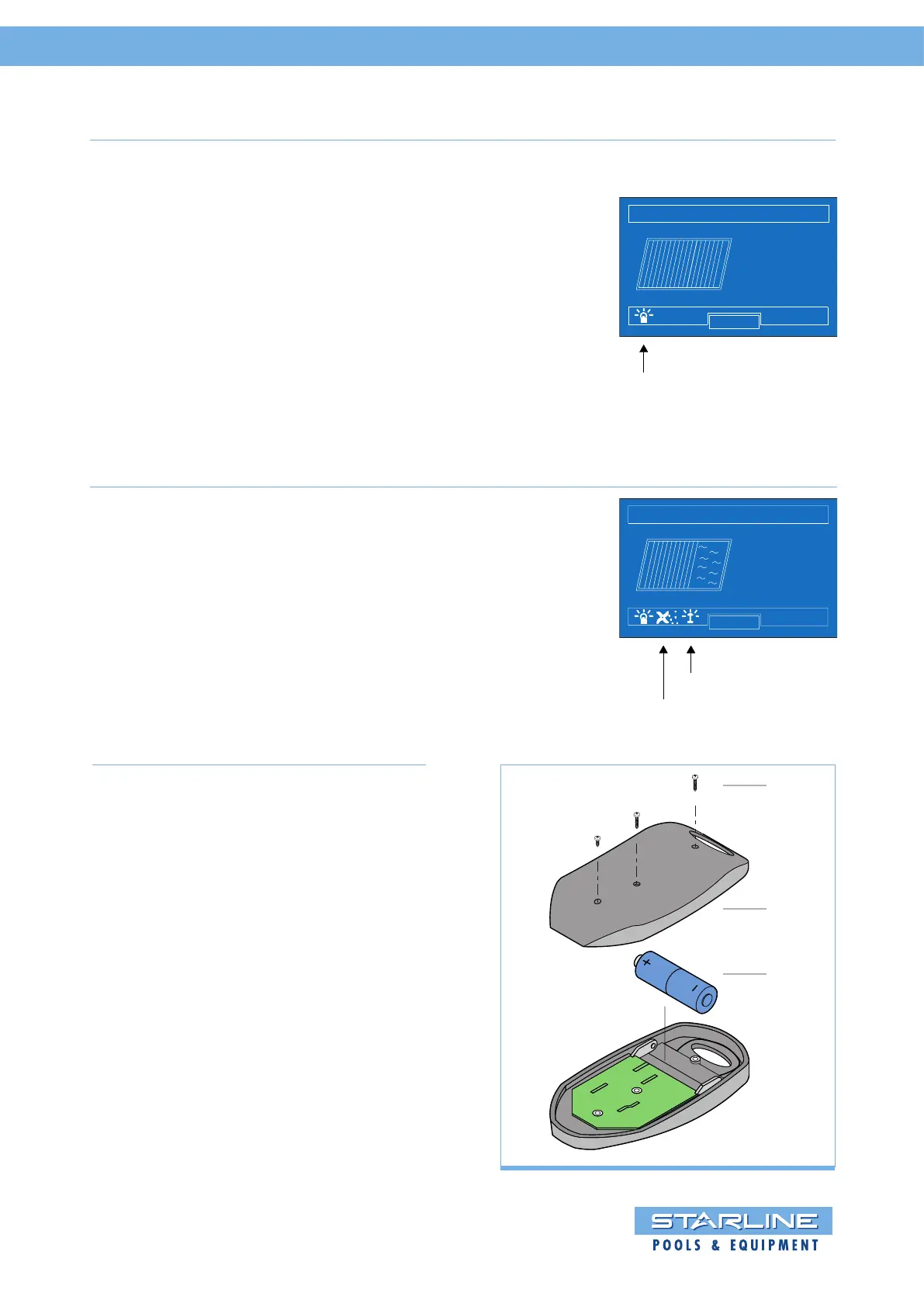
Pool lights (B).
With the button (B) the pool lights can be
switched on or off. When the pool lights are
on, and the Roldeck is running, the pool
lights are switched off. After the Roldeck
has stopped the pool lights will switch on
again.
The light symbol in the display lights up.
Press button B to switch on the pool lights,
then press button for a few seconds
to switch between the color by LED RGB.
ROLDECK
22
O
C
MENU
00 : 55
Pool lights ON
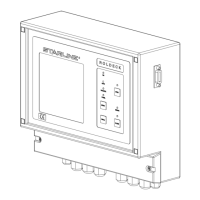
Jetstream (C) and garden lighting (D).
These functions can only be switched on
and off with the remote control.
By pressing the button on the remote
control the function will be switched on.
By pressing the button on the remote
control again the function is switched off.
ROLDECK
22
C
MENU
O
01: 07
Jetstream ON
Garden light ON
Functions Remote Control
Frequency: 433.92 MHz.
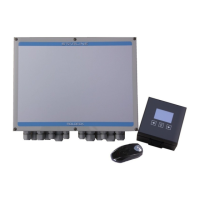
Battery replacement
• Remove the 3 screws (A) from the
bottom of the housing.
• Remove the bottom plate (B).
• Replace the battery with the same item
(A23 12 V).
• Watch the polarity.
A
B
C


 To Next Page