12
To view manuals, videos, drivers, downloads, technical drawings, and more visit www.startech.com/support
Plastic Caps
Qty: Four
Installation
Using the Grommet Mount
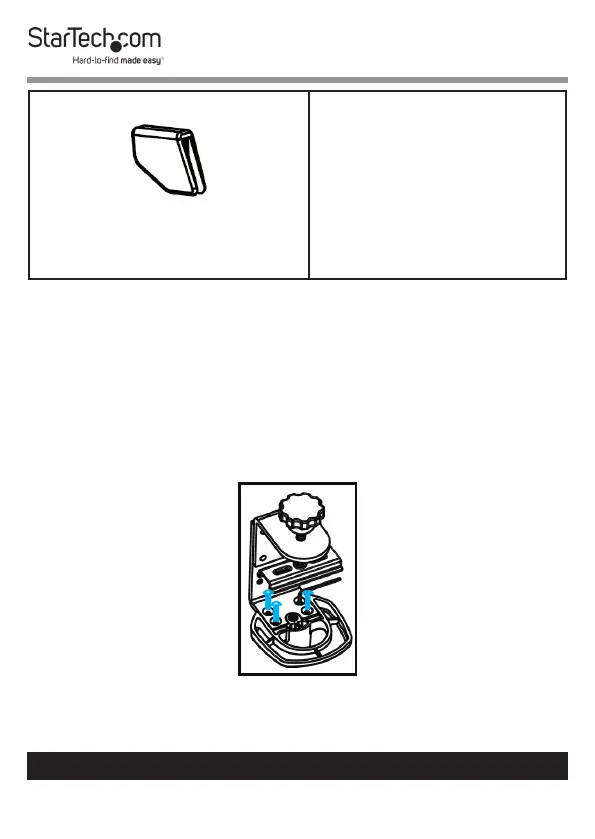
1. Turn the Desk Mount over so that the Support Pole faces
downwards. Use the M3 Hex Keys to remove the four Hex
Screws that are holding the base of the Support Pole to the
C-Clamp.
Removing the Four Hex Screws



 To Next Page