Instruction manual
33
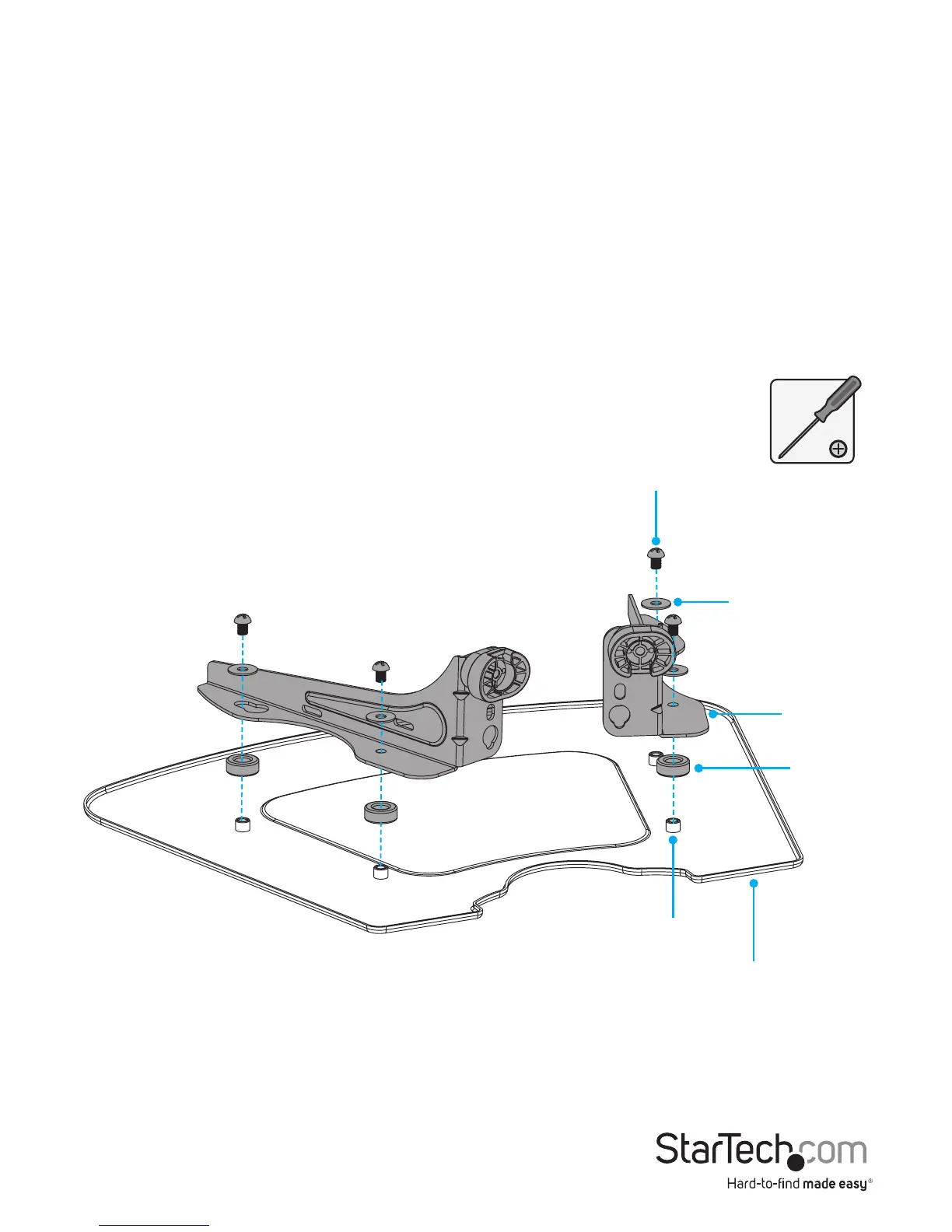
Install the multimedia shelf
1. Place the shelf spacers over the projections on the underside of the multimedia
shelf.
2. Position the right and left support brackets over the washers so that the holes are
aligned and the scalloped edges of the adapter brackets are pointed towards the
outside edges of the multimedia shelf.
3. Place the washers over the holes in the adapter brackets, and insert the M6x8 mm
screws through the washers, adapter brackets, and into the projections on the
multimedia shelf.
4. Use a Phillips type screwdriver to tighten the M6x8 mm screws. (gure 23)
gure 23
M6x8 mm screw
Washer
Adapter
bracket
Shelf
spacer
Projections
Multimedia shelf



 To Next Page